
One of the crucial items that you can use in your ghost hunting adventures is the motion sensor in Phasmophobia. To locate the ghost room and identify the ghost, you need to utilize tools and equipment at your disposal. If you are confused about how to use the motion sensor in Phasmophobia, here’s how to do it.
Phasmophobia Motion Sensor: How Does it Work?
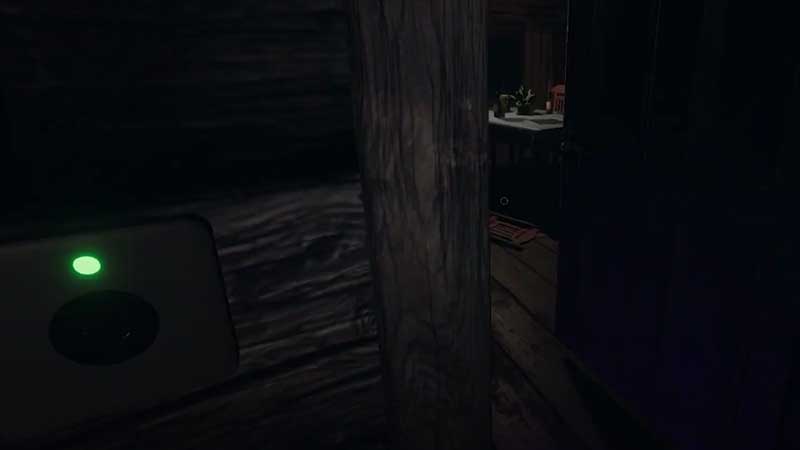
Unlike the Ouija Board, you won’t find the motion sensor inside the haunted locations, you have to purchase the item. It costs $100 and you can carry 4 of them. The price is the highest in the game right now.
Also Read | Phasmophobia Money Guide: Insurance Money & Infinite Money Cheat
As the name suggests, it detects the motion of anyone who passes in front of it be it a team member or the actual ghost. If your team places the motion sensors in particular locations and it gets some activity, you can determine the room where the ghost resides.
You will get a visual cue (when it shows a green light) and an audio notification when the sensor is triggered due to movement. You will also see an indication on the map.
Also Read | How To Use Sound, Motion & Infrared Sensors In Phasmophobia
To use the motion sensor, place it at waist-level height on the wall, ideally kept on the exit of the room where there has been paranormal activity. Note that these will work only when you have put them on the wall.
That’s basically how to use the motion sensor in Phasmophobia. Apart from the motion detector, you will find items like the sound sensor as well as the infrared sensor. They also function similarly – they give you an idea of the whereabouts of the sinister being you are trying to track down. For more such guides on how to use items, check out the following articles:
- How to Use the Crucifix
- Light and Use Smudge Sticks
- How to set up Cameras
- Talk to Ghosts using Voice (All voice commands list)
- Use Spirit box and Ouija Board
Do not forget to check our Phasmophobia Wiki guide for more ghost hunting tips.











