Exploring the lands will ensure your survival in this Viking-themed game and increasing the weight limit will greatly help you out. With more carry weight, you will be able to take more things along with you which will speed up your game because every item matters. Here’s how to increase carry weight in Valheim which is 300 in the beginning.
Valheim Megingjord: How to Use it to Increase Carry Weight?
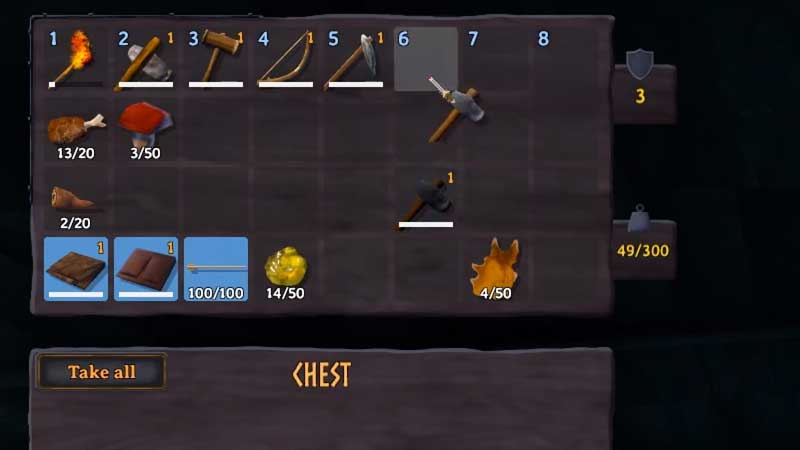
You can increase your carry weight limit by 150 in Valheim by finding the Merchant named Haldor and purchasing Megingjord for 950 Coins. This will help you increase your inventory space.
Note that this traveling Trader will be located in the Black Forest biome. Once you find him, you need to walk up to him and interact and then you will find the Megingjord. That is what you have to buy from him. It’s basically a belt that will give you higher strength and also higher carry weight when you equip it. As mentioned before, doing this will increase your carry limit by 150 making it go from 300 to 450. This is a good carry weight upgrade and your inventory capacity will have lots more space because of this.
Also Read | How To Split Item Stacks In Valheim?
Now, the next question on your mind will be how to get so many Coins? You can do that by obtaining valuables like Ruby and Amber. You need to farm Dungeons and make this happen so go ahead and start looking for Dungeons in the game. The game’s map is procedurally generated so every player will get it differently. Some may find a Dungeon quickly while some may have to spend a lot longer to see one. So, go ahead and start exploring!
That’s all about how to increase carry weight in Valheim. The game is still in Early Access at the time of writing but still, there’s a huge list of items to collect. You surely don’t want to have a lower inventory size so follow the steps in this guide to increase the weight limit easily.
Speaking of items and resources, our Valheim guides will tell you where to find them and what you should be looking for to craft various things. Check them all out below:
- How to Get Core Wood
- How to Build and Upgrade Forge
- Where to Find Fine Wood
- Valheim Dragon Egg – All You Need to Know
- Where to Find Ancient Seeds
- How to Get Surtling Cores
- How to Obtain Carrot Seeds
- Where to Find Iron
- How to Get Copper Ore and Tin
For more details do not forget to visit our Valheim Wiki Guide for cheats, boss fights, rare resource locations, etc.