
Players who are jumping into this Viking-themed survival game are already building up their life by hunting for resources, crafting and building things. Due to this reason, you need to know how to save in Valheim because you don’t want to lose your game progress. You will spend hours and hours leveling up and losing what you’ve built due to the game or computer crashing will be super unfortunate. So, in this guide, we will explain how to save your game and you will know the Valheim save file location as well.
How to Save your Game in Valheim?
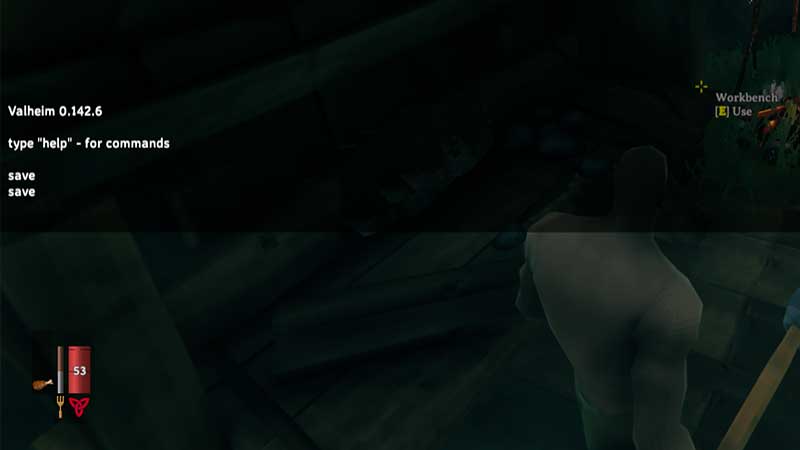
You can use a save console command to be absolutely be sure that your game is getting saved. This will let you do a force save because the game doesn’t let you know if it is saving or not. But when you do quit the game, you will be spawned where you left off. The process involves pressing Esc > F5 > typing devcommands > Save. F5 Console commands not working for you? Find out how to enable it here.
Continue Reading | Valheim Console Commands & Cheats List
Valheim Save File Location
In case you are finding it tough to get the Valheim Save File Location, do these steps:
- Step 1: Launch File Explorer.
- Step 2: Click on View.
- Step 3: You will see the option to tick Hidden items. Now all hidden files and folders will be visible.
- Step 4: Check for the Valheim Save File Location in AppData. The path should look something like this: C:\Users\<Username>\AppData\LocalLow\IronGate\Valheim
The reason behind showing hidden folders is that the folder is hidden by default and most players don’t have the option to show hidden files ticked. So go ahead and access your Valheim save files with this method but be sure to not make any changes, removals or alterations.
That’s everything you need to know about how to save in Valheim. Now you can focus on growing your presence in the game and our Valheim guides will help you do exactly that. Check them out below and level up quickly:
- How to Get Core Wood
- How to Build and Upgrade Forge
- Where to Find Fine Wood
- Valheim Dragon Egg – All You Need to Know
- Where to Find Ancient Seeds
- How to Get Surtling Cores
- How to Obtain Carrot Seeds
- Where to Find Iron
- How to Get Copper Ore and Tin
For more details do not forget to visit our Valheim Wiki Guide for cheats, boss fights, rare resource locations, etc.











