
Several players are complaining about HDR not working properly in Armored Core 6 and need a fix. When they try to use it, the screen appears mostly greyed or faded out. This is bad because AC6 has to offer some of the best graphics seen in recent games, especially for a Mecha game. Luckily there are some things you can do to resolve it in no time. So here is how you can solve your HDR settings in AC6.
How to Fix Armored Core 6 HDR
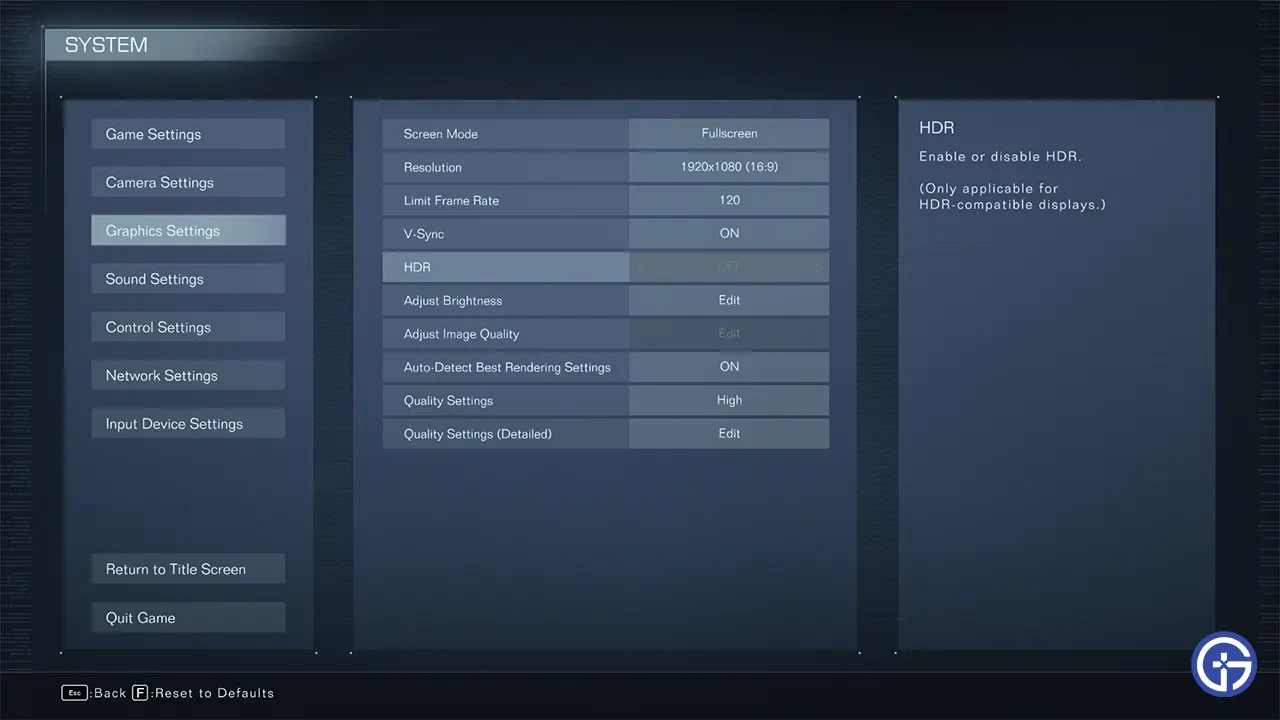
The best way to fix HDR for you is by simply disabling it. Several users suspect and have reported that HDR seems to be working the opposite as intended. So when you enable it everything appears faded out and grey. But turning it off makes it look like you just enabled it. But there are more things that you can do to solve it:
- Disable Windows HDR: There is a chance that your Windows HDR settings may be conflicting with the game’s HDR option.
-
- Press Windows + I to open Settings.
- Go to Display and click on Windows HD Color Settings.
- Here choose the display that you are using for your game’s output and disable HDR in it.
- Now, restart AC6 and enable HDR here, the visuals should look better now. In case you already had it disabled, then you can enable it while also using the in-game option.
-
- Update Graphics drivers: While this may sound like a generic fix installing game-ready drivers can actually help you out. Download them using GeForce Experience or AMD Radeon Software. Alternatively, you can even get them directly from their official websites. Update them and restart your PC. Now, try playing the game with HDR on.
- Update the Game: Many players claim that updating the game and then using in-game HDR seems to have fixed the issue for them.
- Verify file integrity: If the above fixes don’t work out then the problem could be some corrupt game files.
- Open Steam and go to your Library.
- Right-click AC6 and click on Properties.
- Go to installed files.
- Here, click on Verify Integrity of game files.
- Wait for Steam to repair the files.
Using the above fixes you should no longer have any issues with HDR making Armored Core 6 greyed out. If you are interested in more topics on this game then check out how to input share ID codes, all secret paths, and best core expansions.











