
Playing on public servers is fun; however, if other players are stealing your rare and mutated fruits or you want to garden by yourself/with your group of friends, you can get a private one. As you know, many Roblox games have them, but not all of them are free. Thankfully, you can make 1 Grow a Garden private server for free—here’s how you can go about it.
How to Make a Private Server in Grow a Garden
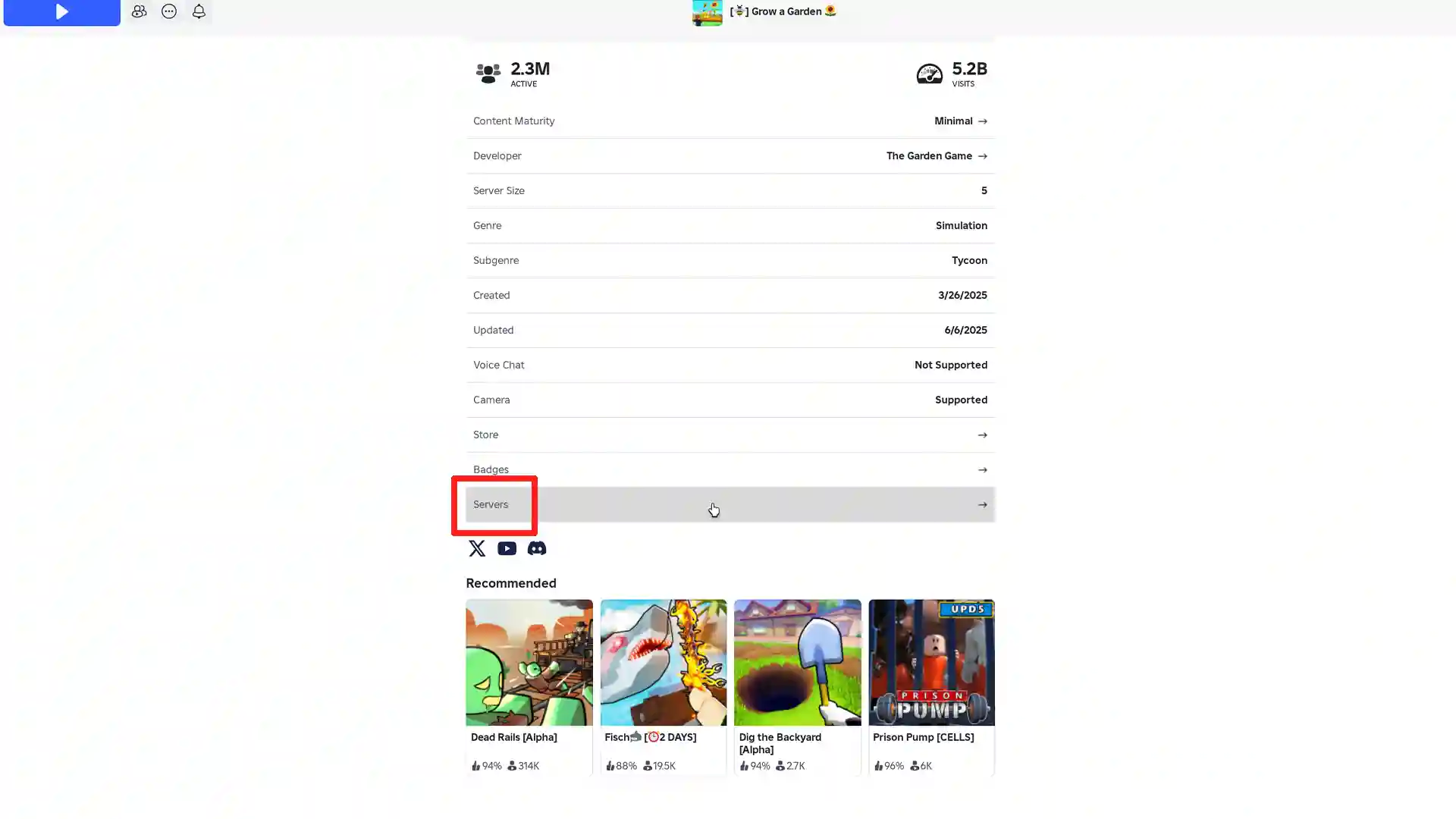
- Navigate to the game’s official Roblox page, scroll down to the “Servers” section and click on it.
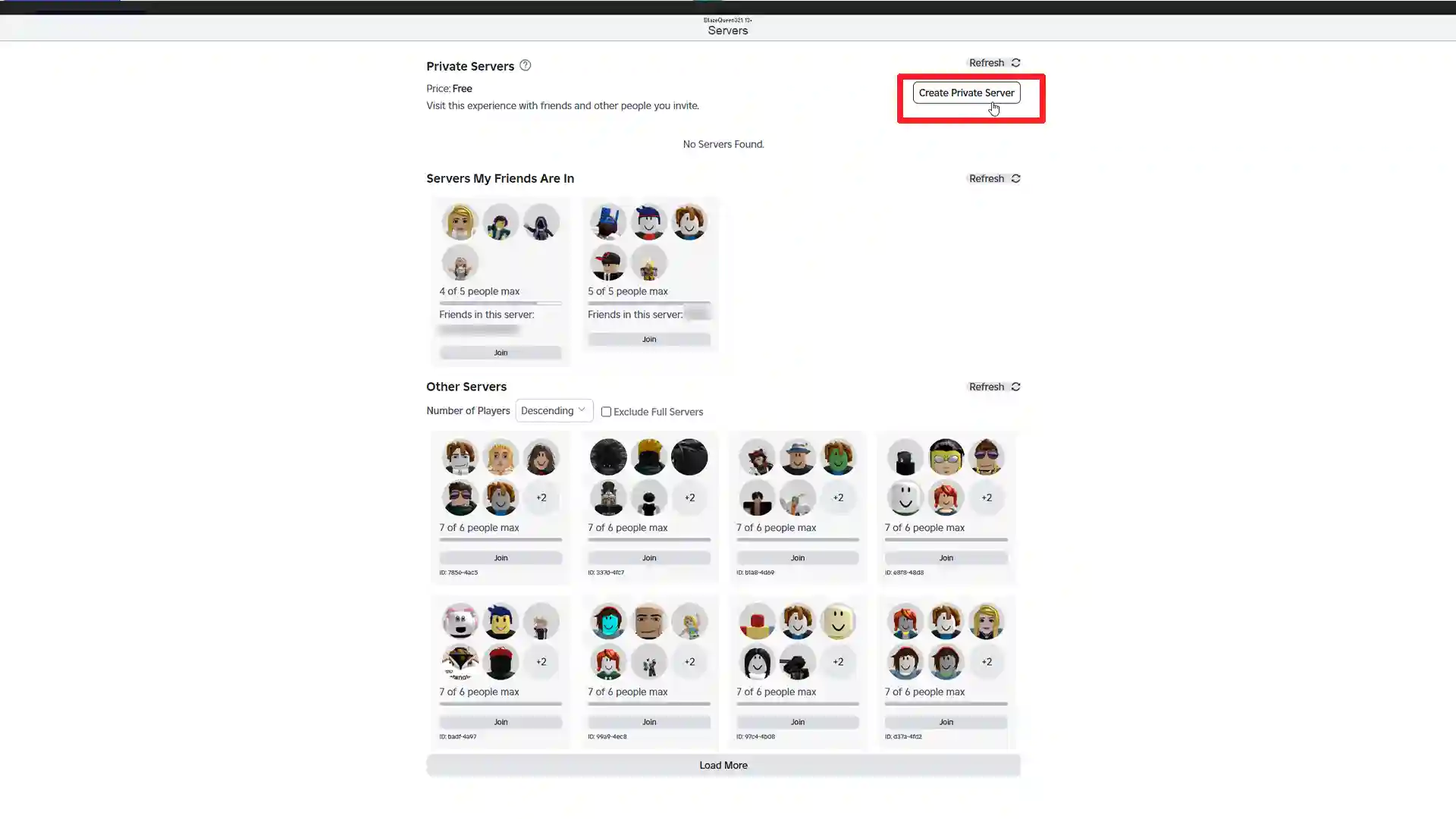
- Look for the “Create Private Server” option at the top right corner of the screen (on PC) and assign a unique name to your server. Create it and finalize the setup.
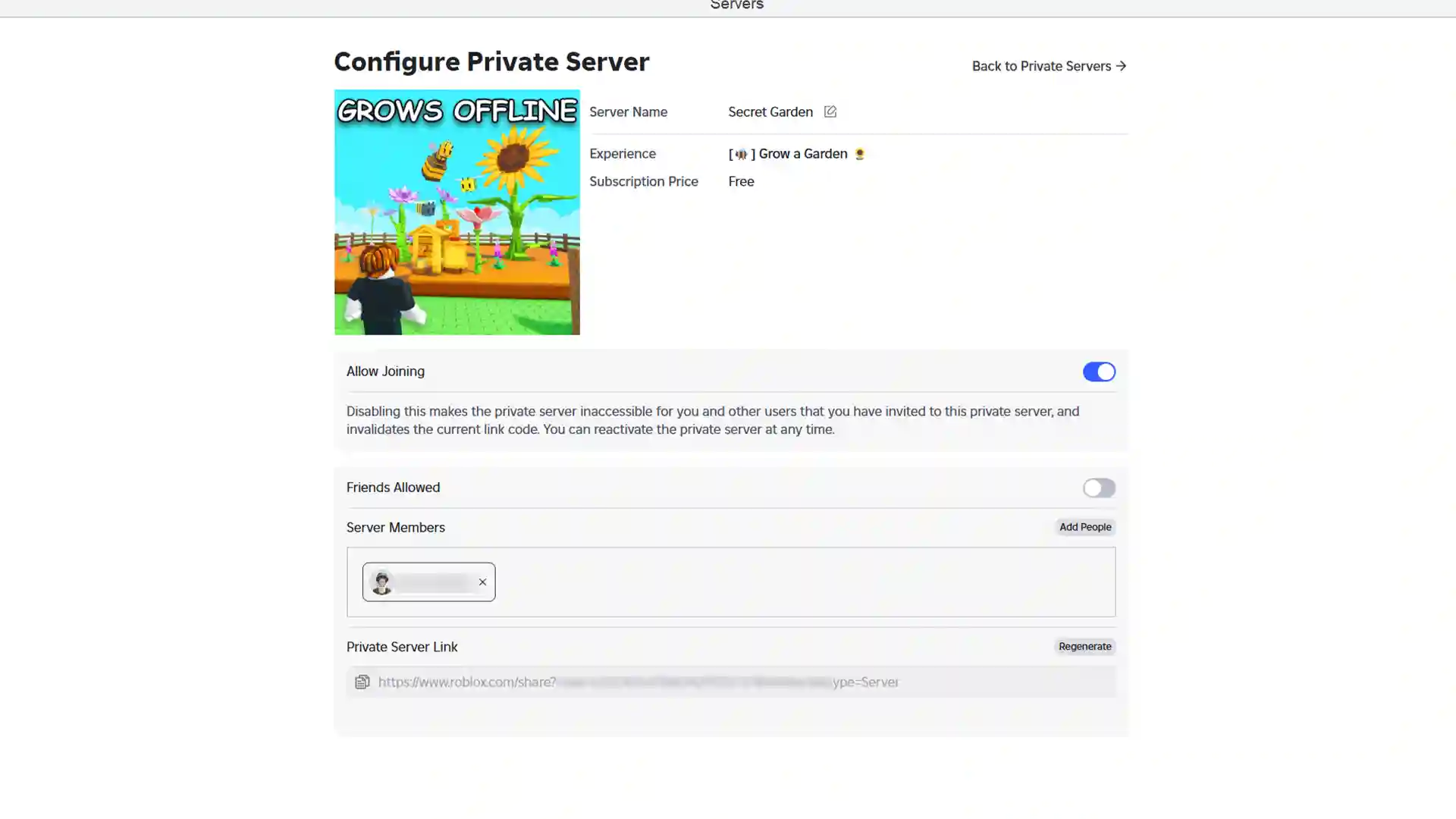
- Next, access the server settings to manage permissions. You can invite friends directly or share the server link. Make sure to adjust privacy settings to control who can join.
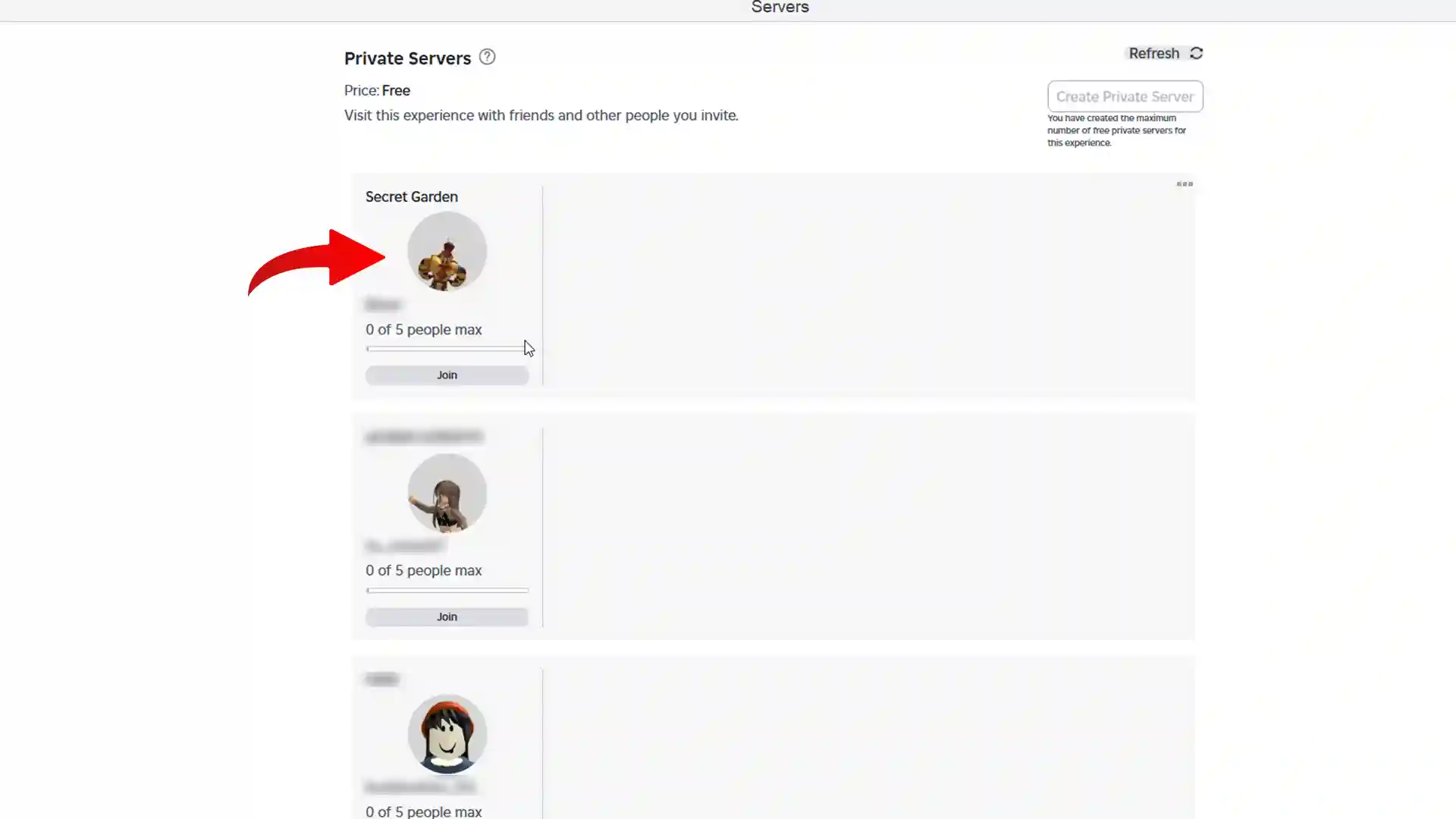
- Now, whenever you wish to join the server, go to the Servers tab > click on the Refresh button if your server isn’t visible, and click on Join to launch it. This way, you and your select group of friends can play together while also experiencing all the in-game events.
Benefits of Using a Private Server in GaG
It’s a common experience to see new players on public servers consistently asking for fruits or spamming the global chat with personal conversations. This can be easily avoided by using a private server.
Playing in a private server also ensures that you have more control over who you play with, reducing the chances of encountering disruptive or toxic players. This creates a safer and more enjoyable gaming environment, particularly beneficial for younger players.
If you’re a content creator, private servers offer a controlled environment for recording and streaming. You can avoid interruptions from other players, ensuring a smooth and professional content creation process.
Private servers also provide an excellent opportunity to build a community of like-minded players. You can create a space where players share strategies, trade items, and collaborate on in-game activities.











