As you progress through your adventures in Starfield, you’ll find countless weapons to equip and upgrade. A key part of optimizing your arsenal is choosing the right mods to enhance your firearms. However, you may eventually decide that a mod you installed is useless or doesn’t suit your playstyle. We’ll explain how to remove and replace weapon mods in Starfield.
How to Modify Weapon Mods in Starfield
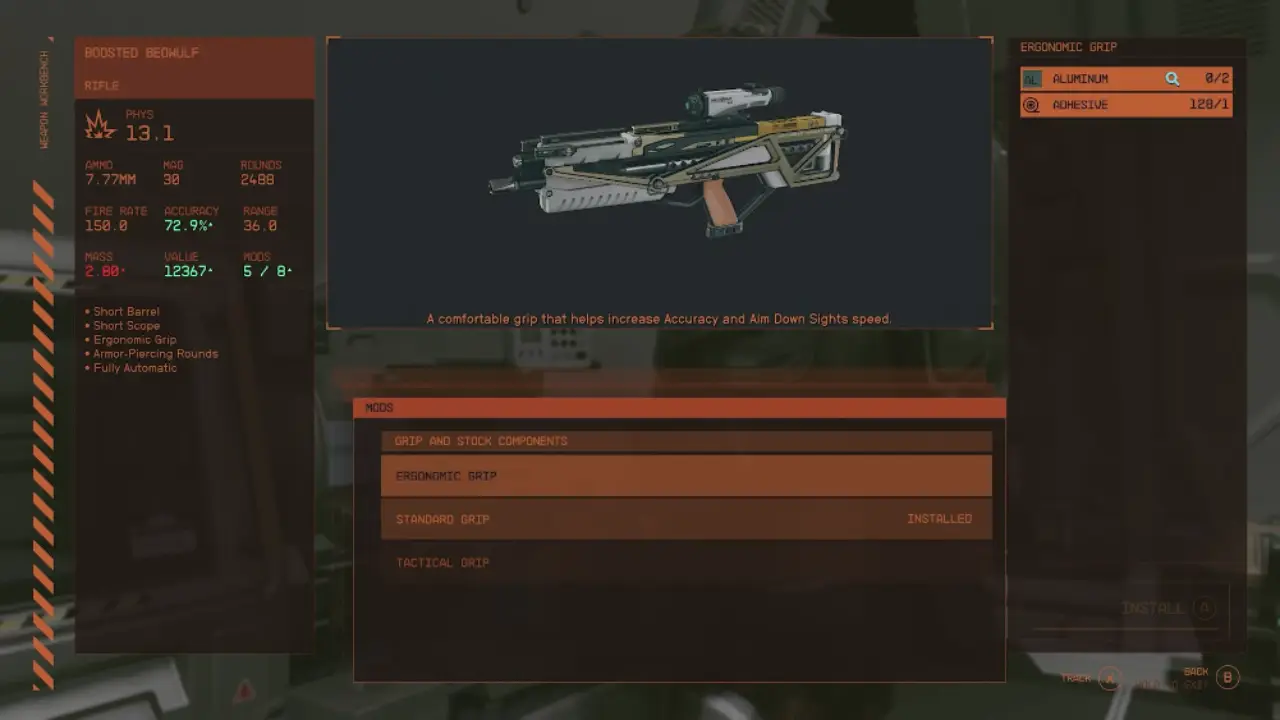
To remove a mod from a weapon in Starfield, follow these steps:
- Open the weapons workbench and select the weapon you want to modify. This will bring up the mod menu for that weapon.
- Find the installed mod you want to remove and select the “No Mod” option. This will remove the mod from the weapon for a fee of resources, the amount depending on the mod and weapon.
You should consider the conditions for reusing a removed mod. If you decide to reattach a previously removed mod to your weapon, you will need to craft it again using valuable resources. Therefore, it is important to carefully consider your options before removing a mod, as you cannot recover the resources you have spent.
How to Swap Out Mods
It’s also possible to swap out one mod for another rather than completely removing the existing mod. If the “No Mod” option is not displayed, you’ll need to select from the other available mod options shown. This lets you change the mod without removing the component entirely.
The new mod will need to be installed for another resource fee on top of the cost of removing the existing mod. Be aware of the materials needed for the swap to ensure you can fully modify the weapon as intended. Plenty of standard crafting resources like titanium will help experiment with different mod combinations.
That’s all about how to remove weapon mods in Starfield. Be sure to also check our other guides on the Power from Beyond bug fix, save file location, & what happens when you get caught with contraband.