
Home > Valheim > Enter the Creative Mode in Valheim

Valheim: How To Enter Creative Mode

Updated Date :

Have you gone down the rabbit hole of Valheim builds on YouTube recently? Are you like us wondering how to build those beautiful Longships or build those huge castles. Well, it’s not as simple as dropping into your local medieval Nordic Ikea and going on a shopping spree. It is a bit more difficult than that but an involving process nonetheless once you see the rewards. So without further ado, let’s go into the magical realm of How to Enter and Enable Creative Mode in Valheim.

How to Enter Creative Mode and Enable it
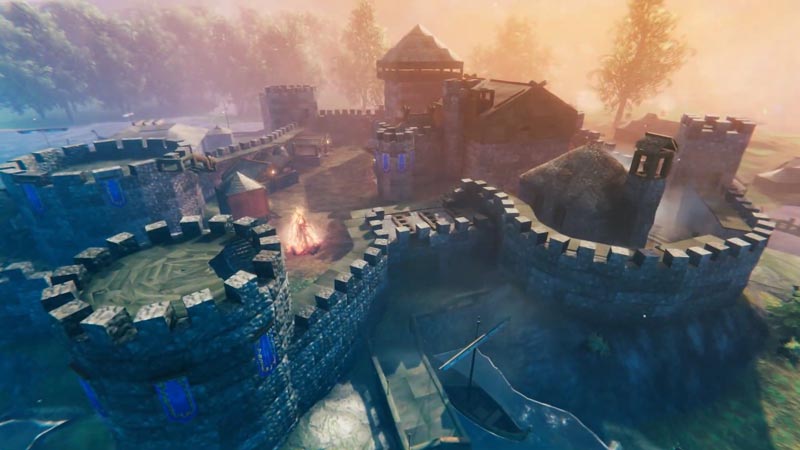
Learn how to Enter Creative Mode in Valheim
Build the castles of your dreams with the Creative Mode

To Enter and Enable Creative Mode in Valheim all you have to do is

  • Press F5 on your keyboard.
  • The Console comes up.
  • Now type ‘devcommands‘.
  • Make sure to activate Console Commands by reading this article here.
  • This will now activate the console commands.
  • After this type ‘debugmode‘ to activate the Creative Mode.

Once you have enabled Creative Mode in Valheim you will see that you won’t fall short of resources in the game. Nor will you have to worry about being harassed by Trolls and other pesky enemies out for vengeance. This will allow you to let your creative juices flow freely without any outside hindrance.

Valheim’s retro-inspired pixelated graphics really do work their magic and are a charm to look at. Another important point to note is that activating console commands also gives you access to some special Keys. By clicking ‘Z’ flying mode is enabled which allows you to jump around like Hulk. Clicking ‘B’ allows you to repair tools and other stuff without using the Workbench. It also grants you access to all crafting recipes. Clicking ‘K’ allows you to kill all enemies nearby.

This is everything that you need to know about How to Enable and Enter Creative Mode in Valheim. Use these Cheats if you are finding the gameplay a bit too hard or Learn How to Fix Console Commands in Valheim.


  • GTA 6 Stephen Root Role Finally Confirmed

    GTA 6 Stephen Root Role Finally Confirmed

    Published Date :

    GTA 6 finally has its first publicly confirmed actor. Stephen Root has confirmed that he is part of Rockstar’s upcoming game, putting an end to months of speculation surrounding one of the characters seen in its trailers. He confirmed his involvement during an interview with the Associated Press at the BAFTA TV Tea Party in… Read More

  • Larp Your Character Codes (September 2026)

    Larp Your Character Codes (September 2026)

    Published Date :

    Larp Your Character is a simulator game where you play character-based minigames to earn money, buy upgrades, and unlock new characters through crates. You can also rebirth for permanent boosts, trade duplicate characters for titles, and compete with other players on leaderboards. If you also want some free boosts while you’re at it, you need… Read More

  • Drive-Thru Empire Codes (September 2026)

    Drive-Thru Empire Codes (September 2026)

    Published Date :

    In Drive-Thru Empire, you build and expand a fast-food drive-thru business. You can roll to collect rare cars, and server high-tier cars to earn more money as your empire grows. Codes can give you bonus Cash and temporary Luck boosts to help with your progress and so, don’t miss out on this list of all… Read More

  • GTA 6 Respawn Mechanics: How Death & Arrests Work Differently

    GTA 6 Respawn Mechanics: How Death & Arrests Work Differently

    Published Date :

    GTA 6 is reportedly changing what happens when Jason or Lucia dies or gets busted. You may not have to deal with respawning at a hospital every single time. Now, Rockstar could be setting up a faster system that drops you right back near where you fell. Here is how death, arrests, and your equipment… Read More







