
Warhammer 40K Space Marine 2 players are facing multiple issues like blurry graphics, cutscene freezing, controller not working, etc. and one such frustrating error is the Loading Resources message. There are a few things you can do to fix the long loading times so you can jump into the game with friends – here’s what you can try.
Space Marine 2 Infinite ‘Loading Resources’ Screen
Install the game on an SSD
It’s recommended to install Space Marine 2 on an SSD for the best possible results including faster loading times and improved performance. If you’re already using an SSD, check whether it’s time to get a new one as it could be a worthwhile investment if you’d like to prioritize speed and responsiveness. As mentioned in their system requirements, even the minimum specs include having an SSD, so an HDD is not an option to run this title smoothly.
Check your Steam Display Name
As per a comment by u/epicurusanonymous, having special characters in your Steam display name can cause a problem and bring up the infinite Loading Resources message. For instance, having a ‘<3’ in the Steam name could create issues with Epic Services in Space Marine 2, and removing it can potentially resolve the problem.
Update your Drivers
Ensure your graphics card drivers are up-to-date because outdated drivers can cause performance issues. Download the latest files from the official manufacturer’s website and check whether you’re facing issues in the game again.
Verify Game Integrity
If there are any corrupted files, this process will help identify and fix them.
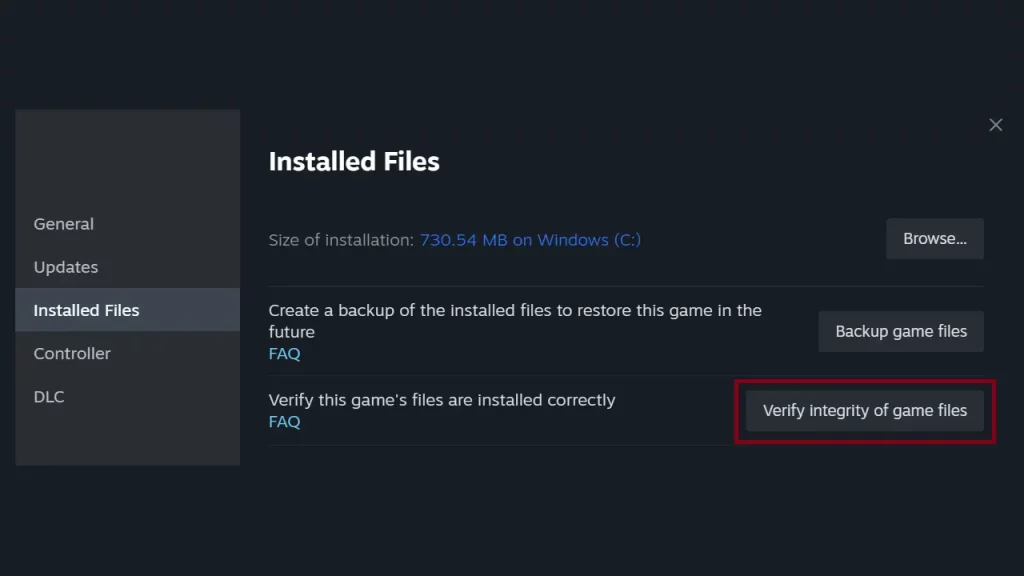
- Right-click the game in your library.
- Click on Properties.
- Next, select Installed Files on the menu on the left side.
- Click on this button to Verify Integrity of Game Files.
- After the process completes, launch the game in online mode and check if you’re able to get it to run properly.
Close Background Applications
Close any unnecessary background applications that might be competing for system resources. Also, temporarily disable your antivirus and firewall software to see if they’re interfering with the game.
Update Windows
Ensure your Windows operating system is up-to-date with the latest patches just to rule out one more reason behind slow loading times for games.
Check Disk Health
SSDs have a limited number of write cycles so run a disk check to ensure there are no errors on your SSD. Bad sectors can slow down loading times, and here’s how you can check the health of your storage device.
- Press Windows + I keys.
- Go to System and then Storage.
- Select Advanced Storage Settings.
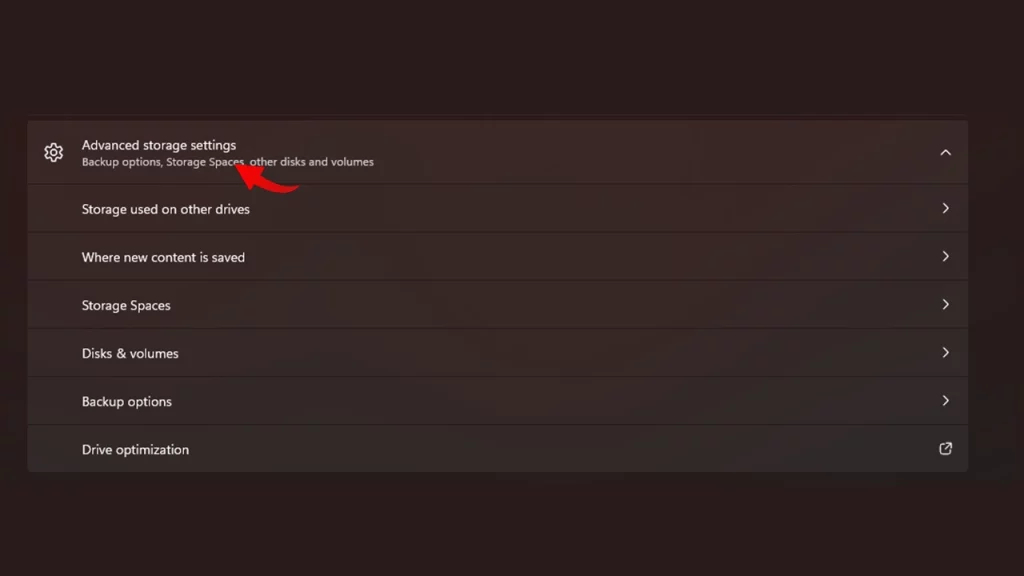
- Go for Disk & Volumes.
- Choose your SSD and then click on Properties.
- If the status shows as Healthy, your SSD (at least for now) is good for use.
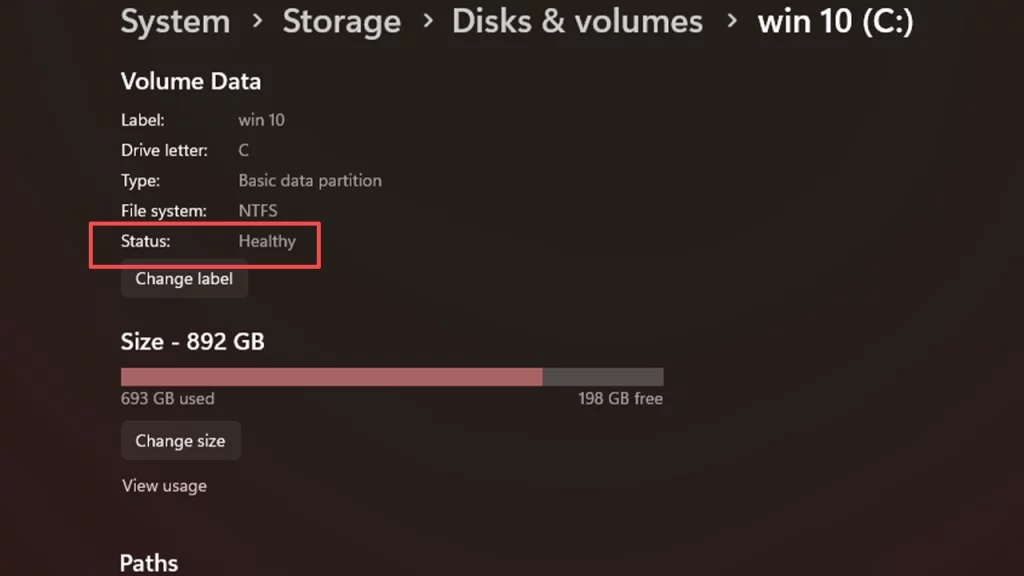
Note that this isn’t a confirmed answer, and the disk could still fail even if it shows as healthy, but it can give you an idea of the overall life of the SSD.
Increase Virtual Memory
If your system has limited RAM, increase the virtual memory allocation. This can help the game load resources more efficiently.
That’s basically everything you can do from your end. If none of these solutions work, you might want to consider contacting the game’s support team for further assistance.











