Is your controller not working with Warhammer 40K Space Marine 2? It’s a known issue that the developers have mentioned on their website and they’ve provided a potential workaround until the developers release a permanent fix. If that doesn’t work out, the community has some recommendations as well, so scroll on to know the steps to follow.
Space Marine 2 Controller Not Working
Disable Steam Input
The developers recommend players deactivate Steam Input to avoid the conflict with Controllers. You can do this by right clicking on the game on Steam, going to Properties > Controller > Disable Steam Input. After this, restart the game and check if it works as expected.
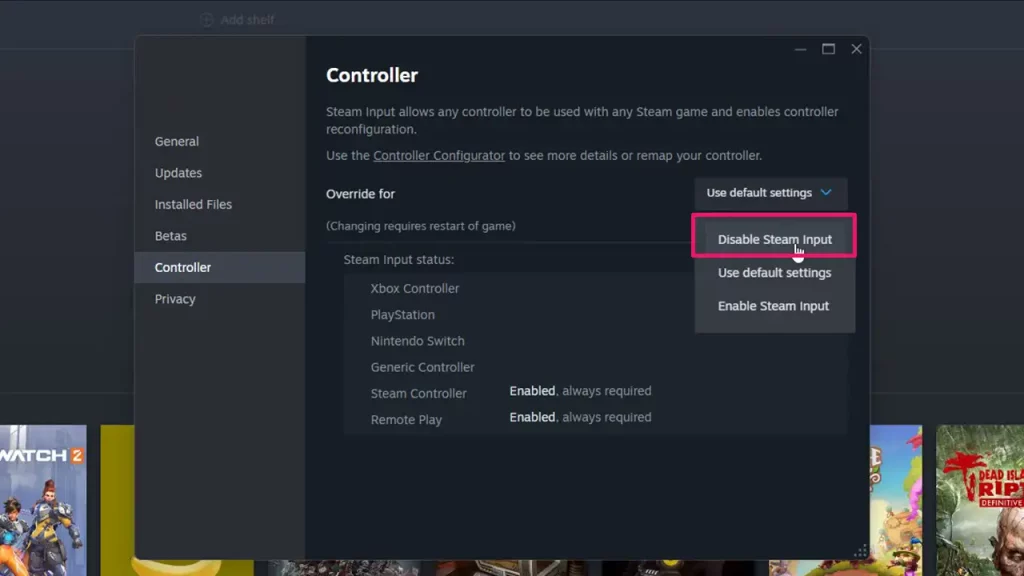
If you’re using a wireless controller, note that Steam doesn’t always support it, so plug it with USB, and then deactivate Steam Input to avoid the conflict with controllers.
Disabling Steam Input Didn’t Work? Try This
Now, for some players, the controller is still not working in Warhammer 40K Space Marine 2 despite disabling Steam Input. In such a scenario, u/mmiginator on Reddit recommends you launch the game with Steam Input disabled, then once you are in-game, open the Steam overlay. You can do this by pressing Shift + Tab by default.
Then, in the controller settings, enable Steam Input while you’re in the game’s menu. This should make the controller work, and you’ll have to disable and enable it in-game each time you want to play.
Also Read | Space Marine 2 Ultrawide Support: All You Need To Know
Use Big Picture Mode
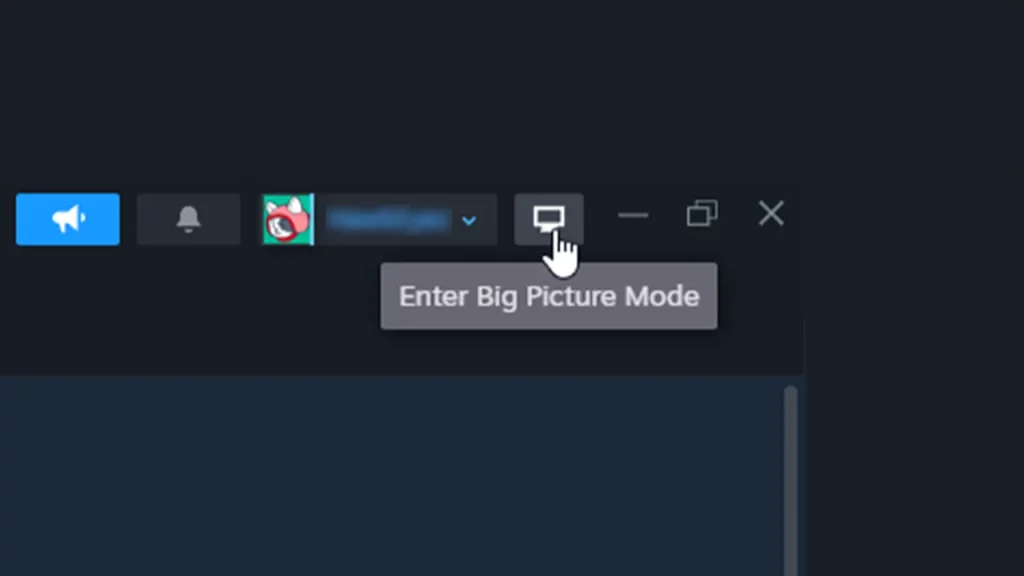
Big Picture Mode is offered by Steam to help players enjoy Steam games on their TV/computer display with a game controller. It can be used on any PC with Windows 7 or newer, and to launch Big Picture Mode, click on the computer icon at the top right of the screen on Steam.
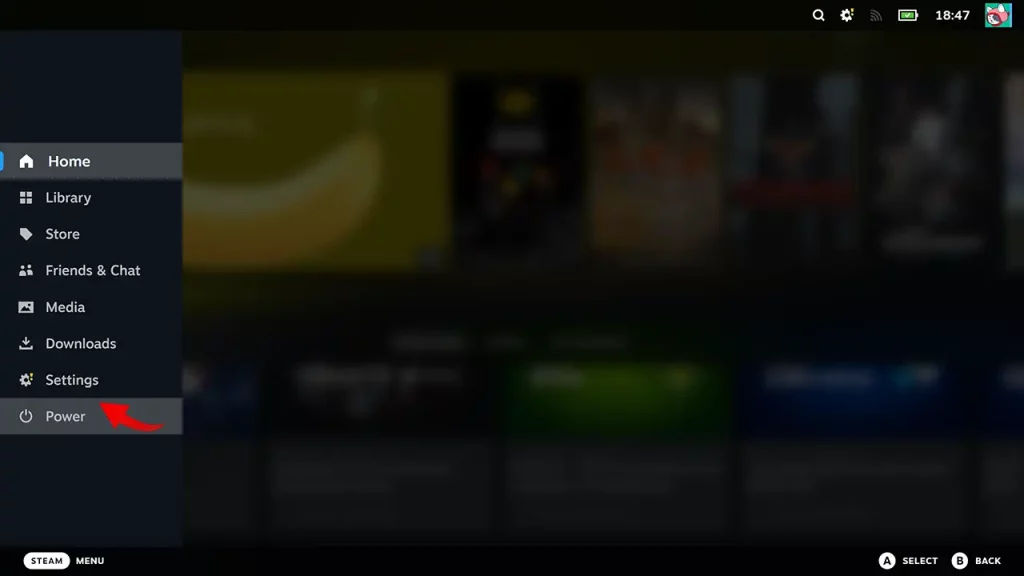
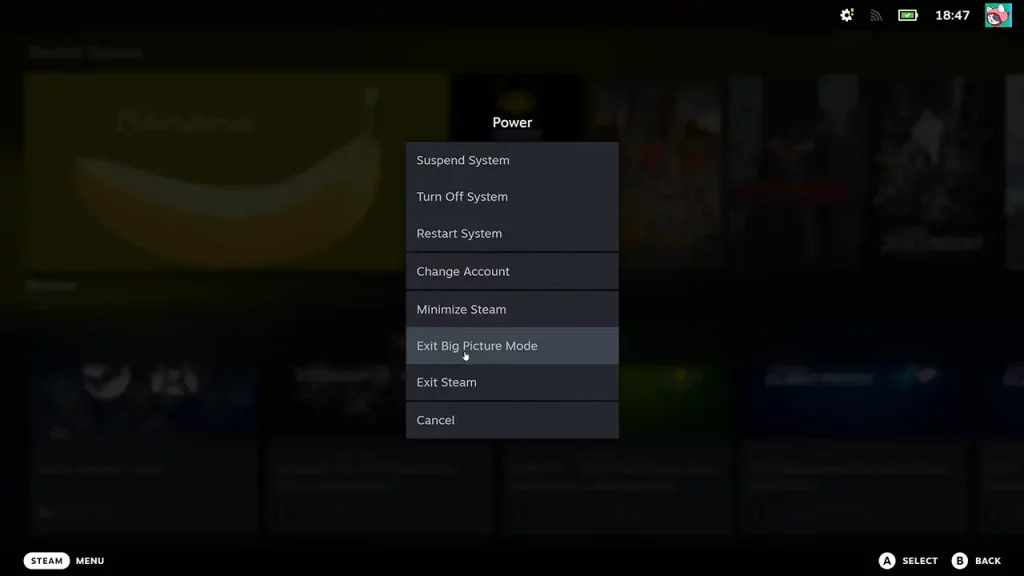
To leave Big Picture Mode, press ESC on your keyboard > Power > Exit Big Picture Mode. Alternatively, you can also press ALT + ENTER on your keyboard to toggle its Fullscreen mode.
These are some tips to fix the issue where controller is not working while playing Warhammer 40K Space Marine 2 and hopefully, they help you play the game without any issues. In case you come across the joining server bug, find out what you need to do.