Home > Gaming Guides > Phasmophobia: Journal

Phasmophobia: How To Write In Journal

Updated Date :

The developers of Phasmophobia have made a completely immersive experience in this psychological horror game. There are plenty of equipment you can use in your ghost hunting adventures like the spirit box, crucifix, cameras and more. There’s also the journal which is one of the most important ones. Want to know how to write in Journal in Phasmophobia? Here’s how to do it.

How to Write in Journal in Phasmophobia

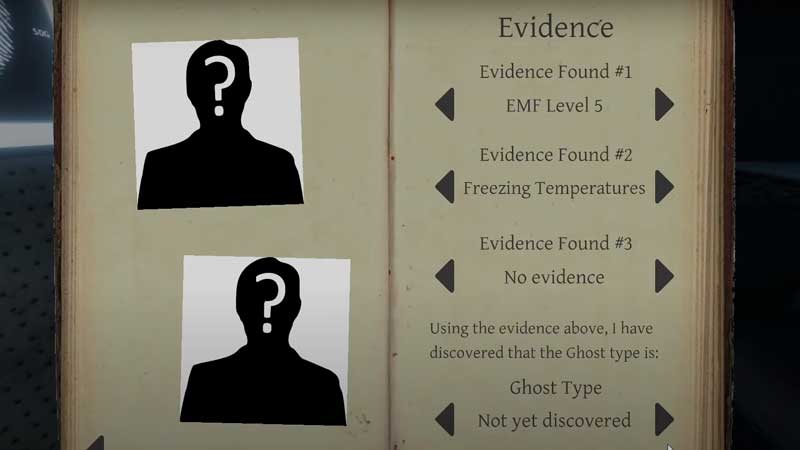
The Journal basically has all the info you need to identify the ghost that the location is being haunted by. You can open the journal by pressing J on the keyboard.
how-to-write-in-journal-phasmophobia

This journal will have everything from the basics to the advanced knowledge about spirits. You will see the different ghost types, their unique strengths, weaknesses and the evidence you need to narrow things down.
phasmophobia-journal

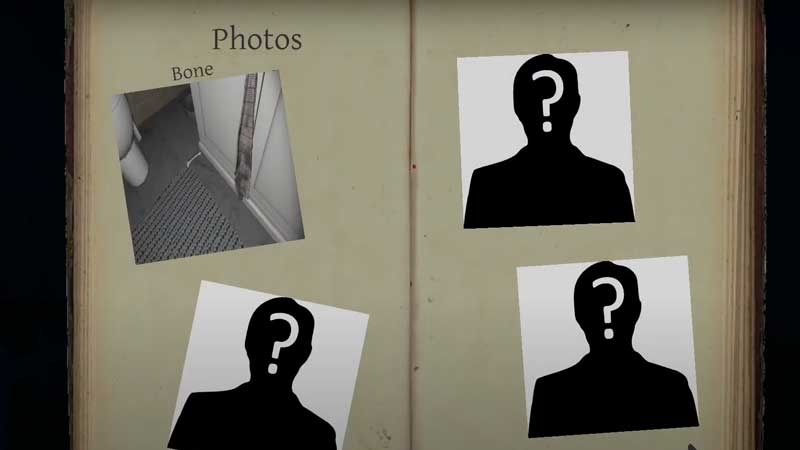
Apart from giving you information, you can also store info in it. For example, you can ‘write’ in your journal about the keys you have gathered, photos you have clicked as well as the evidence found and needed. As you can see in the picture right on top, there are pages where you can write about the evidence #1, #2 and #3 and the conclusion of the ghost type discovered.

This basically how to write in the journal in Phasmophobia. It is a crucial equipment in the game and a place to note down your observations and conclusion. You can check out your journal whenever you feel like you’ve forgotten what a certain piece of equipment can do, or if you want to know how something works.

Overall, this item does you feel like a totally real ghost hunter. For more such tips and tricks, check our Phasmophobia guides right away. Here’s how to invite friends and join them in a private lobby because it is way more fun to play this terrifying game with friends. Also, here’s how to light and use smudge sticks for your (temporary) protection.

Do not forget to check our Phasmophobia Wiki guide for more ghost hunting tips.

  • +1 Speed Evolve Codes (July 2026)

    +1 Speed Evolve Codes (July 2026)

    Published Date :

    Speed-based games on Roblox will always stay popular, and this particular experience is quite addictive! Here, you play as an animal and your goal is to evolve into stronger animals, unlock new worlds, and be the fastest player on the server! +1 Speed Evolve codes offer free Speed and Win Boosts that can make your… Read More

  • Yeet a Brainrot Codes (July 2026)

    Yeet a Brainrot Codes (July 2026)

    Published Date :

    If you’re annoyed at the Brainrot trend, this is your opportunity to “yeet” them into the distance! To launch Brainrots farther, you need better pets, potions, and more rewards, and thankfully, these Yeet a Brainrot codes will come to the rescue. You can easily unlock various Divine Relic Chests, Primeval Relic Chests, Coin/Luck/Power potions, exclusive… Read More

  • Build A Soccer Squad Codes (July 2026)

    Build A Soccer Squad Codes (July 2026)

    Published Date :

    To build your dream team, you’ll need plenty of rerolls and shop refreshes, which is how you can get better cards and complete your collection. Build A Soccer Squad codes can help with exactly that, giving you various freebies so you get more chances to improve your lineup without waiting. Here’s the complete list of… Read More

  • Aura Monster Simulator Codes (July 2026)

    Aura Monster Simulator Codes (July 2026)

    Published Date :

    Climbing an endless staircase might sound simple at first, but the higher you go, the more Aura you’ll need to keep progressing and unlock stronger upgrades. Thankfully, Aura Monster Simulator codes provide free Gems and Aura Boosts, helping you strengthen your character and reach new heights. More specifically, you can use these Gems to unlock… Read More