One of the most important aspects of fighting and aiming in Armored Core 6 is the Lock On mechanism. Since the Hard Lock and Soft Lock can be confusing for new AC players, it’s better if you understand the mechanism before you commit to heading into battle. If you have started the game already, it’s likely that you have found it difficult to beat the First Boss itself. Hopefully, the Lock On system of AC6 will help you get past it and if you are finding it difficult still, check out our guide for the best tips.
How does Lock On Work in Armored Core 6?
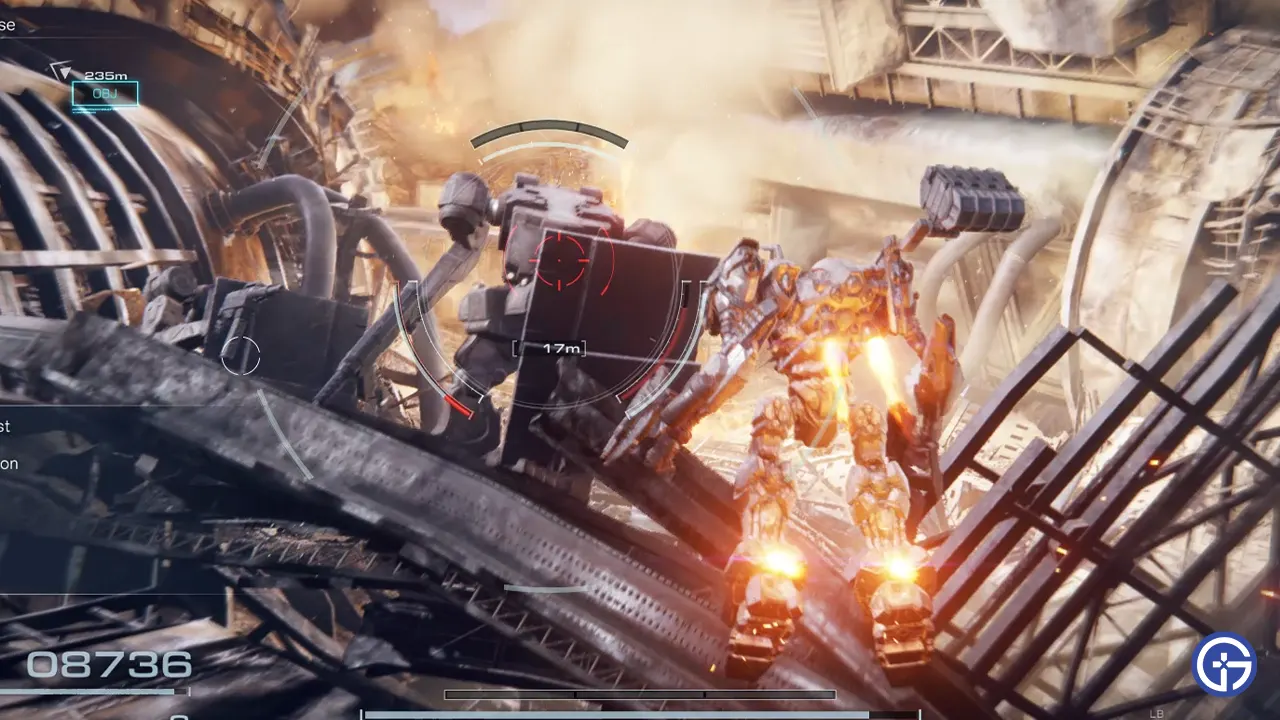
- As the name suggests, Lock On will help you get a lock on targets and easily aim at them in the game. However, AC6 does have a Soft Lock and Hard Lock that players need to understand before they start using it.
- Once players press down on R3, they turn on the Target Assist or Lock On in Armored Core 6. You don’t even have to look at the enemies to get a Lock On. Simply press the button and the game will target the enemies closest to you.
- One of the most important parts of having a lock on is for console players who have to constantly move their cameras to follow the targets. A Lock On in such a situation will prove to be vital.
- Also, some enemies could be quite quick for you to follow manually with your camera and the Lock On will improve your chances of aiming properly.
- If you use the Assault Boost to melee or Boost Kick the enemy, it’s more than likely that you will miss unless you have a lock on. Since you have to constantly look at the target while boosting, it’s easy to miss your melee or kick.
- Lock On works differently in Armored Core 6 compared to other Soulsborne games due to the Soft Lock and Hard Lock feature. Whilst one is automatic, the other is manual and unless players get a grasp on each, they won’t be able to master the aiming and fighting system of the game.
Soft Lock Vs Hard Lock Explained in AC6
- Soft Lock – For the Soft Lock, players don’t need to turn on the Target Assist but they need to manually aim the camera towards the enemy. While there are some drawbacks, the majority of the fight mechanism is in your hand.
- Hard Lock – Turning on the Target Assist or Lock On gets you the hard lock where your AC will constantly target the enemies automatically and you won’t even have to budge your camera as much. However, turning cameras does change the targets so if you are in a battle with multiple enemies, you will have to do some manual work.
If you are an AC veteran, you would probably prefer to use the Soft Lock system in the game. However, console players have the most drawbacks when using the Soft Lock. Since you have to manually move your camera to keep the target in sight, it’s quite difficult to hit your marks especially if you are in a tough fight. So does that mean you should equip the Hard Lock? Well, not entirely since Hard Lock isn’t exactly perfect either.
Although you do get a lot of help, keeping the Target Assist all the time won’t make things exactly better for you in Armored Core 6. Additionally, while using Lock On, players will have to avoid using the cameras since it does change targets.
In an Armored Core 6 boss fight, we would definitely choose to have the Lock On for our enemies. However, there are fights where you will benefit more from the Soft Lock. Especially, situations where you need to aim at multiple targets with your right shoulder weapon. It’s best if you use the Soft Lock against hordes of minions.
That’s all you need on the Armored Core 6 Lock On or Target Assist and how it works in the game. If you found this guide useful, do check out our other AC6 Guides right here at Gamer Tweak. You might also be interested in changing your Decals with the Input Share ID Codes so make sure you check out our guide for the best ones.