
Home > Fortnite > How To Craft In LEGO Fortnite – Beginner’s Guide

How To Craft In LEGO Fortnite – Beginner’s Guide

Updated Date :

Building is quite an essential part of the Fortnite experience. While the no-build mode exists and several players love it. LEGO Fortnite would have felt incomplete if you couldn’t craft or make things in it. Luckily, there are tons of things you can build in this mode. So here is a basic crafting guide to help you make your own buildings, furniture, toys, decorations, and more.

How to Craft in LEGO Fortnite
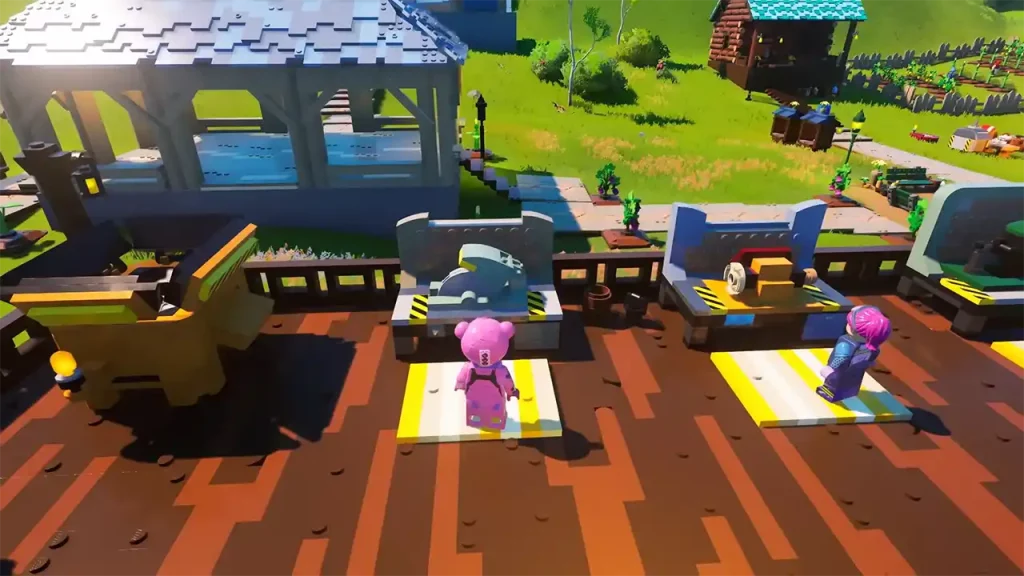
Image Credits: Fortnite on YouTube

To start crafting things you need to get their recipe and gather different resources for it. Collecting Resources is also how you unlock these recipes.

After you start your Fortnite World, go and talk to the Cuddle Team Leader and she will ask you to gather wood and granite. This is simple just walk around and collect various rocks and wooden logs from the ground. You can even go around collecting other food items and petting or killing animals to see what happens. The more resources you collect the more recipes you unlock. After you feel you have enough recipes here is how you can craft:

  1. Press the Build button to open the crafting menu. Its keybinds are as follows for each platform:
    • Q-key on Keyboard for PC
    • Circle on the PlayStation controller
    • B on the Xbox controller
    • A on the Nintendo Switch Joycon/Pro controller
  2. You can check out the different tabs here.
  3. Go to the one for the item that you wish to craft. For example, to make a Crafting Bench you will need:
    • Wood x3
    • Granite x5
  4. Press the Craft button.
  5. Once you have the station ready, you can use it to craft different items.

Similarly, you should create other crafting machines and place them in your village. For example, you will need a Juicer to make a heat resistance potion. I suggest you check out our Crafting Recipes list to find all the things that you can craft in this game.

With this, you now know the basics of how to craft. If you are interested in more LEGO Fortnite topics then I suggest you also check our guides on how to find backpack, get brute scales, the fix for can’t load world error, and more.


  • A Guide to CS2 Trading Tools and Pro Trading Tips

    A Guide to CS2 Trading Tools and Pro Trading Tips

    Published Date :

    Successful CS2 trading is rarely based on guesswork. Experienced traders rely on data to compare prices, track market trends, and identify good opportunities before making a trade. With so much information available, keeping up with the market without the right tools can be difficult. That’s where CS2 trading tools come in. In this guide, we’ll… Read More

  • Dog Race Codes (July 2026)

    Dog Race Codes (July 2026)

    Published Date :

    For those who enjoy fast-paced clicker and racing simulators on Roblox, Dog Race gives you quite a fun experience! Training your strength, hatching cute pets to boost your stats, and collecting wins to climb into the top 50 leaderboard takes plenty of effort and to help you rack up trophies much faster, redeeming free potion… Read More

  • Knife Duels Codes (July 2026)

    Knife Duels Codes (July 2026)

    Published Date :

    Knife Duels provides a refreshing spin on the FPS genre by putting pure melee combat front and center. You can step onto duel pads to challenge other players in 1v1 through 4v4 matches, battling it out to see who can score six wins first. Outplaying opponents on the leaderboard requires sharp reactions, but if you… Read More

  • My Greenhouse Codes (July 2026)

    My Greenhouse Codes (July 2026)

    Published Date :

    If you’re looking for a cozy alternative to standard Roblox farming simulators, My Greenhouse is a relaxed take on the genre. Built by a solo student developer, this game combines classic plant-and-sell farming mechanics with tycoon building, foraging mini-games, character customization, and more. Exploring different regions, unlocking hidden NPCs, and decorating your greenhouse takes extra… Read More







