No matter if you play on a PC or PS5, you should know how to access your inventory in Baldur’s Gate 3. This is a very basic skill that you need to know even if you don’t like going out of the way to scavenge items. Because if you just keep collecting you will run out of space in no time and will eventually have to leave behind something that is actually worth more or is better useful. Luckily, the process of managing your inventory isn’t hard at all on both platforms. So here is what you have to do.
How to Access Your Inventory in Baldur’s Gate 3
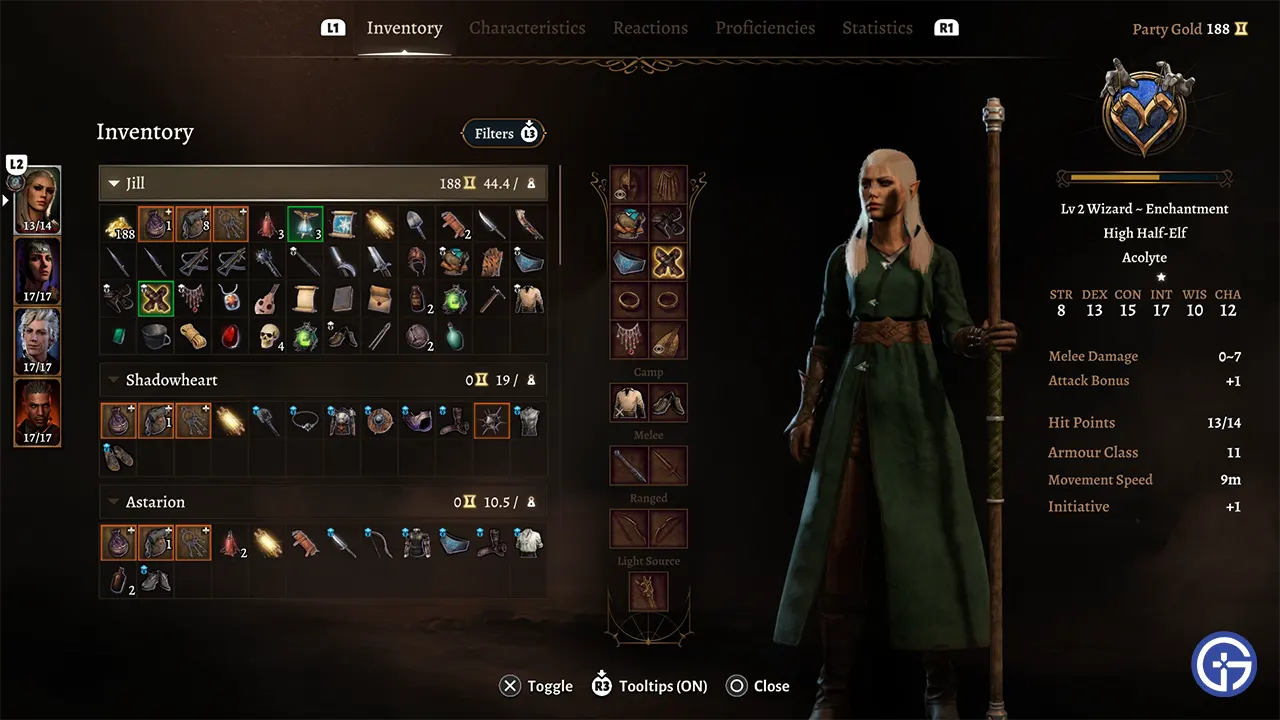
Pres the I-key on your Keyboard to open your Inventory on PC. It isn’t too difficult to access on the PlayStation 5.
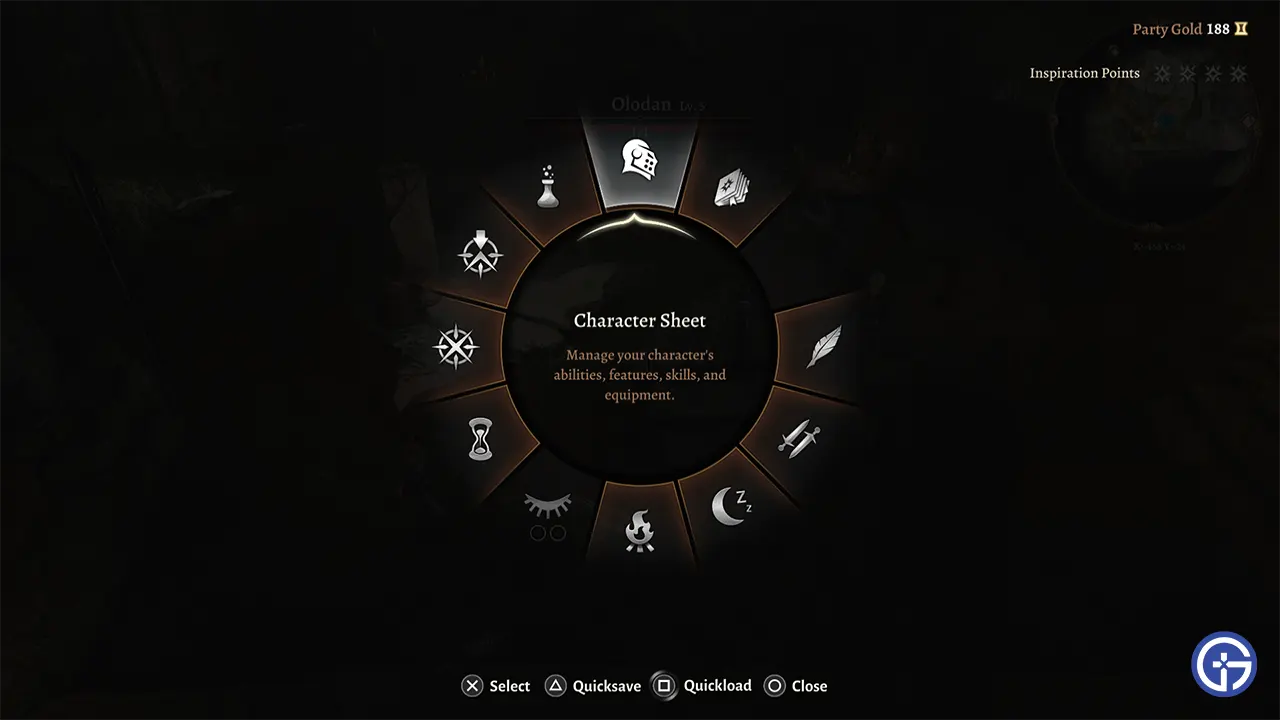
- Simply press R2 to get a wheel of various options.
- Here, highlight the top wheel option Character sheet, and press X to select.
- You can now see the inventory of your character. In case you want to switch between them then simply press L2 and select the character. Although you can directly access their inventory from the main character.
When it comes to storage management PC controls have an advantage over PS5, but the controller still lets you do all those things, just the accessibility is quite different.
How to Use Pouch & Bags in Your Inventory in PS5
- Open your Inventory and select the bag or pouch that you want to use.
- Press R1.
- Select the items that you want to move to your inventory manually by pressing X. You can also press the Triangle button and bulk move them.
Make sure to open the inventory first above, directly pressing R1 opens your action and other equipment wheels. You should get used to the controls in no time.
That’s all for the PS5 controls to how to access inventory in BG3 and how to use it on PC. If you are interested in more topics of the game then be sure to check out our guides on how to get mourning frost, save the Iron Throne prisoners, and beat the faith leap trial. As for help on topics not mentioned here, you can visit our Baldur’s Gate 3 guides.