
Is your Fornite stuck on checking for updates? We know how annoying this problem can get. Being a completely online experience, there is no way to bypass the loading screen. Even if you have a good internet connection, you will still face this error. There are a host of reasons why this error can occur. This guide will aim to show you how to fix it and get back to playing Fortnite.
How to Fix Fortnite ‘Stuck on Checking for Updates’ Error
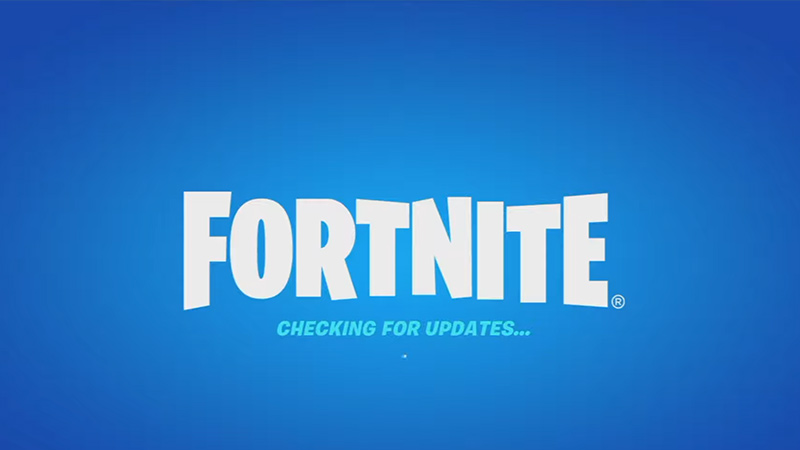
If Fortnite is stuck on “Checking for Updates”, the game servers might most likely be down. If that is the case, then you will have no choice but to wait. Just go to Epic Game’s server status page to find out if Fortnite is down. However, if the servers are operational, then here are all the troubleshooting methods that you can try.
Change your Internet Connection
Try switching to a different internet connection temporarily to fix the checking for updates error in Fortnite. All you have to do is switch to your mobile hotspot or a different WiFi connection. This will help you bypass the checking for updates screen. Once you’re in the game menu, you can switch back to your preferred network connection.
Repair Fortnite
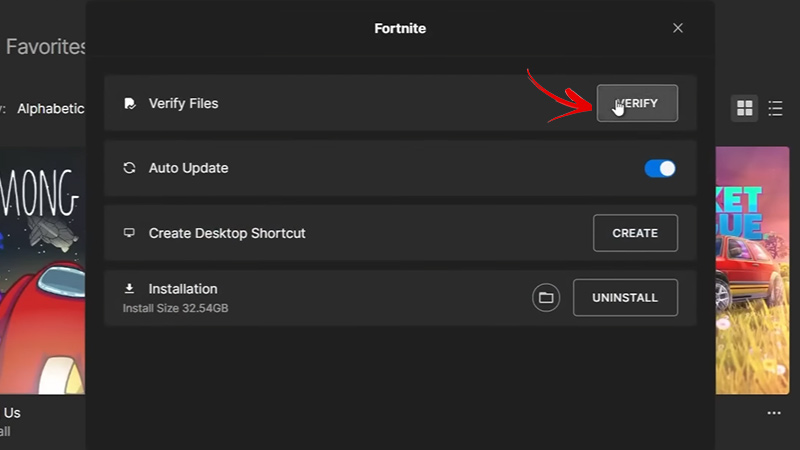
Sometimes, a corrupted game file can also cause your Fortnite to be stuck checking for updates. To ensure that this is not the case, you must verify and repair the Fortnite game files. Here’s how to do it:
Open the Epic Games Launcher
- Now, go to “Library”.
- Next, click on the three dots beside Fortnite.
- Click on “Manage” and then the “Verify” button.
- Once you do that, wait for a while until the process is complete.
Reinstall Fortnite
If none of the above methods work, you will have to delete and reinstall Fortnite as a last resort. This is the best way to solve the checking for updates stuck error.
That’s everything you can do to fix Fortnite stuck on “checking for updates”. We hope that our guide managed to solve your problem. If you are facing other issues like stuck on loading screen, servers not responding, or critical error, then head to our Fortnite section.











