
Home > Fortnite > How To Set Respawn Location In LEGO Fortnite

How To Set Respawn Location In LEGO Fortnite

Updated Date :

Going back and forth every time you die can be quite frustrating, but you must travel there to retrieve the dropped items. Is there a way to resolve this issue? Yes, the best way would be to set a new spawn point in LEGO Fortnite. Not sure how to do that? No worries, we have got you covered. This will not only help you find the location you were last at but also let you explore with ease.

As you keep traveling to different areas and biomes, you will find the need to change the respawn location before logging out for the day. With the method we have given, you’ll be able to make it possible anytime you want.

How to Set and Change Spawn Point in LEGO Fortnite
Change Spawn Point in LEGO Fortnite
Image Credit: Beau on YouTube

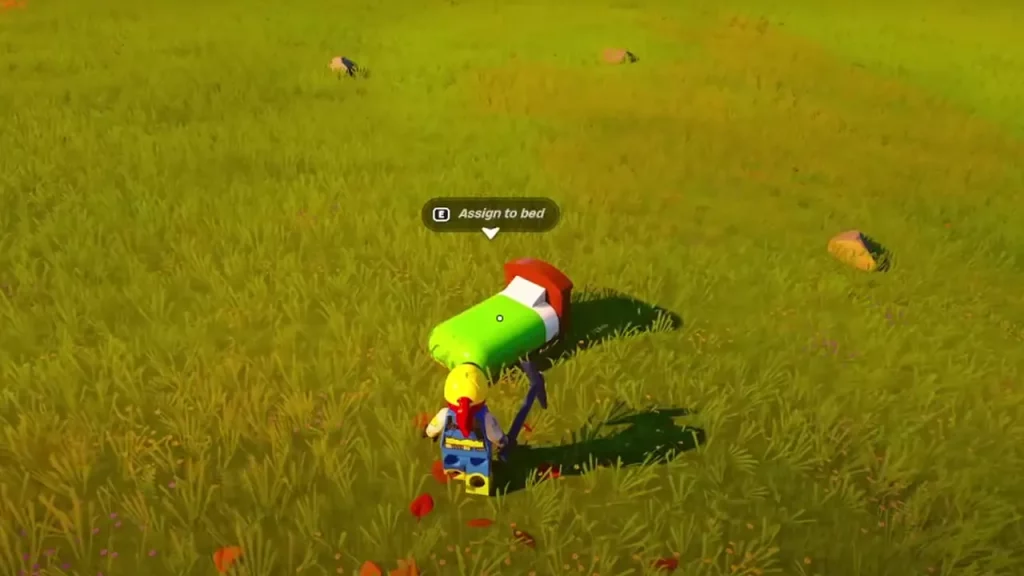
To change the respawn location, you have to build a bed. Go to the Build menu and navigate to the Furniture section. From there select the bed and place it where you want to set the new spawn point. Next, you have to go and interact with it to assign it to yourself. After assigning, interact with it again, and this time you’ll see “Set respawn action and rest“. Use it and your character will take a rest, recovering its health.

You will not get the option to use a bed if it is outside in the rain. If possible it is best to first build a shelter and then place a bed in it. The process can be repeated any number of times to set new points wherever you feel the need for it. If you don’t change it, you will spawn at the default one near the Brite Bomber in the starter area.

That’s all on how to change the spawn point in LEGO Fortnite. If this is interesting to you, skim through the Fortnite section and read guides on other mechanisms of this mode. You can start by learning about the ways to Sprint and Auto Run, and then find out how to get Storage Chests.


  • Pop for Free Codes (August 2026)

    Pop for Free Codes (August 2026)

    Published Date :

    Pop for Free puts a simple twist on the obby formula. You complete obstacle courses based on their difficulty, earn Pops for finishing them, and then use those Pops to spin different colored wheels. Eventually you can claim free Robux so you have a good reason to keep pushing through more challenging courses. If you… Read More

  • Mine Rocks Codes (August 2026)

    Mine Rocks Codes (August 2026)

    Published Date :

    Mining in Mine Rocks is pretty straightforward: break rocks, collect Coins, turn them into Geodes, and use those Geodes to progress further. While you’re at it, a few boosts can make that process much quicker, especially when you’re just getting started. Here are all the Mine Rocks codes that are currently available. Last checked for… Read More

  • Anime Stars Codes (August 2026)

    Anime Stars Codes (August 2026)

    Updated Date :

    Anime Stars is all about collecting powerful anime Heroes and defeating enemies that prove to be increasingly difficult. You’ll need Coins, Gems, Summons, and other resources to keep upgrading, and codes can give you a nice head start with some of these resources. If you’re curious to know which rewards are working, here’s the full… Read More

  • Ghost Driver Codes (August 2026)

    Ghost Driver Codes (August 2026)

    Published Date :

    Ghost Driver puts you behind the wheel on busy highways where you’ll need to weave through traffic, build up your cash, improve your ride, and more to become one of the best drivers. A better car can make those early runs much easier, and the latest codes can give you a good amount of Cash… Read More







