Home > Gaming Guides > World of Warcraft Shadowlands Character Not Found Error Fix

How To Fix WOW Character Not Found Or Showing Up Error

Updated Date :

World of Warcraft players who want to jump into a game of Shadowlands may see the WOW Character not found error. If you are not sure why this problem is coming up and how to fix it, here’s everything you need to know. We’ve listed all the possible solutions for this issue that will help you get into a game right away.

World of Warcraft (WOW) Character Not Found Error Fix
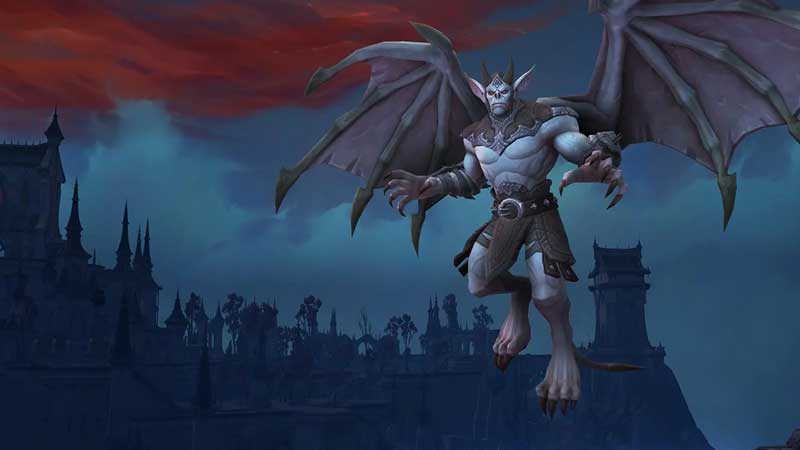
WOW Character not found error fix

The reason why you are getting the World of Warcraft Shadowlands Character Not Found Error is because the game client is unable to communicate with the realm server. Follow the steps given below to resolve the connection issues – these have been mentioned by Blizzard on their official site.

  • Make a new character on the same realm and try to login.
  • Log into a different character on the same realm to see if the error comes up again.
  • Close the game and launch it again.
  • Close other applications running in the background.
  • Restart your PC.
  • Restart your router/modem.
  • Check your internet connection.
  • Close the Battle.net desktop app and relaunch it.
  • Update your drivers and operating system to the latest version.
  • Flush your DNS.

One of these troubleshooting tips is bound to work for you so try them out. But if all else fails, you can visit the technical support forums for more information or contact Blizzard for additional help.

Also, don’t forget to check if World of Warcraft is down at that time. This is because the server issues can also lead to this error. Head to known sites such as DownDetector to find out the WoW Server status at any given time. Also make sure to check out Twitter and any relevant Reddit pages to know if other players are also facing the same problems.

That’s all about this particular error of WoW character not showing up. In case you want to know more about how to lookup any character in World of Warcraft and the list of all WoW Expansion packs, we’ve got you covered.
  • Grandblue Codes (August 2026)

    Grandblue Codes (August 2026)

    Published Date :

    Grand Blue is a Roblox pirate adventure where you can explore islands, fight powerful enemies, master different fighting styles, and hunt for Cursed Fruits with special abilities. As you get stronger, you’ll also need to improve your character and prepare for tougher battles. Luckily, Grand Blue codes can give you free rerolls to help with… Read More

  • Can You Date Lucia in GTA 6? Here’s What Rockstar Revealed

    Can You Date Lucia in GTA 6? Here’s What Rockstar Revealed

    Published Date :

    GTA 6’s latest gameplay reveal has answered one big question about Jason and Lucia: their relationship will play an important role in the game. In the Netflix footage, we saw plenty of clips and cutscenes that indicate that they will spend a lot of time together. But can players actually date Lucia, or is their… Read More

  • Chasing Codes (August 2026)

    Chasing Codes (August 2026)

    Published Date :

    Chasing is a where you play as a survivor or killer – if you’re a survivor, your goal is to complete all objectives and stay alive until 6:00, and, if you’re the killer, you’re tasked with killing every survivor. While you’re at it, you can redeem all new and active Chasing codes that can provide… Read More

  • Will GTA 6 Have First-Person Mode? Latest Footage Leaves Fans Wondering

    Will GTA 6 Have First-Person Mode? Latest Footage Leaves Fans Wondering

    Published Date :

    GTA 6’s latest extended look has given players a closer look at the game’s action, story, driving, exploration, and open world. However, the gameplay steers away from one familiar feature: first-person mode. The new footage shared by Rockstar has brought back questions about whether GTA 6 will let players switch between third-person and first-person perspectives… Read More