
Like most popular shooter games, The Finals too lets you edit your loadout before you start a match. However, one of its aspects that is confusing many players is what the Reserve is and how it works. This is especially true since you might have several weapons unlocked but you seem to be able to only use the main ones.
There isn’t a specific station or point where you can switch your main weapons with your Reserve. Worry not, the process is even simpler. So here is how it works.
How to Switch Weapons from Reserve Loadout in The Finals
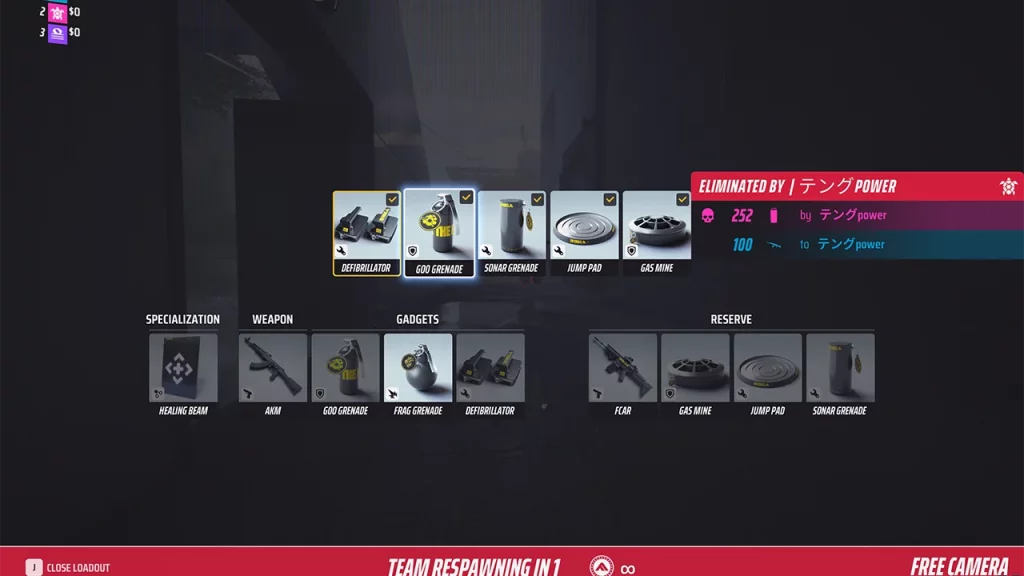
You can think of Reserve as your secondary loadout that you can use whenever you respawn. When you go to your Equipment you have two sets of equipment slots. The main one is where you add your weapons and gadgets. The Reserve is where you put extra guns and gadgets that you might need to switch to in the middle of the match. Here is how to switch your equipment:
- After you die, while you wait to respawn, press the J-key on your keyboard once it becomes available.
- Click on the gun or gadget that you want to switch.
- You will now see a popup of all your equipment that you added in the Reserve slots. That you can swap it with.
- Swap your weapon or gadget with the options available by clicking on it.
In The Finals, there are various options of weapons and gadgets for all three classes that you can unlock. But you cannot take them all into the fight. So you will have to equip them first.
How to Equip Reserve Weapons
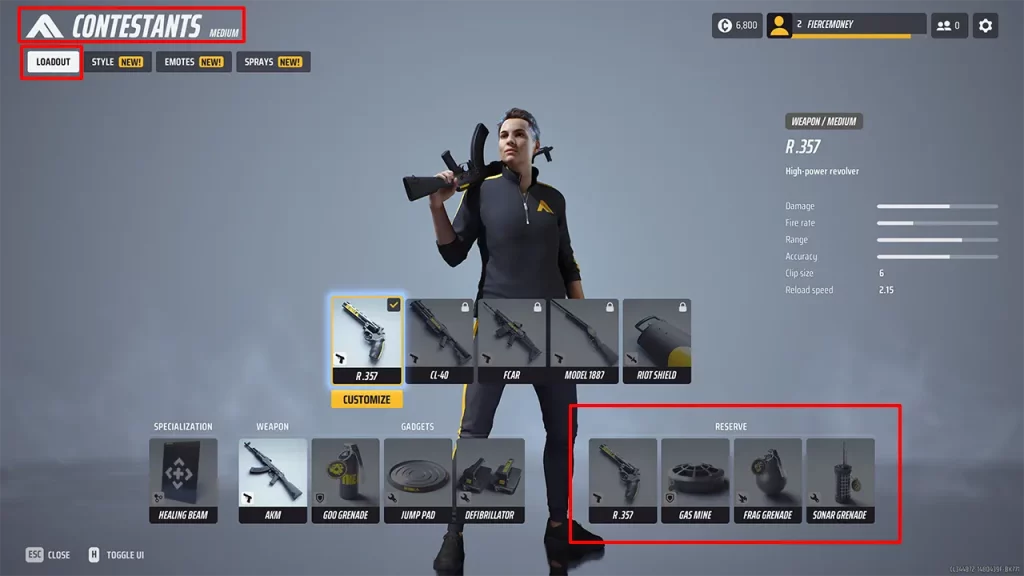
Equipping Reserve is the same as how you would equip your regular weapons or gadgets.
- On the main screen, click on the Contestants option.
- Select the character whose loadout you want to change.
- Add the new weapons and gadgets to your Reserve section.
Make sure to add different weapons so that you have better options to adapt to the map. For example, if your main weapon is something that is useful in close to mid-range combat. You can add a sniper rifle to your Reserve.
Like playing The Finals? Here are some more topics that might interest you!
- Best Controller Settings
- Best Crosshair Settings
- How To Unlock Weapons
- How To Add & Invite Friends
- How To Change Name











