If you are looking to increase your mech’s defensive capabilities then using the Pulse Armor while in combat will help you do just that in Armored Core 6. The game offers a range of customization options for you to customize your AC according to the builds you will need according to different missions. While equipping weapons with offense at the forefront is necessary, increasing defensive performance is also essential in AC6. Pulse Armor creates a Pulse Barrier around your mech during combat which will be there till a time being or is destroyed by the opponent in the game. So if you are wondering how exactly use to it in the game, check out this guide further to know more.
How to Use Pulse Armor in Armored Core 6
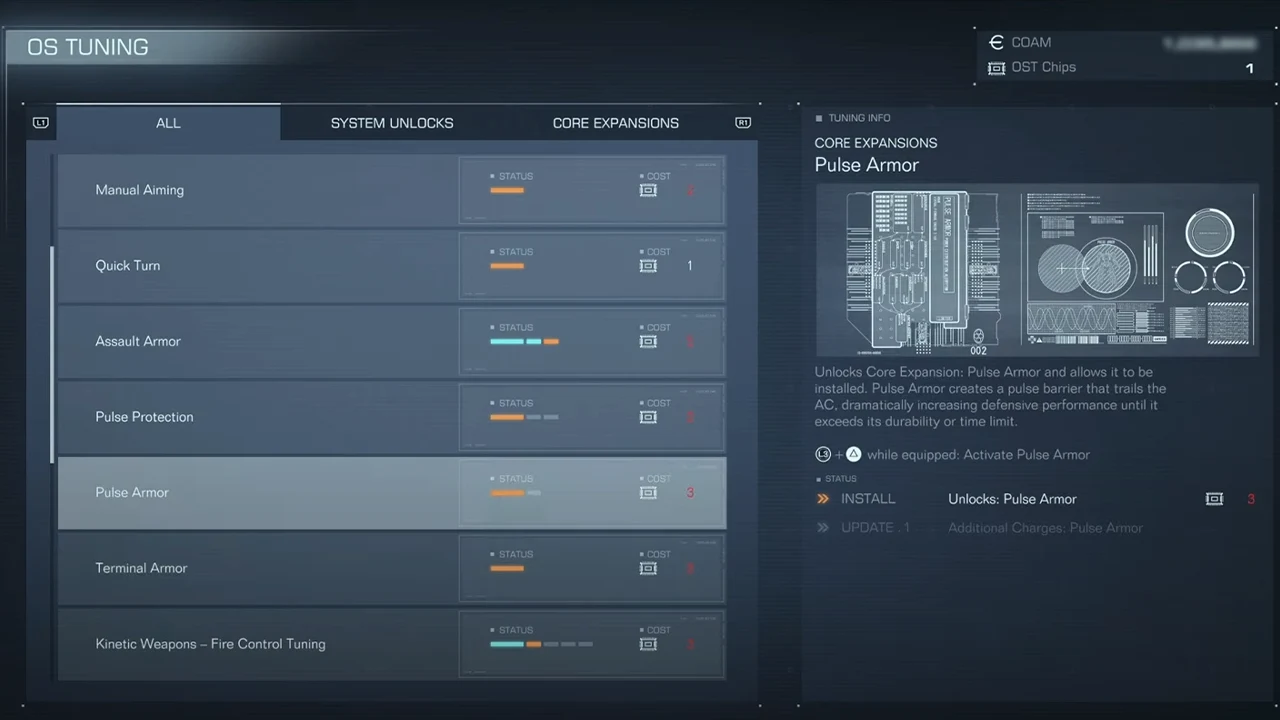
To use the Pulse Armor players will first have to unlock it through OS Tuning using OST Chips in Armored Core 6. It is one of the Core Expansions that you will come across for your AC in the game. Pulse Armor required 3 OST Chips to unlock and five to upgrade it further. Once unlocked, here are the steps you can follow to use the barrier to increase your defense:
- First, you will have to equip Pulse Armor in the Expansion option.
- Head toward the AC Design and select the Assembly option.
- Here you will be able to equip all the weapons, back units, etc.
- You will see the option labeled Expansion as you scroll down.
- Select the option and equip the Pulse Armor you unlocked.
- With it equipped players can use the core expansion with these buttons
- Pressing L3 + Triangle on the PS Controller
- Presssing L3 + Y on Xbox Controller
- Pressing R and LCTRL on the keyboard
It is worth mentioning that only one core expansion can be equipped for your AC. So if you are looking to try out the Pulse Armor, you won’t be able to use other expansions like Assault Armor in Armored Core 6.
That’s everything covered on how to use Pulse Armor in Armored Core 6. If you find this guide useful. check out our how to use Weapon Bay, how to manually Aim, & how to Stagger Enemies guide. For more interesting guides be sure to check out our Armored Core 6 section, right here on Gamer Tweak.