
Home > Remnant 2 > How To Use Emote On PC, PS, And Xbox Remnant 2

Remnant 2: How To Emote On PC, PS, And Xbox

Published Date :

It is important to communicate with your teammates during co-op, and Remnant 2 Emote system helps you with that. There are two Emote lists here: Emote 1 and Emote 2. And since the game is available on multiple platforms, steps for using them defer too. But no need to worry, as all the methods for PC, PlayStation, and Xbox are given here. Use them during fights, or show your joy for getting Achievements. Use it however you like with this Emote control guide.

How to Use Emote 1 and Emote 2 in Remnant 2
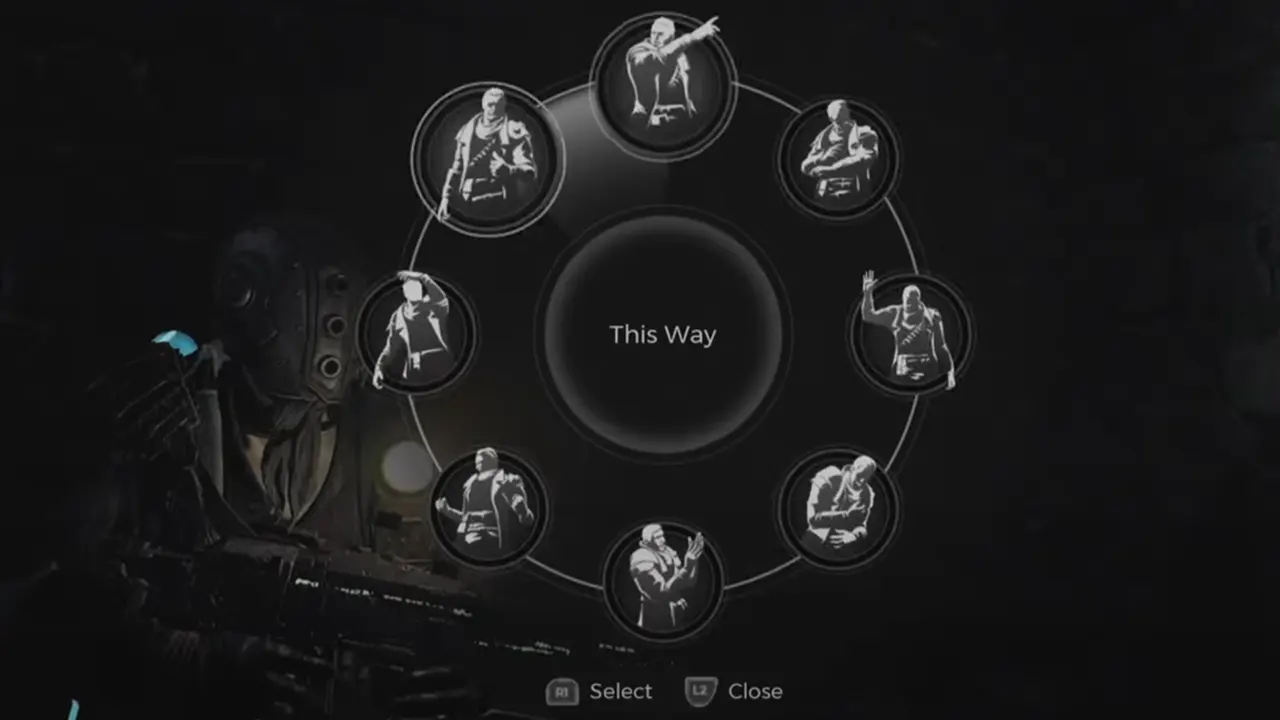
Use Emote 1 And 2 In Remnant 2
Image Credit: Matthew Moros on YouTube

Use Emote on PC

  • First, hold the G button on your keyword.
  • You will see several icons. Select one of the bottom two icons, they are Emote 1 and Emote 2 packs.
  • Select the Emote you want to use.

Perform Emote in Remnant 2 PlayStation (PS)

  • First, hold the D-pad down button from your controller.
  • Menu will come. Select the bottom two icons of man. The first one is for Emote Pack 1, and the second is for Emote Pack 2.
  • Lastly, select the Emote you wish to perform in Remnant 2.

How to Use Emote in Xbox

  • Hold the D-pad down button till you see a menu.
  • Choose one of the bottom two icons. They are the Emote lists.
  • Select the Emote you want to use and perform it.

All Emotes of the Remnant 2

At the time of writing, there are 13 Emotes players can use in the game. And there are five voice lines: Follow Me, World Stone, Assistance, Long Gun Ammo, and Hand Gun Ammo.

  • Emote Pack 1
    • Clap
    • Laugh
    • No
    • This Way
    • Wave
    • Yes
    • Beckon
    • Cheer
  • Emote Pack 2
    • Fail
    • High Five
    • Praise The Gun
    • Confused
    • Exhausted

This is how you use Emote in Remnant 2. If you found this guide interesting and knowledgeable, then you should check our other Remnant 2 guides. Start with Remnant 2 controls and then check the best settings for PC and Steam Deck.


  • SubCargo Codes (August 2026)

    SubCargo Codes (August 2026)

    Published Date :

    Taking a cargo submarine into the deep ocean sounds straightforward until you’re dealing with dangerous waters, and creatures lurking in the darkness. In SubCargo, you and your crew have to manage the submarine, search underwater locations and make it safely back to the docks to trade your haul and refuel. If you’re wondering where to… Read More

  • Escape Huss Valley Codes (August 2026)

    Escape Huss Valley Codes (August 2026)

    Published Date :

    Surviving Huss Valley is easier said than done. The mysterious valley is filled with dangerous threats that can appear while you’re exploring, forcing you to make quick decisions if you want to stay alive. You’ll need to navigate the environment, overcome obstacles, and uncover what the valley is hiding while trying not to become another… Read More

  • Gohan Codes (August 2026)

    Gohan Codes (August 2026)

    Published Date :

    Gohan 悟飯 is a Dragon Ball-inspired Roblox RPG where your character starts out weak and gradually becomes stronger through training, combat, and progression. You can roll for different Races and Traits to shape your build, then improve your character as you unlock more options and abilities. Since getting the right rolls can make a big… Read More

  • Grow a Chicken Fighter Codes (August 2026)

    Grow a Chicken Fighter Codes (August 2026)

    Updated Date :

    In Grow a Chicken Fighter, you must help your chicken get stronger, train it, improve its abilities, and even fuse to help it take on tougher opponents. Building a powerful fighter takes plenty of time, so you might not want to miss out on the latest freebies. Redeem all of these Grow a Chicken Fighter… Read More







