
Two Point Campus gives players the freedom to build a campus of their dreams – one that is functional and fun. While creating rooms and adding items to it, you will need to know how to rotate them to make the best use of the space you’ve got. For those PC & Xbox players who want to know the rotate button command as well as other default keybinds, check out this Two Point Campus controls guide.
Two Point Campus PC Controls
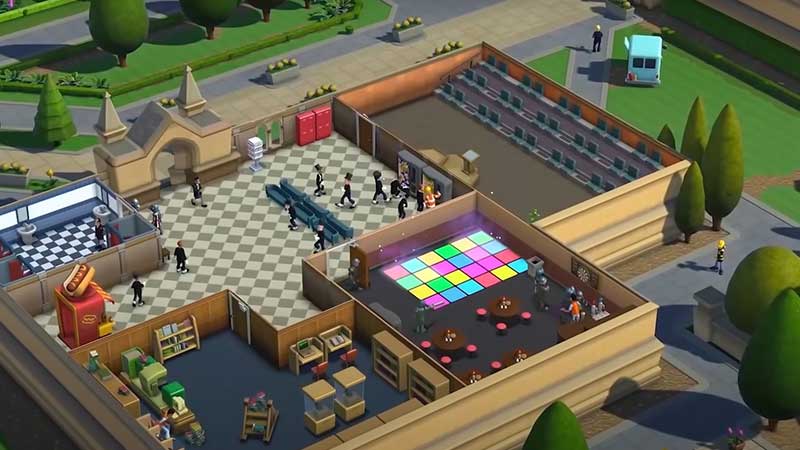
Here are the Camera controls as well as Cursor, HUD and Time-related controls that you will use in the game. When you start out, you will be required to build various rooms such as the Science lab, washrooms, Staff room, dormitory, etc. These rooms have to be made attractive with various items, and you can design the interiors as you like. During this process, knowing how to rotate objects, how to move them, zoom in/out and more will come in handy.
Camera Controls
| Action | Button |
| Rotate clockwise | Q |
| Rotate Anticlockwise | E |
| Rotate Anticlockwise Alt | Left Arrow |
| Rotate Clockwise Alt | Right Arrow |
| Pitch Up | R |
| Pitch Down | F |
| Zoom Out | Down Arrow |
| Pitch In | Up Arrow |
| Move Forward | W |
| Move Backward | S |
| Move Left | A |
| Move Right | D |
Cursor Controls
| Action | Button |
| Cancel | Backspace |
| Subtract Mode | Left Ctrl |
| Subtract Mode Alt | Right Ctrl |
| Delete Item | Delete |
| Cycle Placement Mode | Tab |
HUD Controls
| Action | Button |
| Quick Save | F6 |
| Quick Load | F7 |
| Copy Item | Left Ctrl |
| Copy Item Alt | Right Ctrl |
Time Controls
| Action | Button |
| Pause Time | Space |
| Pause Time Alt | Pause |
| Increase Speed | Numpad Plus |
| Increase Speed Alt | Right bracket |
| Decrease Speed | Numpad Minus |
Two Point Campus Xbox Controls
| Action | Button |
| Camera Zoom In | RT |
| Camera Zoom Out | LT |
| Rotate Item/Object | RB/LB |
| Back/Cancel | B |
| Select/Accept | A |
| Game Speed Cycle | RS |
| Menu Navigation | D-Pad |
| Camera Pan/Menu Navigation | LS |
| Game Speed Pause/Resume | Press LS |
| Menu | Menu button |
Now that you have got the controls, go ahead and make the best campus! Don’t forget to also check out our other guides for this game on how to train staff, increase the happiness of students & staff, and make money fast.











