For some reason, Capcom (the developers) did not add an option to start a new game in Dragon’s Dogma 2. This makes it concerning for players who want to restart their playthrough with a new character. For now, there’s only one way to start over and that includes deleting the save file. You will have to think twice about it because there’s only one save slot. By no means you can keep both the saved files at the same time. So if you are sure about restarting Dragon’s Dogma 2, then here’s how to do it.
Update: The devs have now shared an update regarding the option of starting a new game – “We are looking at adding a feature to the Steam version of the game that will allow players that are already playing to restart the game. We will announce more details as soon as we can.” We will keep you posted.
How to Delete Save File and Restart Dragon’s Dogma 2
You will have to manually find and delete your DD2 Saved File. Below, you will get the locations of your saved progress on PC, Xbox, and PlayStation.
DD2 Save File Location on PC
Note: Disable the Steam Cloud before deleting the saved file on your PC. Steam saves all your progress on its cloud servers so it will be like you never lost your saved file even after deleting it. Go to Steam Library > right-click on Dragon’s Dogma 2 > Properties > General > and disable Steam Cloud.
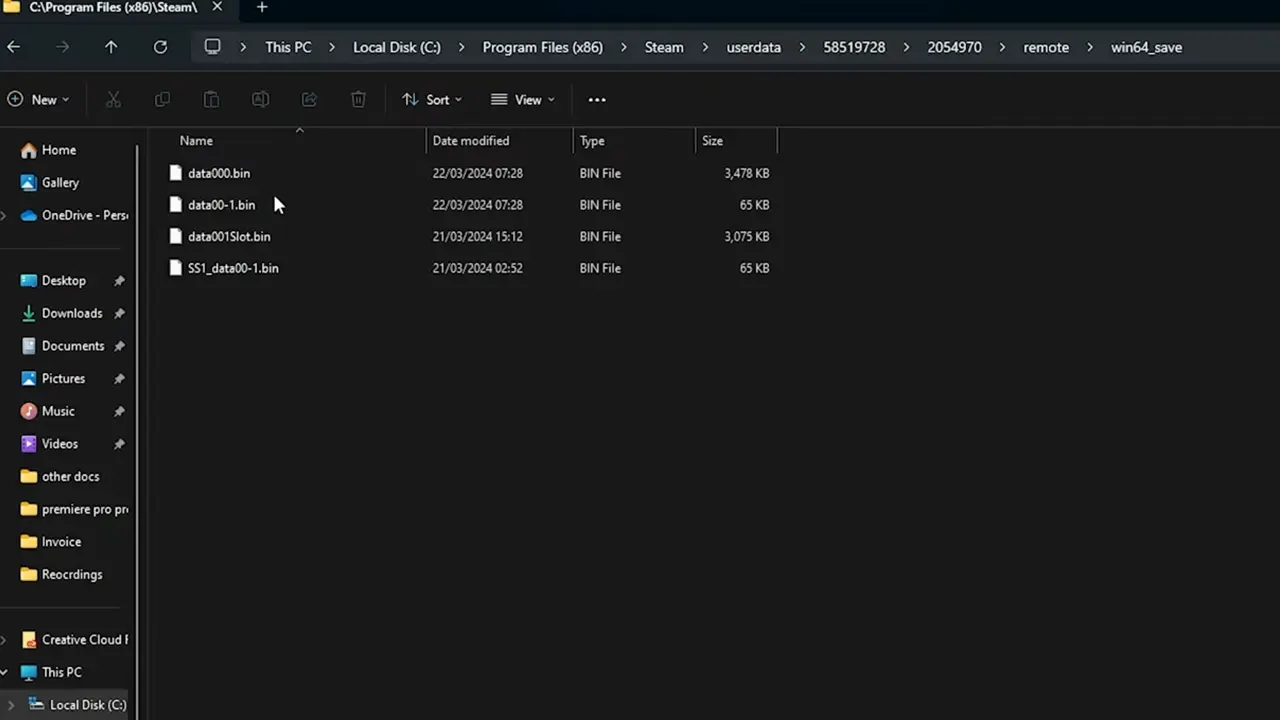
- You can find the saved file by going to this location on your PC – C:\Program Files (x86)\Steam\userdata\(unique user id)\2054970\remote\win64_save
- From there, delete the saved file to get the job done.
- Before you try and relaunch the game, make sure there are no saved files stored on the Steam Cloud.
DD2 Save File Location on Xbox
- On your Xbox, go to the My Games & Apps section.
- Navigate to Dragon’s Dogma 2 and open its Options tab.
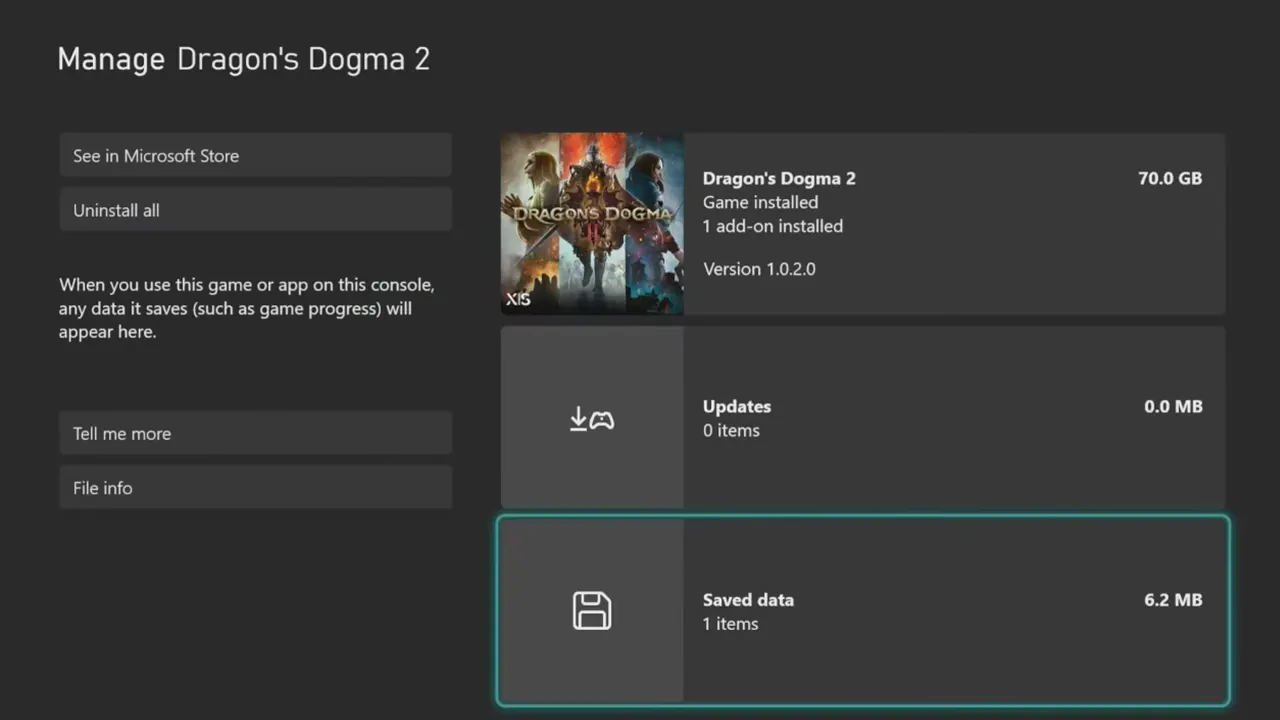
- Next, go to Manage Game > Saved Data and delete the save file from there.
DD2 Save File Location on PlayStation
- On your PS, go to Settings > Saved Data and Game/App Settings.
- Select Saved Data (PS5) > Console Storage and wait for a few seconds.
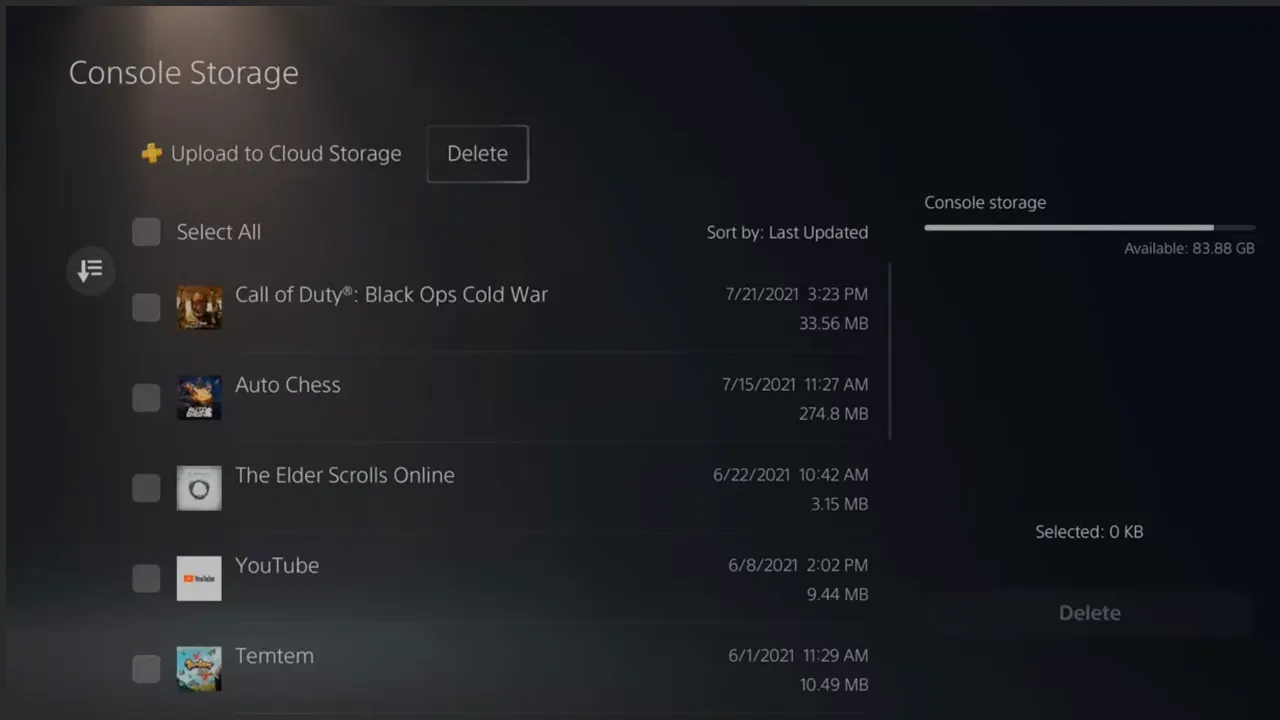
- On the next screen, select Delete and find Dragon’s Dogma 2 from the list.
- Select it and delete it.
Once you have deleted the saved file, launch Dragon’s Dogma 2 to start over from the beginning. This time when you start, make sure to pick the Best Vocations for yourself. If you’re not sure which one to pick then feel free to access our Tier List for that.