In a survival game like SotF, your character’s hunger, thirst, and tiredness levels have a huge impact on your experience. If you are getting tired, your combat will get affected and worse, you may die. Here’s how to not be tired in Sons Of The Forest through sleep, rest, and more things to keep in mind.
How to Not be Tired in Sons of the Forest
Energy will get depleted if you don’t rest, don’t eat, and don’t hydrate yourself. To reduce tiredness levels and avoid draining your energy and stamina so often in Sons of the Forest, follow these steps:
- Get sleep.
- Avoid staying cold and wet for long periods of time.
- Don’t push your character too hard when they are out of stamina because this will only escalate their tiredness.
- When you are losing your stamina, sit down on a bench. You can make a bench with 2 logs.
- Don’t forget to eat food and drink water regularly. These will ensure your stamina lasts longer.
The more you exhaust yourself, the slower you will be. You won’t be able to sprint or attack well. Plus chopping trees will be a daunting task. Players have to manage their running, energy while using a weapon, carrying logs, and other tiring tasks carefully.
If your stamina is draining out too fast, this could be an early access bug (at the time of writing) which will be fixed in the full-released game.
How to Sleep in Sons of the Forest
To be able to sleep and restore energy (and save game), you will need to build a shelter. You can use a Tarp to build a shelter and interact with it when you see the crescent moon icon. More details below.
How to Place Tarp & Build a Tent to Sleep
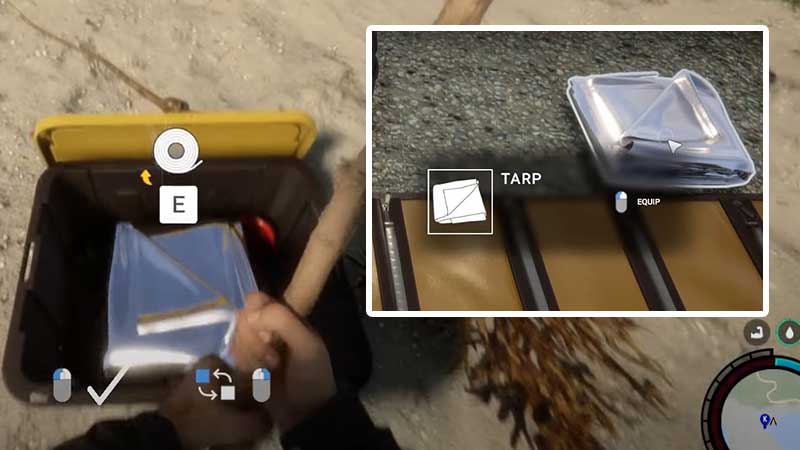
- Find a tarp from the containers and boxes that you will find on the beach.
- Pick it up from there and then open your inventory. Select the Tarp and equip it.
- Now you will see your character holding it in their hands.
- Look down and decide where to place it according to the dotted lines you see on the ground.
- You also need a stick (or 4) to hold up the material. These sticks can be found next to the washed-up boxes.
- Interact with this structure and press the sleep button (crescent moon icon). Time will pass and you won’t be tired anymore.
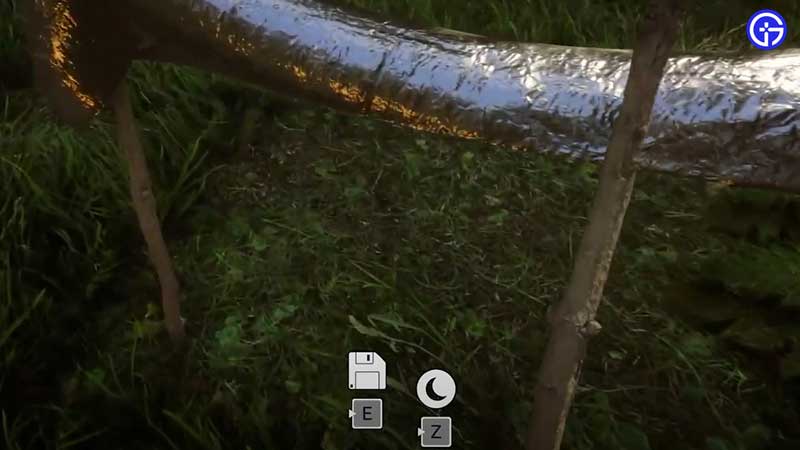
Watch the process here:
How to Remove and Pick Up the Tarp Tent
- If you want to change your tarp location, bring out an axe from your inventory and attack the sticks holding up the tarp. This will put the tarp back on the ground and you can pick it up.
- In case it’s flattened out on the ground, you have to hold C on your keyboard to fold it up and get it back in your hands.
- A few things to note – make sure you put any weapon in your hand away and avoid anything on top of the tarp if you are trying to pick it up.
Here’s a quick video tutorial that explains this process.
Why can’t I sleep in Sons of the Forest?
The reason why you can’t sleep in the game is that there are mutated creatures nearby who are stressing you out. Eliminate them and come back to your shelter to have a peaceful sleep. You can also level up your shelter and add a fence/gate to keep them out.
That’s all about resting and how to reduce tiredness in this game. Stay tuned to our Sons of the Forest guides on Gamer Tweak for more survival tips and items that you may need to know about. For example, find out how to get the Rebreather, craft a Molotov Cocktail, Cook and Eat food, get water, log sled, 3D printer, and more.