Home > Zelda: Tears Of The Kingdom > Zelda TOTK: How To Make Hover Bike

How To Make Hover Bike In Tears Of The Kingdom (TOTK)

Published Date :

The creative possibilities in Zelda Tears of the Kingdom are limitless and one of the coolest vehicles that players have made is the Hover Bike. Not only is it quite fast but also a cool way to explore the vast region of Hyrule. And the best part is making it is also quite easy. So here is how you can make it and its two variations.

How to Make a Hover Bike in Zelda Tears of The Kingdom
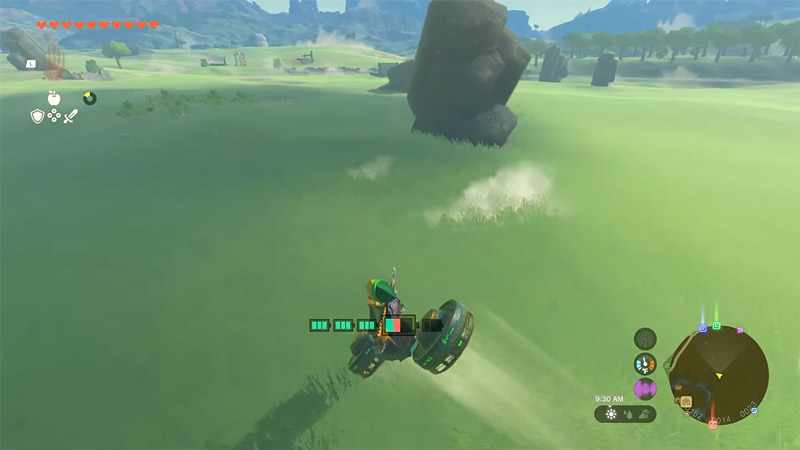
Zelda TOTK how to Get Hover Bike
Image Credit: MysticBGaming

For making a Hover Bike you will always need 2 Fans and 1 Control Stick. There are two different types of bikes that you can make. Here are them both.

Traditional Hover Bike
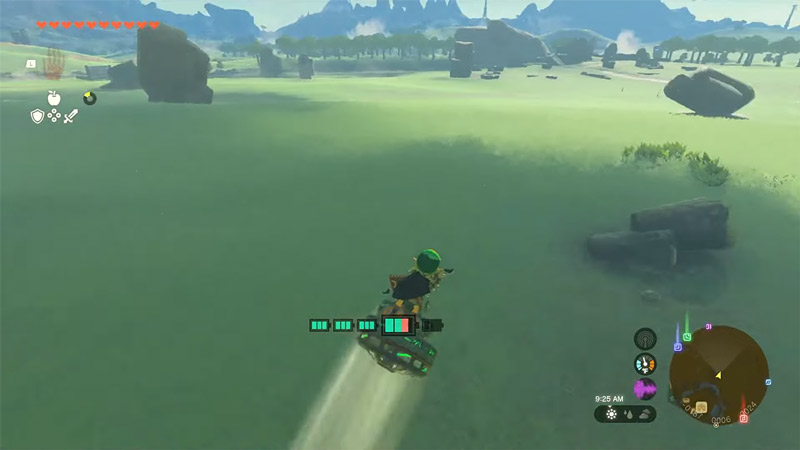
TOTK Traditional Hover Bike
Image Credit: MysticBGaming

In this Hover Bike, the fans will be placed like the wheels on a regular bike. That is one ahead of the Control Stick and one behind it. This is how to make it:

  1. Use Ultrahand and place a fan upside down and flat on the ground. That means the air should flow below.
  2. Next, grab a Control Stick, tilt it 45 degrees upwards, and attach it to the Fan on the ground.
  3. Finally, grab another fan and attach it to the front of the Control Stick.

With its weight, the bike should fall forward. Now simply grab the Control Stick and the fans will start working and you can glide around easily.

Hover bikes do take quite a lot of energy to work so make sure you upgrade your Battery to use it for a long time.

Segway Hover Bike
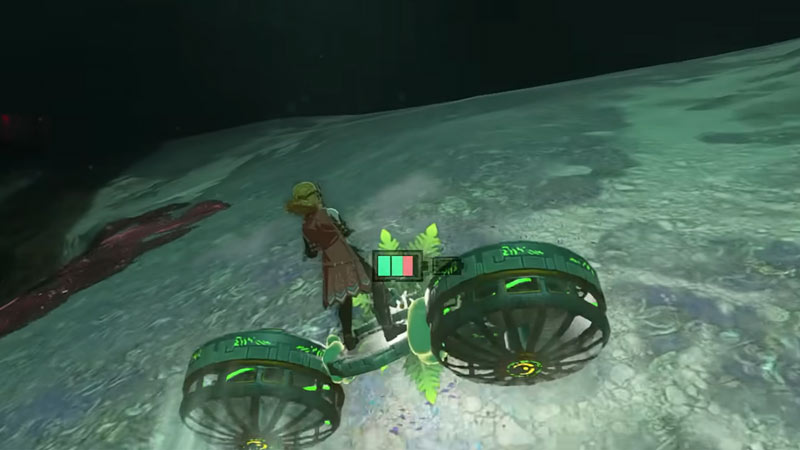
TOTK Segway Hover Bike
Image Credit: Nassi on YouTube

In this Hover Bike, instead of having fans at the front and back, each fan is attached to the side of the Control Stick.

  1. Use Ultrahand and place a fan upside down on the ground.
  2. Grab a Control Stick, tilt it 45 degrees up, and stick it to the side of the fan.
  3. Now, grab another Fan and stick it on the other side of the Control Stick.

Using it is slightly different than the Traditional Hover Bike. When you start it, the bike will start flying up, simply move your left joystick forward to realign it and then use it normally.

That’s all you need to do to make a Hover Bike in Zelda Tears of the Kingdom (TOTK). You should also find our other guides interesting on Obsidian Frox Location, how to do Duplication Glitch, and how to beat Sludge Like.
  • Snipers VS Runners Codes (August 2026)

    Snipers VS Runners Codes (August 2026)

    Published Date :

    Snipers VS Runners turns a simple race into a high-stakes battle where one side is trying to reach the finish while the other is waiting for the perfect shot. Runners have to ensure they reach the finish line, while snipers need to predict their opponents’ movements and pick them off before they escape. Cash from… Read More

  • Rock Fruit Codes (August 2026)

    Rock Fruit Codes (August 2026)

    Published Date :

    Rock Fruit drops you into a pirate adventure where you’ll explore islands, fight enemies, collect powerful abilities, and work your way toward becoming the strongest player. Battles can get much tougher as you progress, so having extra potions, Diamonds, and Beli can make quite a difference when you’re trying to level up. The latest Rock… Read More

  • Chicken Farm Codes (August 2026)

    Chicken Farm Codes (August 2026)

    Published Date :

    Chicken Farm is one of the most addictive games I have played on Roblox! The gameplay is simple but hooks you right away – you buy chickens, convert eggs to cash, and help you get richer as you play! If you want to start investing time into your very own farm, you will need all… Read More

  • Anime RNG Defense Codes (August 2026)

    Anime RNG Defense Codes (August 2026)

    Published Date :

    Anime RNG Defense combines random rolls with tower defense, so building a strong lineup comes down to getting powerful units and making the most of every roll. As you start getting tougher enemies, you’ll need plenty of Crystals and rolls to improve your collection and find stronger characters. Some rewards also require you to reach… Read More