
Minecraft features a plethora of different biomes across the vast open world. But if you have been playing this game for a long time, you know what role the multiplayer servers play. The Hypixel Server is the largest and arguably the best server to join. This multiplayer server features several minigames for players to get hooked on. But some players are confused about joining this server. Not to worry, check out our guide on how to join Hypixel Server in Minecraft to find out.
How to Join Minecraft Hypixel Server
You have to log in or purchase a Minecraft account if you don’t have one to join the Hypixel Server. If you don’t have a Minecraft account, you won’t be able to use any of the servers. Also, you cannot use any hacks or workarounds to join the server as you can get banned. So, head over to their official website to buy the game.
Now, follow the below steps to join the server:
- Head to the Multiplayer tab on the Main Menu.
- From there, select the Add Server option at the bottom right of the screen.
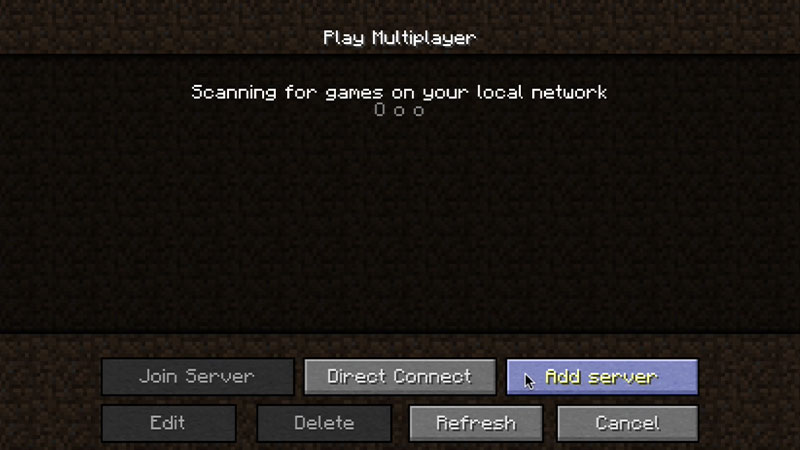
- You will find text fields for the Server address and name.
- You can input the Server address, mc.hypixel.net into the text field. And optionally change the Server name if you want to.
- Now, highlight and select the Hypixel Server in your servers list.
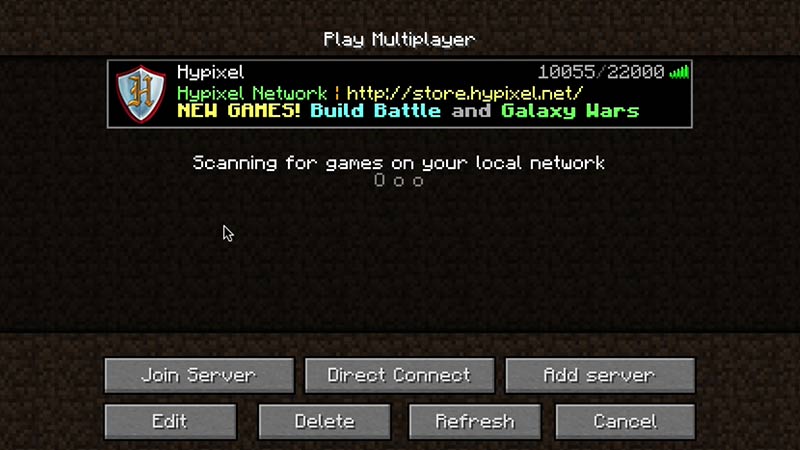
- Lastly, hit the Join server button to join the Hypixel Server.
- Once you have joined the server, you can exit the server at any time you want.
If you liked this server, make sure to add this server IP to your Permanent list. This is to avoid entering the IP address every time you want to join the Hypixel server. As mentioned earlier, you can play several mini-games on this server. This includes Bed Wars, SkyWars, SkyBlock, Murder Mystery, and more mini-games on Hypixel Server.
That’s everything covered about how to join the Hypixel Server in Minecraft. If you liked this guide, check out our guides on the best Coral Reef Seeds, the best texture packs for Bedrock, how to build a Chicken Coop, and more Minecraft Guides on our dedicated section right here on Gamer Tweak.











