For players who are looking for a fresh start in Devil Hunter, knowing how to wipe and reset stats is crucial. There’s no button on the HUD that can directly help you do this – instead, you need a specific item. What you’re looking for is a Wipe Token, and through this guide, you will know the location to obtain it, the cost involved, and how it works.
How do I wipe in Devil Hunter?
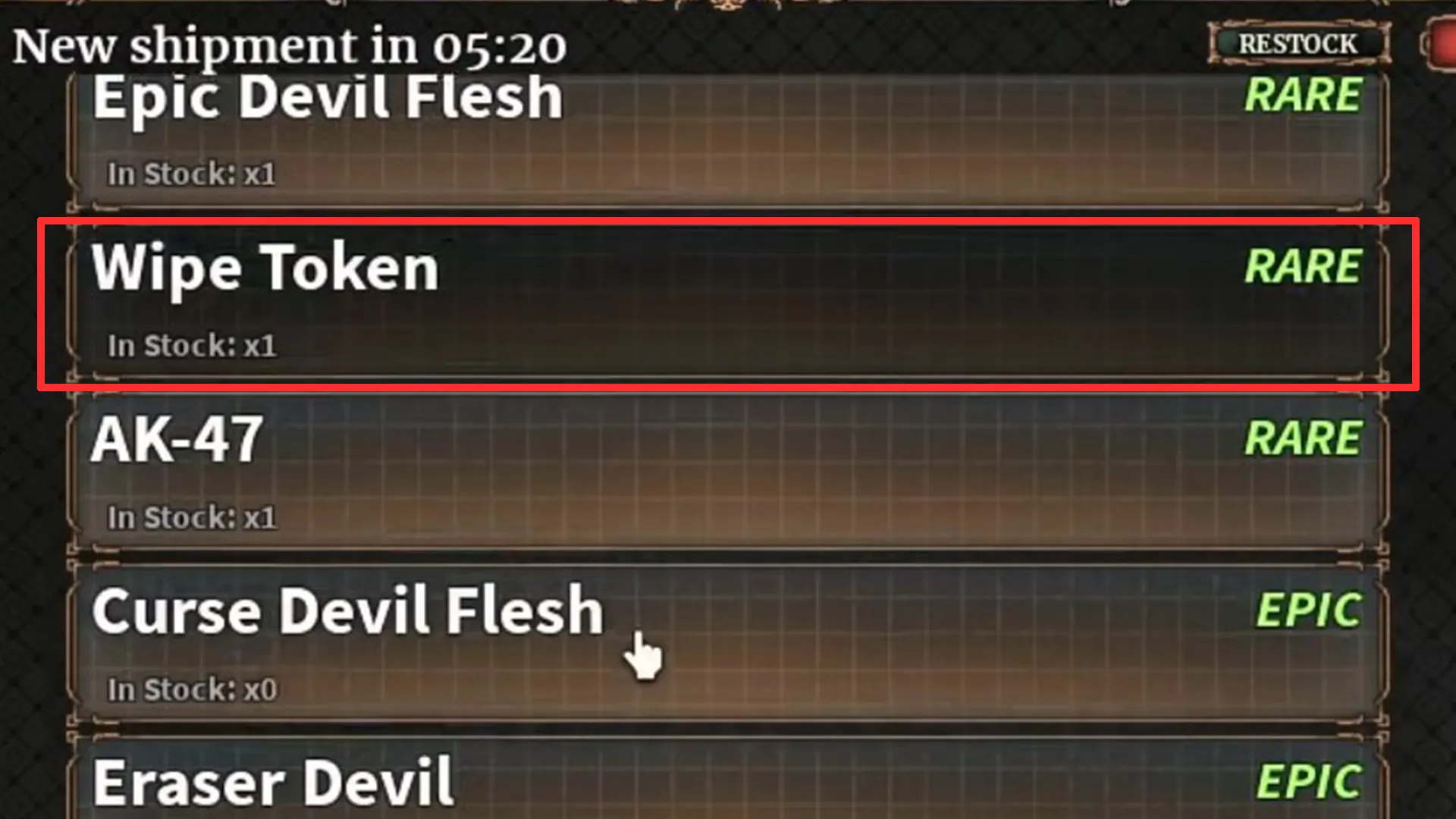
To get a Wipe Token, you need to visit the Black Market NPC, who is located near the Shopping Street district’s entrance. To see the exact location, pull out your in-game phone, and it will display the Blackmarket’s location on the map.

Head over there, interact with the NPC and look at everything they’re selling – it may have a Wipe Token, costing 400K Yen or 220 Robux. In case you don’t see it, don’t worry, the shop restocks after the timer at the top of the window ends.
Also, if you are running short of money, remember to use the latest Devil Hunter codes, because they don’t just provide cash but also a bunch of Clan and Fiend rerolls.
When you get the Wipe Token in Devil Hunter, use it to reset your character’s stats, confirm the action, and that’s it! You’re ready to start over and create a new build.
That’s everything you need to know about using a wipe token to reset stats in Devil Hunter Roblox. If you’d also like to know which clans are the best and the links to the official Trello and Discord server, check out our linked guides to know more.
In case you’re also curious to know whether Roblox is removing chat this year, or how to change the location of your account, our guides have all the details.