
Home > Roblox Guides > How to Change Account Location on Roblox? (Answered)

How to Change Account Location on Roblox? (Answered)

Published Date :

Your account location on Roblox affects things like currency display, region-based settings, and sometimes what features or events you see. Many players want to update their location after moving to a new country or correcting an account detail they set incorrectly. Some might even want to see lower prices for game passes due to the regional pricing. Find out if Roblox allows you to change your location

Also Read | How to Use FreeCam on Roblox

What Does Account Location Mean?

Account location refers to the country associated with your Roblox account. This is different from your live server region in-game. Your location is mainly used for:

  • Currency and pricing display
  • Billing and payment methods
  • Compliance with regional policies
  • Age-appropriate features in some regions

Changing your location does not automatically move you to different game servers or give access to region-locked items.

How to Change Account Location on Roblox
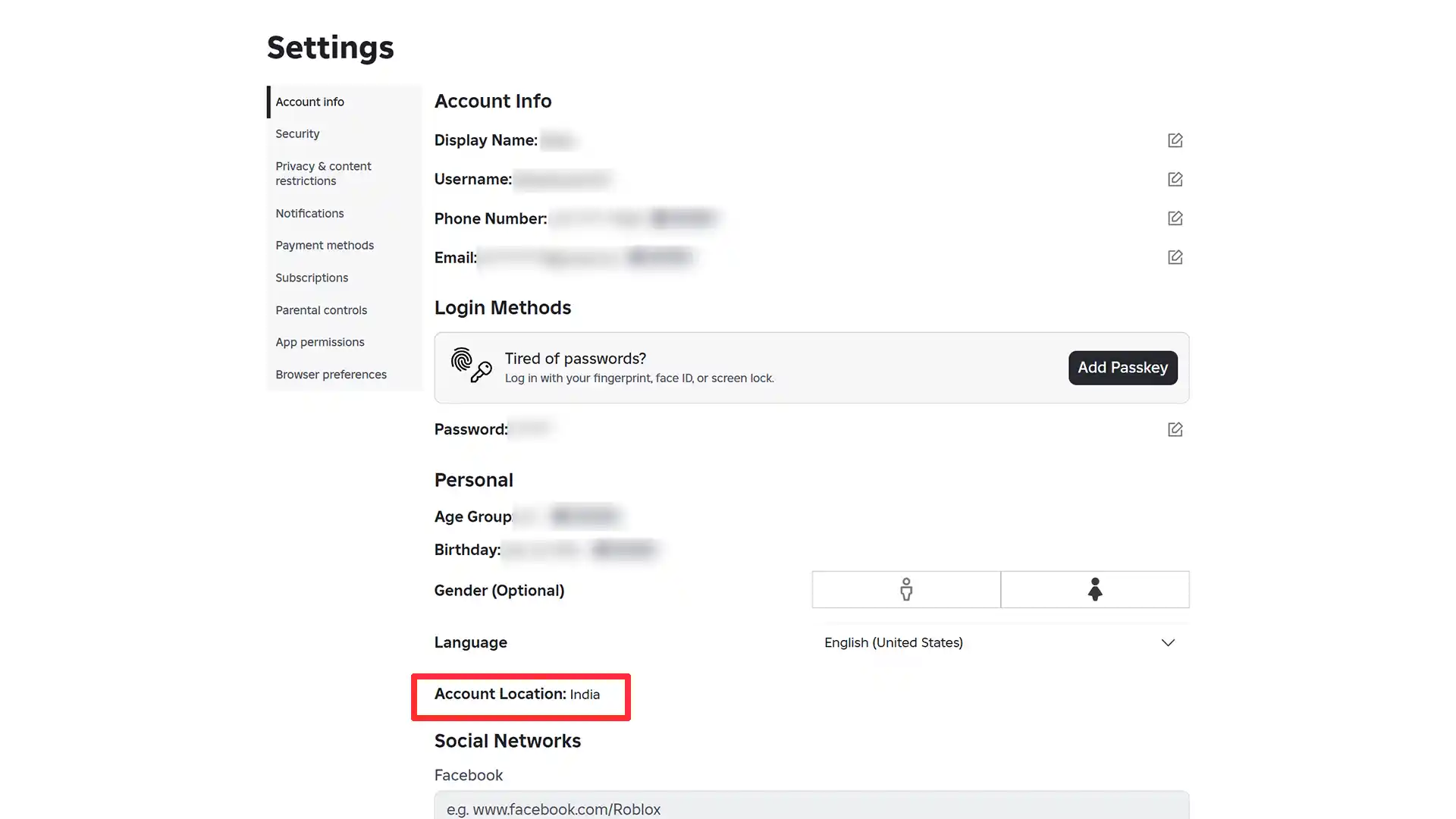
roblox change account location

Roblox will automatically detect your location and update it under Settings > Account Info > Account Location. If you have recently moved or relocated, wait for some time for the system to detect your new country, which isn’t based on exact geolocation data, but on general regional location.

In case it hasn’t changed even after a while, you can contact roblox.com/support for additional help.

Can you use a VPN to Change Account Location on Roblox?

However, if you use a VPN, the accuracy of your location may be affected, and you may be able to see the new regional Robux prices based on the country you select. This is not guaranteed because using a VPN only affects your connection route, not your account’s registered country. Roblox does not update account location based on IP address alone. Relying on VPNs can also trigger security checks, so it’s not recommended.

It’s best to select your real country to avoid account issues because constant IP changes can trigger security notifications or even temporary account locks.


  • GTA 6 Players in Australia May Need Age Verification Due to New Online Safety Rules

    GTA 6 Players in Australia May Need Age Verification Due to New Online Safety Rules

    Published Date :

    Australian players could have an extra requirement to meet before accessing Grand Theft Auto VI’s online features. Under the country’s updated online safety regulations, games classified as R18+ may need to verify that players are adults instead of relying on a simple age confirmation (as per news.com.au). If GTA 6 falls under those requirements, Rockstar… Read More

  • Tactical Swat Simulator Codes (July 2026)

    Tactical Swat Simulator Codes (July 2026)

    Published Date :

    This action-packed game is all about completing objectives, clearing the area, and stopping hostile suspects, and while you’re at it, you can earn plenty of cash. Luckily, Tactical SWAT Simulator codes also give you free Cash that can be put toward new gear and upgrades, helping you strengthen your loadout before heading back into the… Read More

  • Roblox Chameleon Codes (July 2026)

    Roblox Chameleon Codes (July 2026)

    Published Date :

    Meccha Chameleon’s virality is bringing similar games to Roblox, and this one’s called Chameleon! Blending into your surroundings is the key to staying hidden, but unlocking new cosmetics and customization options makes every match even more enjoyable. Roblox Chameleon codes give you free Coins that you can spend on new skins and other in-game items,… Read More

  • Reclone Codes (July 2026)

    Reclone Codes (July 2026)

    Published Date :

    Reclone is a sci-fi stealth horror game where you get on a research spaceship and survive the dangers that lurk. This means, you need all the boosts you can get which is exactly what Reclone codes provide! If you’re running short of Tokens or cash, make sure to redeem them quickly so that you have… Read More








