Home > Roblox Guides > How to Use FreeCam in Roblox

How to Use FreeCam in Roblox

Published Date :

If you create Roblox videos, cinematic edits, thumbnails, or just like to explore games from unique angles, Free Cam is one of the most useful built-in tools you can know about. In simple terms, it lets you detach the camera from your character and freely move around the map, giving you smooth shots that are impossible with normal gameplay movement.

When activated, your character stays in place while the camera glides through the environment. This is commonly used by YouTubers, TikTok creators, developers, and players who want unique camera angles or better screenshots. Here’s how to enable it in games that support it, how to control, and a few tips to get the best results for your pictures and videos!

How to Use Free Cam in Roblox

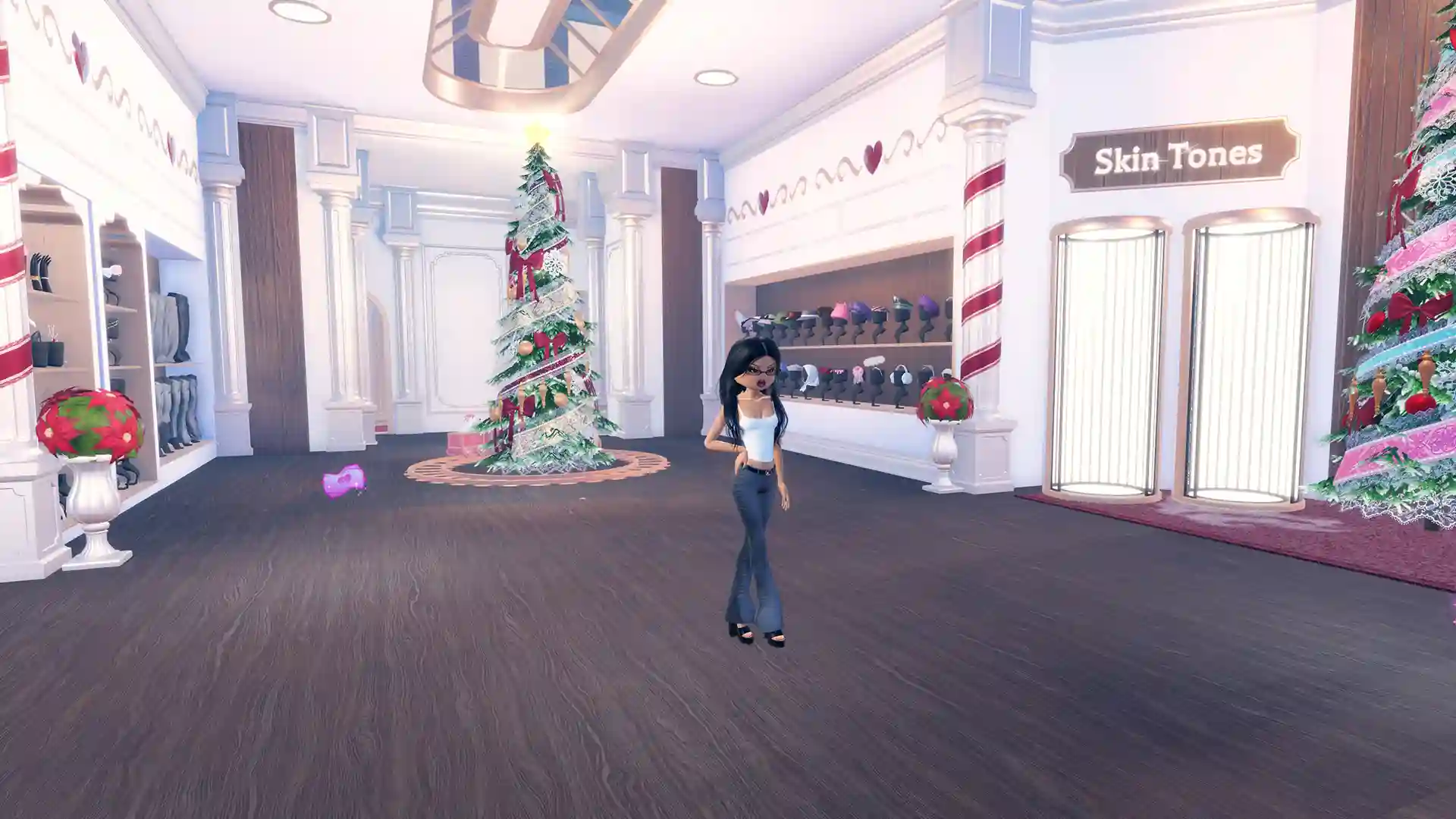
If you’re playing a game, such as Dress to Impress, which supports freecam, follow these steps to get it running:

  1. Launch Roblox on a PC or laptop. Free Cam does not work on mobile or console.
  2. Join any experience that allows camera control.
  3. Press Shift + P on your keyboard.

freecam in roblox dress to impress

If done correctly, your camera will detach from your character and you will be able to move freely around the map. If nothing happens, the game likely blocks Free Cam or another program is interfering with the shortcut.

FreeCam Controls

detach camera no HUD or UI roblox

Once Free Cam is active, use these controls:<

  •  W, A, S, D – Move forward, left, backward, and right
  •  Q / E – Move down and up
  •  Mouse movement – Look around
  •  Shift – Move faster
  •  Scroll wheel – Adjust camera speed
  •  Shift + P again – Exit Free Cam and return to normal view

Why use freecam?

This feature is useful for recording cinematic intros and outros, capturing wide map shots for thumbnails, especially to showcase your builds/outfits, making edits and short-form videos, and creating roleplay scenes without visible UI/HUD.

That was all about using FreeCam on Roblox. If you’d also like some Roblox skin tone hex codes for your fashion or avatar games, our linked guide has a curated list.
  • A Guide to CS2 Trading Tools and Pro Trading Tips

    A Guide to CS2 Trading Tools and Pro Trading Tips

    Published Date :

    Successful CS2 trading is rarely based on guesswork. Experienced traders rely on data to compare prices, track market trends, and identify good opportunities before making a trade. With so much information available, keeping up with the market without the right tools can be difficult. That’s where CS2 trading tools come in. In this guide, we’ll… Read More

  • Dog Race Codes (July 2026)

    Dog Race Codes (July 2026)

    Published Date :

    For those who enjoy fast-paced clicker and racing simulators on Roblox, Dog Race gives you quite a fun experience! Training your strength, hatching cute pets to boost your stats, and collecting wins to climb into the top 50 leaderboard takes plenty of effort and to help you rack up trophies much faster, redeeming free potion… Read More

  • Knife Duels Codes (July 2026)

    Knife Duels Codes (July 2026)

    Published Date :

    Knife Duels provides a refreshing spin on the FPS genre by putting pure melee combat front and center. You can step onto duel pads to challenge other players in 1v1 through 4v4 matches, battling it out to see who can score six wins first. Outplaying opponents on the leaderboard requires sharp reactions, but if you… Read More

  • My Greenhouse Codes (July 2026)

    My Greenhouse Codes (July 2026)

    Published Date :

    If you’re looking for a cozy alternative to standard Roblox farming simulators, My Greenhouse is a relaxed take on the genre. Built by a solo student developer, this game combines classic plant-and-sell farming mechanics with tycoon building, foraging mini-games, character customization, and more. Exploring different regions, unlocking hidden NPCs, and decorating your greenhouse takes extra… Read More