
Warhammer 40K Space Marine 2 is a stunning game visually and gameplay-wise, but often your plans for a gaming session solo or with friends can be marred by frame drops, high ping, and lag. This has led to the game being unplayable for some because swarms of enemies end up ruining the experience, even if the settings are lowered. Here’s what you can do about this.
How to Fix Lag in Warhammer 40K Space Marine 2
First, make sure you’ve completed all the general troubleshooting steps to rule out temporary bugs or glitches. Restart your PC, then the Steam client, and test your internet connection. Aside from this, ensure that your drivers are up-to-date, close any resource-hogging background applications, and verify the integrity of Steam game files.
If you haven’t played much since recently buying the game, check the system requirements because anything less in terms of specs will lead to lag. For example, both the minimum and recommended settings mention that an SSD is required, and if you’ve installed the game on an HDD, the performance will suffer quite a bit.
System Requirements
Minimum:
- Requires a 64-bit processor and operating system
- OS: Windows 10 (1903 min)/11 64-bit
- Processor: AMD Ryzen 5 2600X / Intel Core i5-8600K
- Memory: 8 GB RAM
- Graphics: 6 GB VRAM, AMD Radeon RX 580 / Nvidia GeForce GTX 1060
- DirectX: Version 12
- Storage: 75 GB available space
- Additional Notes: SSD required. 30 FPS in 1920×1080 with “Low” preset.
Recommended:
- Requires a 64-bit processor and operating system
- OS: Windows 10 (1903 min)/11 64-bit
- Processor: AMD Ryzen 7 5800X / Intel Core i7-12700
- Memory: 16 GB RAM
- Graphics: 8 GB VRAM, AMD Radeon RX 6800 XT / Nvidia GeForce RTX 3070
- DirectX: Version 12
- Storage: 75 GB available space
- Additional Notes: SSD required. 60 FPS in 1920×1080 with the “Ultra” preset.
Check for Overheating
Another cause of lagging in Space Marine 2 could be overheating. Ensure your PC’s components, especially the CPU and GPU, aren’t overheating. Use a monitoring tool to keep an eye on temperatures and consider upgrading if required.
Disable VSync
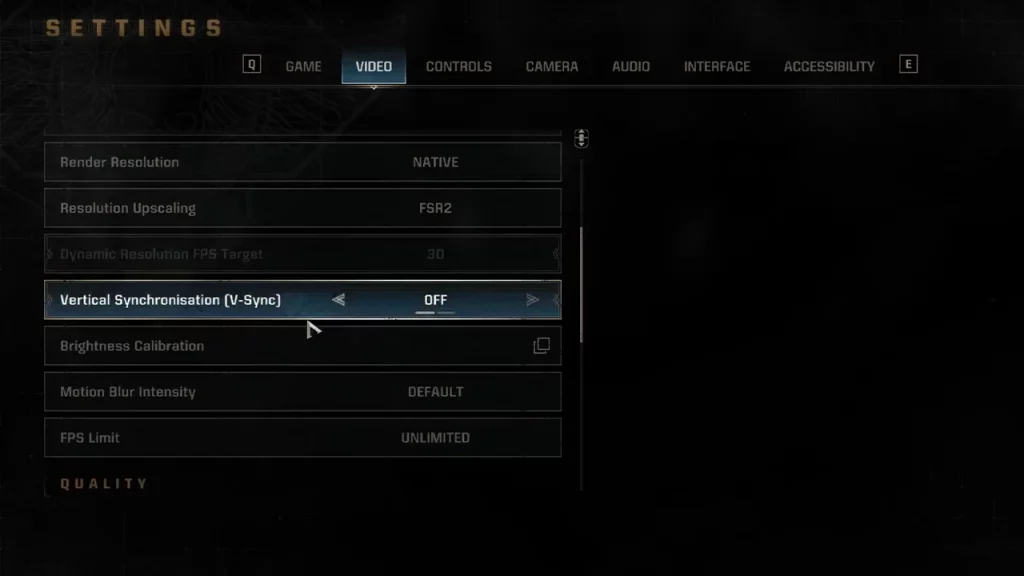
VSync can cause input lag and to disable it, go to the game settings > Video > turn it off from here.
Limit FPS
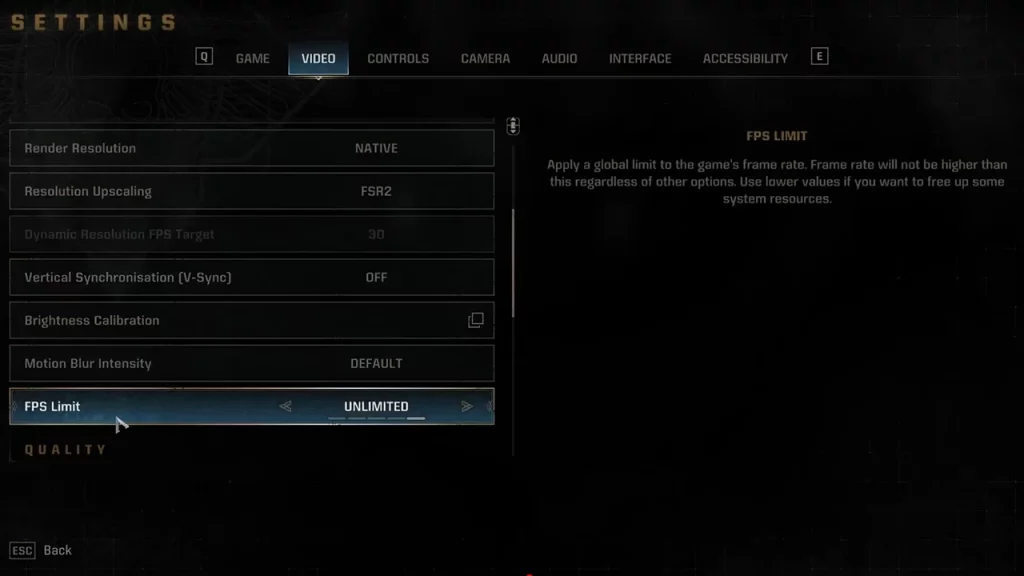
If your hardware can’t maintain a stable frame rate, limiting FPS can help prevent stuttering. The setting is also found under Settings > Video.
If you’ve tried these steps and are still experiencing lag, consider contacting the game’s support team or checking online forums for specific troubleshooting advice related to your setup.
At the time of writing, Warhammer 40K Space Marine 2 has 63K+ active players, and if you’re facing some lag, chances are that the servers near your location are overloaded. Check the official social media channels of the devs/game to know if the servers are facing an outage at the moment, and if not, try again when it’s not peak hours in your region.
Once you get the game up and running without high ping and frame drops, be sure to switch to the best brightness settings to get the best possible and immersive experience.











