When you first begin Forza Horizon 6, your character starts with a basic white t-shirt and blue jeans outfit. While it works as a default look, if you prefer customizing your avatar with stylish jackets, hats, glasses, gloves, and other accessories, we got you covered. The game includes a detailed character customization system that lets you personalize your character however you like, and whether you want a casual streetwear vibe or a professional racer look, here’s how to change your outfit in FH6.
Also Read | How to Fix Invalid Gaming Services Detected Error
How to Change Your Outfit in Forza Horizon 6
If you are already inside the Garage or Horizon Festival area, the process is very simple.
- Open the main menu
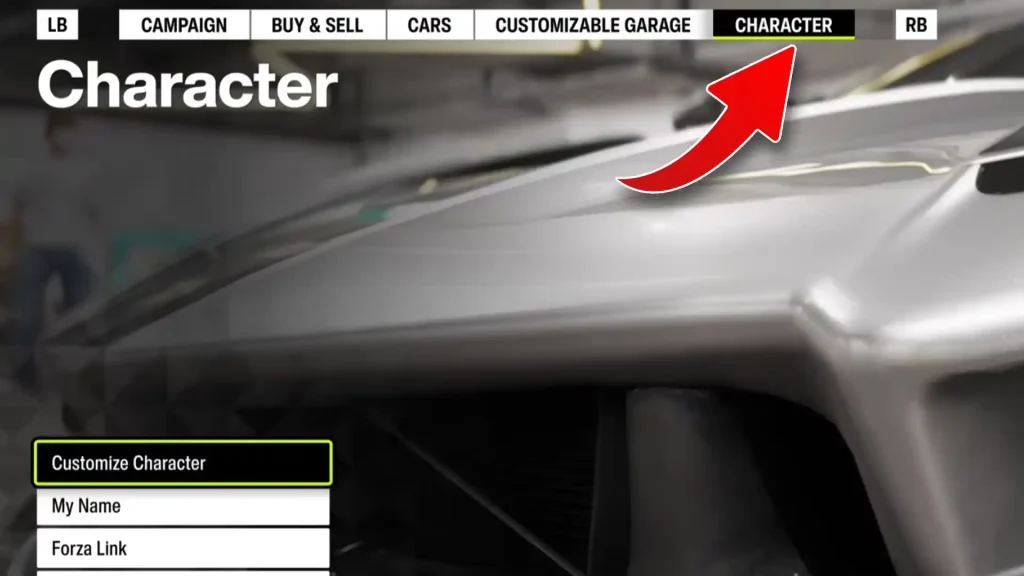
- Find the Character tab from the top menu
- Click on Customize Character
- Browse through the available clothing categories
- Select the outfit pieces or accessories you want to equip
You should now see various customization options provided by the game. Some clothing items are available for free right away, while others require Credits to unlock. In addition to purchasable cosmetics, certain rare outfits can also be earned through:
- Clothing Vouchers
- Wheelspins
- Super Wheelspins
- Seasonal rewards
- Festival challenges
The game allows you to customize separate clothing pieces individually, so you can mix and match tops, pants, shoes, hats, and accessories to create your own unique style.
How to Change Clothes While Driving Around
If you are currently exploring the map and are not near the Garage or Festival location, you can still access character customization through Fast Travel. Here’s what to do:
- Open the Menu
- Switch to the Cars tab
- Select Buy New & Used Cars
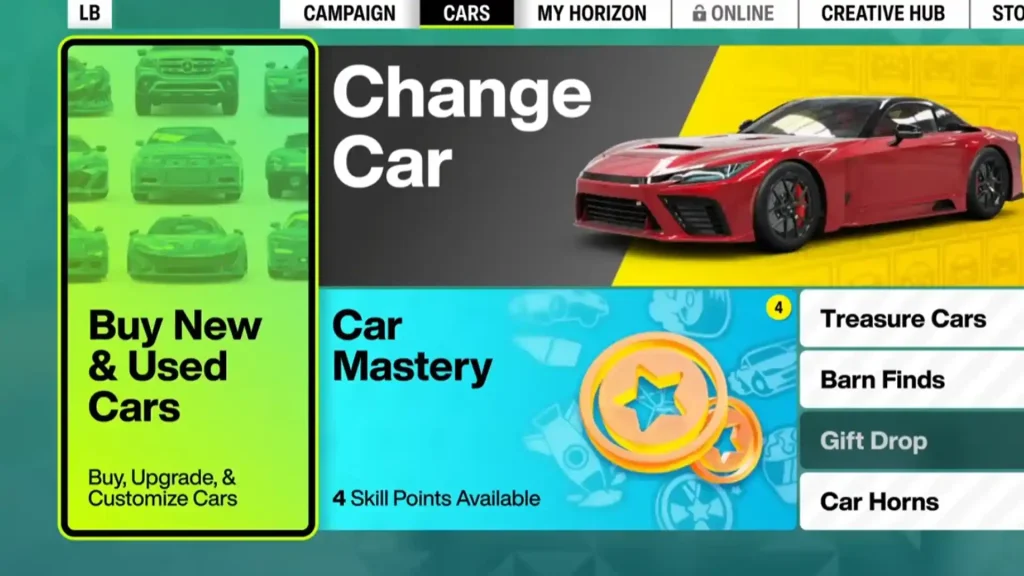
- A prompt will appear asking if you want to Fast Travel to Mei’s house
- Choose Yes
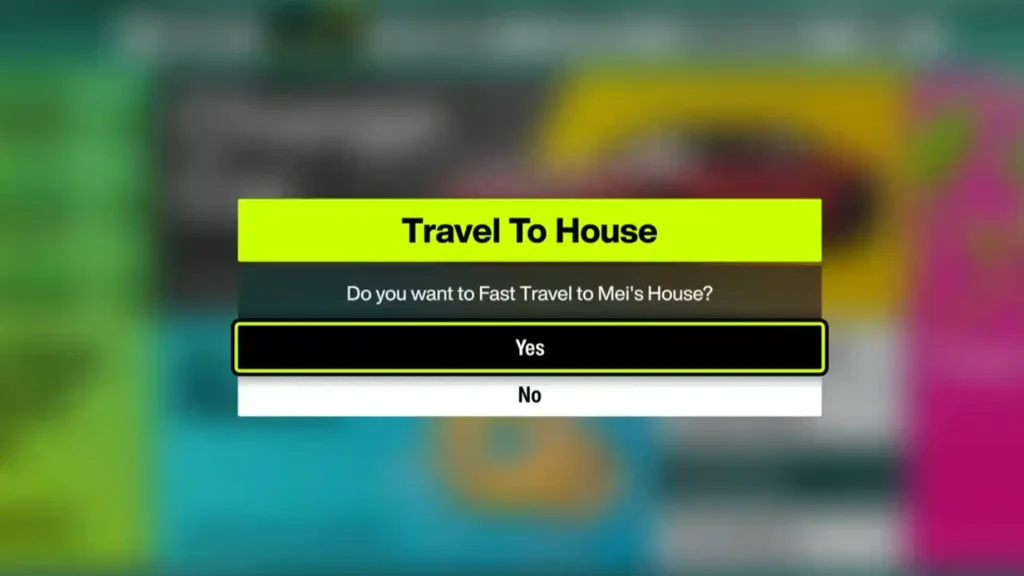
After the loading screen finishes, you should be able to access the Character tab from the top menu and customize your outfit normally.
And that’s everything you need to know about changing clothes and customizing your character in Forza Horizon 6.