If Forza Horizon 6 shows the “Invalid Gaming Services Detected” error on PC, the issue is usually caused by outdated or corrupted Microsoft Gaming Services files. Here are the fastest fixes that actually work.
How to Fix the FH6 Invalid Gaming Services error
Update Gaming Services
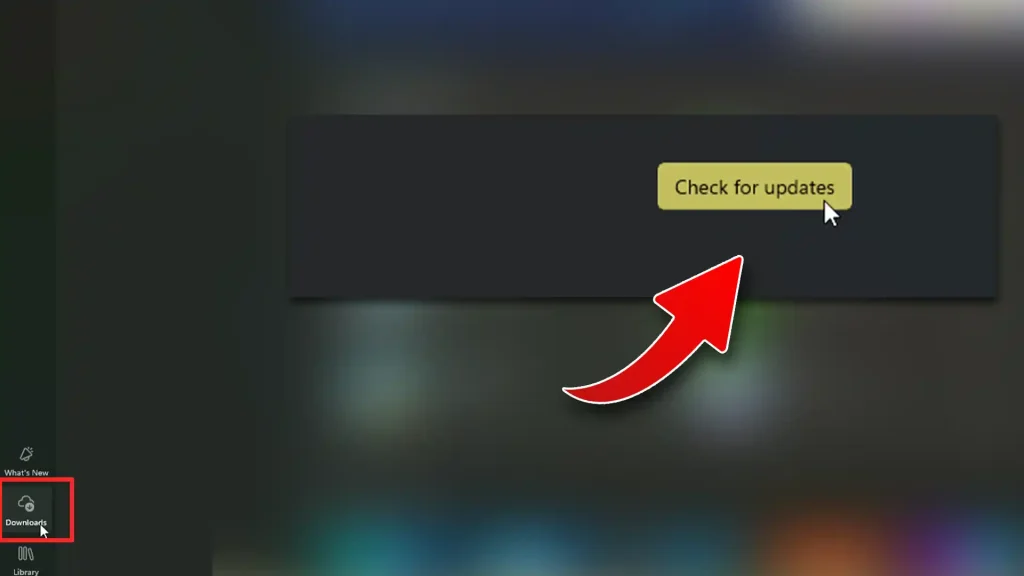
Older Gaming Services versions can prevent the game from launching properly. Here’s how to update it:
- Open Microsoft Store
- Go to the Downloads at the bottom left corner of the screen.
- Click on Check for Updates.
- Look for Gaming Services and update.
- Restart your PC if required.
Reinstall Gaming Services
If updating does not help, reinstall the service completely.
Open PowerShell as Administrator
- Run this command:
- get-appxpackage Microsoft.GamingServices | remove-AppxPackage -allusers
- Then run:
- start ms-windows-store://pdp/?productid=9MWPM2CQNLHN
- The Microsoft Store page for Gaming Services will open.
- After that, install Gaming Services again.
- Restart your PC.
- Launch the game.
This is the fix that works for most players.
Repair the Xbox App
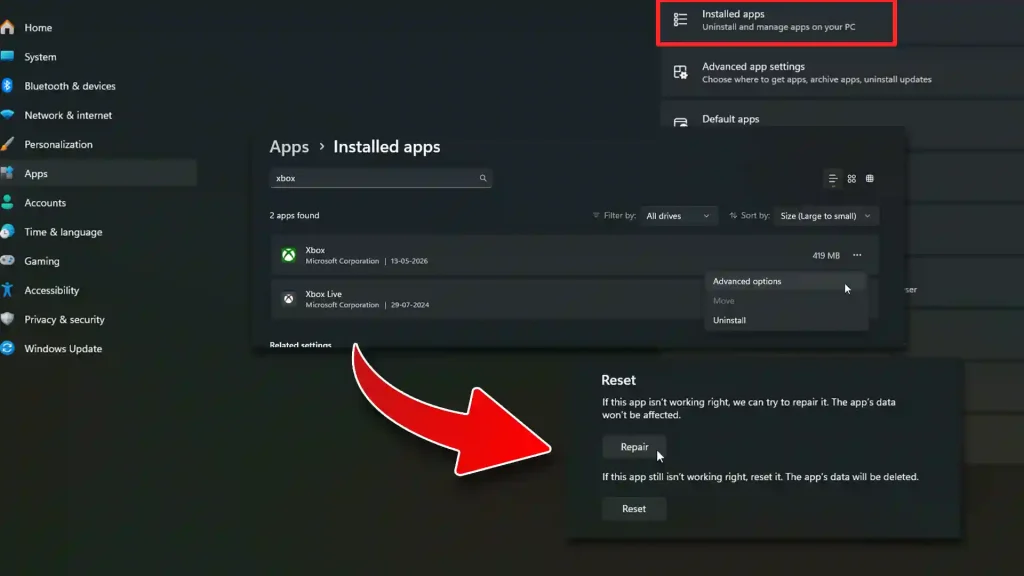
A broken Xbox app installation can also trigger the error.
- Open Settings on your PC.
- Go to Apps > Installed Apps.
- Find Xbox.
- Open Advanced Options.
- Click Repair.
Update Windows
Missing Windows updates can break Xbox-related services. To update:
- Open Settings
- Go to Windows Update
- Click Check for Updates
- Install all updates
- Restart your PC
The Invalid Gaming Services error in Forza Horizon 6 is usually fixed by updating or reinstalling Gaming Services. If the game still refuses to launch, repairing the Xbox app and installing the latest Windows updates often solves the problem.
FAQs
The error is usually caused by corrupted or outdated Gaming Services files.
No, your installed games and save files stay untouched.
Yes, the Xbox app and Gaming Services are required for Microsoft Store and Game Pass versions. However, you can also get the Steam version, which doesn’t require the Xbox app.