
If you are excited about being able to get Rhythm on Discord, then you aren’t alone. Back around 2021, Rhythm was one of the most popular music bots for the platform alongside Groovy and Mee6. In case you don’t know what they did, these bots basically let you stream music. However, they had to be shut down, but that changed with a recent update where Discord tweeted about bringing Rhythm back. So if your server has been lacking ways to get music this should help you out.
How to Add Rhythm Activity in Discord
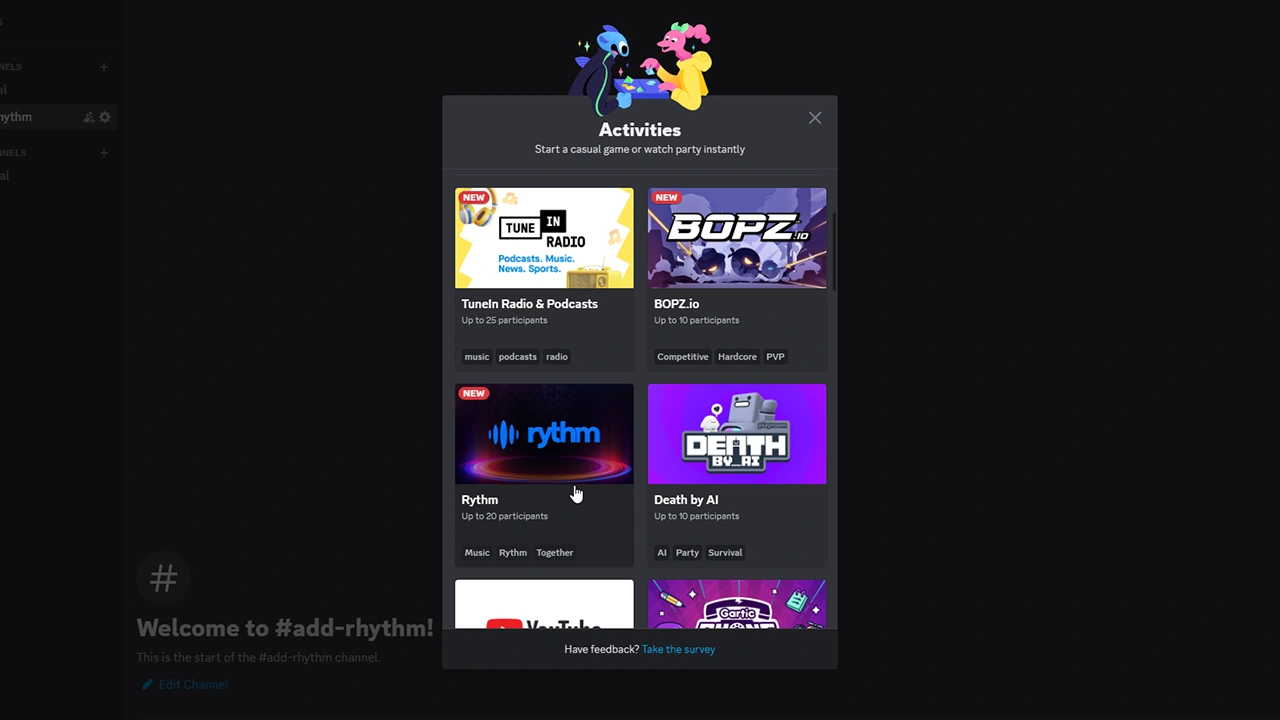
You need to start an Activity and choose Rhythm to get it on your server.
- Open Discord and go to the channel in your server where you would like to add Rhythm.
- Next, click on the “+” button, on the left side of the message box.
- Here, choose Start Activity.
- Next, click on Rhythm.
- Wait for Rhythm to load.
- Next, since it is an external application, it will ask for access to your Discord account.
- Click on Authorize.
- After that Rhythm will be added to your channel.
How to Get Started with Rhythm
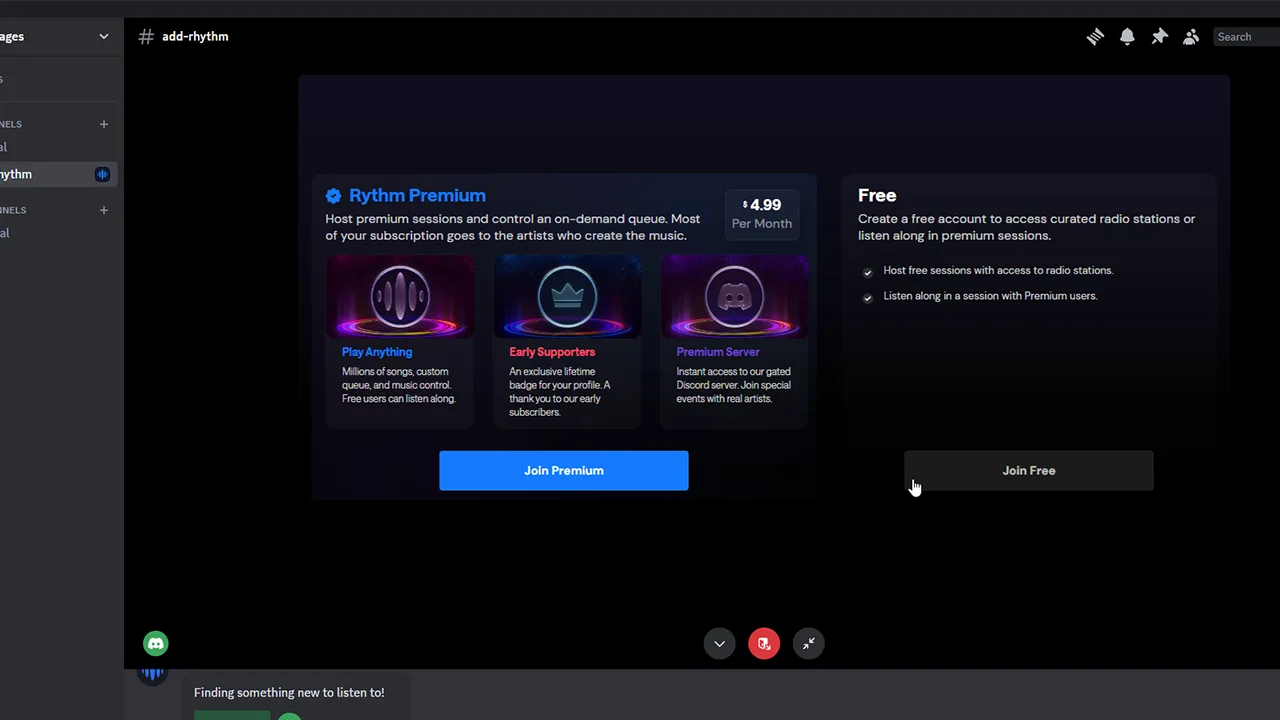
- To get started with it you first need to accept its Terms & Conditions. Read them and then click on the “Accept Terms & Conditions” button if you are fine with it.
- Next, you can either join its Premium plan for $4.99 a month or join the Free Plan.
- Now, all that is left is to host or find a radio.
- As a free member, you can’t add songs of your choice to the queue.
- However, you do have the option to search for different Radios or moods.
- In the top right corner, you can click on the settings to play with Bass, Mid, and Treble. Here you can also allow playback of explicit songs.
Lastly, it is important you know that Rhythm is for groups and only supports up to 20 participants. So you can listen to it alone only for a few minutes before the Playback pauses. You will then have to wait for the listening limit to refresh before you can continue again.
With that, you can easily get Rhythm activity back on Discord. If you frequently use it then you might also find our guides helpful on why is Discord going grey or how to fix bad stream quality.










