Animal Crossing New Horizons lets players make or get custom paths to give players more flexibility when customizing their islands. And this is a neat feature loved by the fans. The best part is getting custom paths isn’t as hard as you might think it is. So in this guide let us take a look at how to get custom paths in Animal Crossing New Horizons (ACNH).
How to Get Custom Paths in Animal Crossing New Horizons (ACNH)
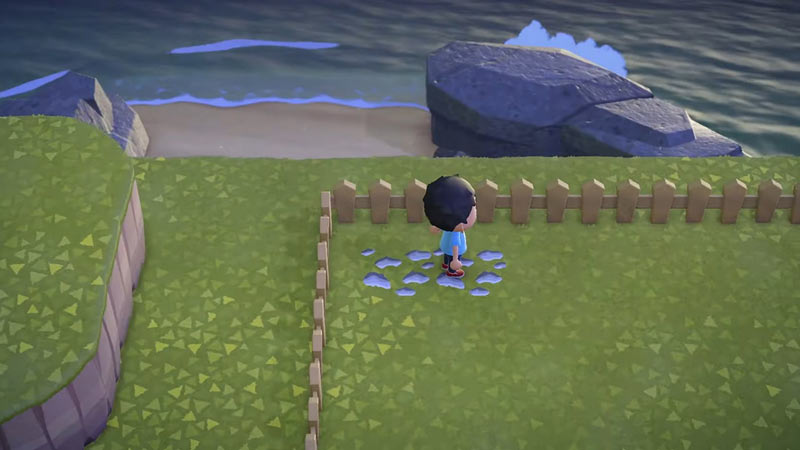
There are two ways to get Custom Paths in ACNH.
- Making Custom Paths
- Using Codes to Get Custom Paths
Below let us take a look at how you can try both the above ways.
How to Make Custom Paths
- Open your NookPhone.
- Launch the Custom Designs app.
- Make a new Design.
- Now use the Pallette tool to change colors.
- And use Pen and Fill/Paint bucket tools to make your Design.
- When you are done give your Path a name.
- Finally, Open the Custom Designs app, choose the new Design you made and select Display on Ground.
Using Codes to Get Custom Paths
Before you start using codes you will need the Island Designer Nook Phone app. You can get this by completely upgrading your island. You will also need the “custom design path permit” that you can get for 2300 Nook Miles that you can get from the Nook Shop. Lastly, unlock the Able Sisters shop to get your custom designs. Other than the presets you can use the codes to get some custom presets.
These are some of the popular codes that you can use to get some custom paths. Be sure to check out the creators for more custom paths if you liked the ones given below.
- Path Style: Stone
- Code: MO-F8T8-S0F3-09KM
- Path Name: Mossy Stones
- Creator: Zuzu, Sulli
- Path Style: Stone
- Code: MO-MQYB-RBTB-QD3J
- Path Name: Museum Stone
- Creator: Jena, Starmoor
- Path Style: Bricks
- Code: MO-81WW-K0PN-1DX2
- Path Name: Cream Bricks
- Creator: Jas, Polaris
- Path Style: Grass
- Code: MO-L04L-LG0P-L6NS
- Path Name: Pokemon Grass
- Creator: kierstyn, Paradisal
- Path Style: Garden
- Code: MA-9636-3444-6679
- Path Name: Mossy Zen Garden
- Creator: Ceilidh, Kule’a hou
That sums up this guide on how to get custom paths in Animal Crossing New Horizons (ACNH). Don’t forget to check out our other helpful guides Animal Crossing New Horizons. Also, learn how to plant turnips and how to get manila clams.