
Wondering how to fix the Ship Has Unattached Modules Error while modifying or building a ship in Starfield? In Bethesda’s space action RPG, there is a vast expanse of ships available for players to build and modify in their entirety. Although the shipbuilder menu with all its embedded mechanics may come off as a nightmare. The same is the case with the Ship Has Unattached Modules Error where you might miss out on attaching some modules while building the ship. In the menu, this might come off as finding a needle in a haystack. And while you may be in a hurry to explore different solar systems and planets, resolving the error is necessary to access the ship. So if you are looking to get all systems back to nominal then here is a guide you should check out further.
How to Fix Unattached Modules Error in Starfield
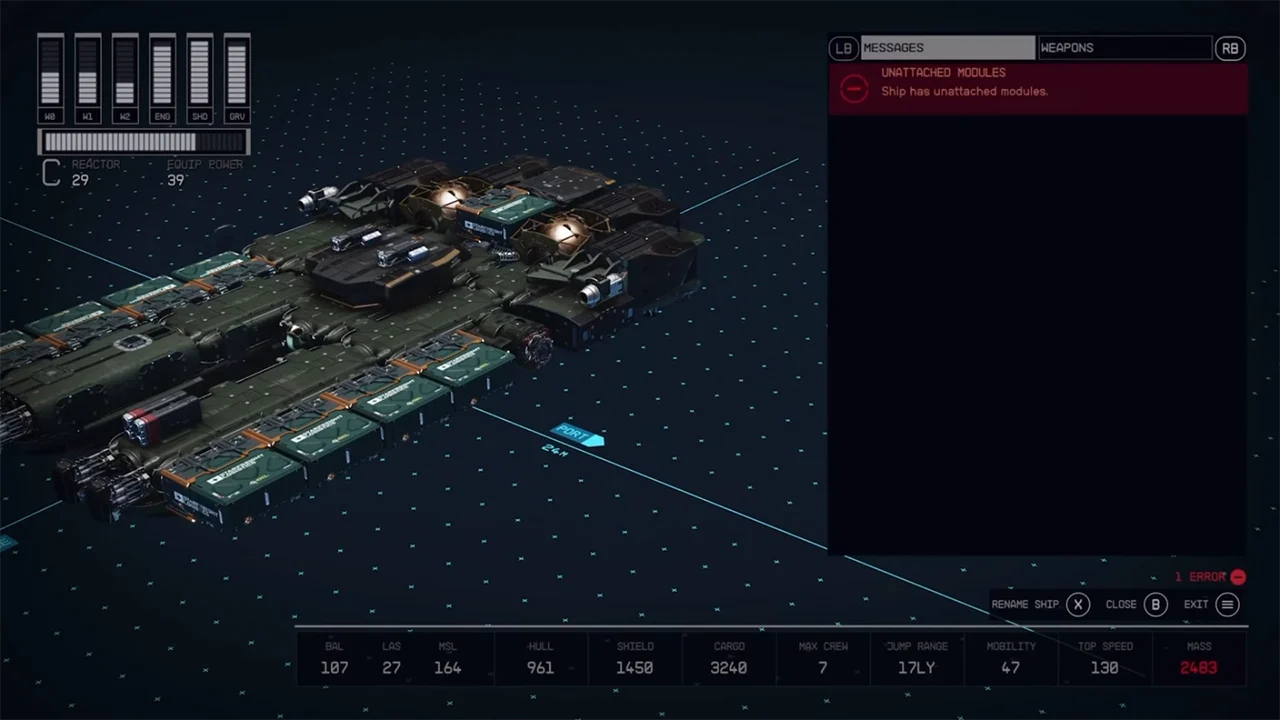
To fix the Ship Has Unattached Modules Error in Starfield, players will have to find modules around the ship that haven’t yet been attached to the ship. You may find looking for the module a bit tricky while modifying. However, here are the steps you can follow to do it without any hassle:
- As you are already in the menu, press LB on the Xbox Controller or Double Click on your mouse.
- This will help you select the entire ship with its modules.
- It will highlight all of the modules that are attached in red.
- With this, you will be able to distinguish between the ones that are not attached yet.
- Look for the module in question around.
- Once you have come across it, deselect the entire ship first.
- After which you can press the A button Xbox Controller and the E key on the keyboard to edit the module.
- Drag it to attach the module to the available slot.
This will help you resolve the Ship Has Unattached Modules Error in Starfield. After dragging the module and attaching it to ship you can select or click the flight check. It will help you see if all the systems are back to nominal. If you still can’t find the modules, you can always head back and undo all the changes in the game. You can then start building the ship all over again.
That’s everything covered on how to fix Ship Has Unattached Modules in Starfield. If you find this guide helpful, check out our guides on how to throw grenades, how to remove weapon mods, and how to change camera zoom in Starfield.











