Being an online multiplayer game, COD Modern Warfare 2 has plenty of bugs, issues, and errors. One of these errors includes Dev Error 5479. You will be prompted with an error message “Application has unexpectedly stopped working in Modern Warfare 2“. You will get this error as you join or connect in a multiplayer match. Now, this can be annoying and frustrating to encounter such an error. Not to worry, we have compiled some potential workarounds to resolve this error. So, check out our guide on how to fix Dev Error 5479 in MW2.
How to Fix the MW2 Dev Error 5479
You can also encounter the Dev error 5479 in between the multiplayer match in Modern Warfare 2. As mentioned, we have compiled some ways to resolve this error.
Restart your PC or Console
Before going through any of the below methods, we suggest restarting your PC or console. You need to exit the game and restart your device. This method did work out for several players encountering this issue. While for some players it took a single restart, for some it took more than a couple of restarts.
Check out our next method if this method didn’t work out for you.
Disable Overlays
Several pre-installed and installed Overlays can interfere with or conflict with Modern Warfare 2. The different Overlays like AMD Relieve, Razer Synapse, Discord, and Steam can be a reason for this Dev error. So, make sure to disable them before you launch MW2.
Clear out Background Applications
You can try clearing out the apps or software taking too much of your memory. More importantly, clear out the apps taking too much of your Internet. For example, Google Chrome can hog your Bandwith and Memory (RAM). Some background apps can also interfere with your running game.
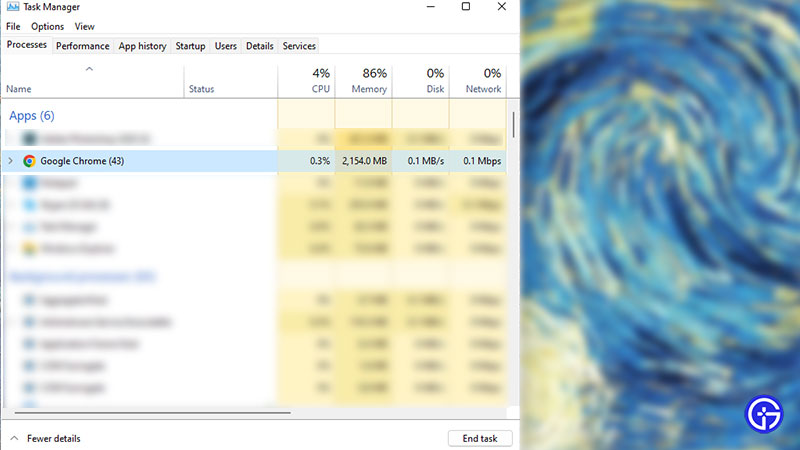
You can hit the CTRL + Shift + Del shortcut to launch the Task Manager. Then, you need to simply hit the End Task to clear out the unwanted apps or software. In addition to that, we also recommend using the Ethernet rather than Wireless Connection for a stable and seamless connection.
Disable Anti-Virus or Windows Firewall
While these programs keep you secure from malware or malicious content, they can also interfere with the running game. You can disable the installed Anti-virus program and Windows Firewall temporarily. Then, launch MW2 to check if you are still encountering the Dev error code 5479.
Turn Off Controlled Folder Access
This is a workaround suggested by several players in the COD community. Follow the below steps:
- Head over to the Windows Security. You can hit the CTRL + I shortcut buttons to launch Windows Settings.
- Choose the Privacy and Security option located on the left pane and select the Virus & threat protection.
- Then, select the Manage Ransomware protection option.
- If the option for Controlled folder access is switched on, toggle the option to turn it off.
Reinstall COD Modern Warfare 2
If none of the workarounds mentioned above didn’t work out, we recommend reinstalling the game. Although this can be time-consuming, it might resolve the error. So, uninstall the game and then, install it again. Lastly, launch the game to check if the error persists.
Furthermore, we recommend submitting a ticket to Activision Support if reinstalling the game didn’t work out. You need to describe and state the issues encountered in the crashing error. As a result, they will get back to you some time for assistance.
That’s everything covered about how to fix the Dev error 5479 in MW2. If you liked this guide, check out more guides on how to fix the sound crackling issue, how to fix the Dev error 6144, how to get Crouch kills, and more helpful COD Modern Warfare II Guides on our dedicated section right here on Gamer Tweak.