
Home > Roblox Guides > How To Equip Your Best Pets In Pet Simulator 99

How To Equip Your Best Pets In Pet Simulator 99

Published Date :

Pets help you destroy the breakables, which gives coins, gems, wearables, and consumable items. There are over a hundred levels in the egg section that are hatched using coins and bars. The default setting allows you to equip your best pets in Pet Simulator 99 as soon as you hatch them, so if you are still using the old ones, it must be the result of setting changes. There is no need to worry, though, as here you will find out how to revert that and why we use it.

How to Equip Your Top Pets in Pet Simulator 99
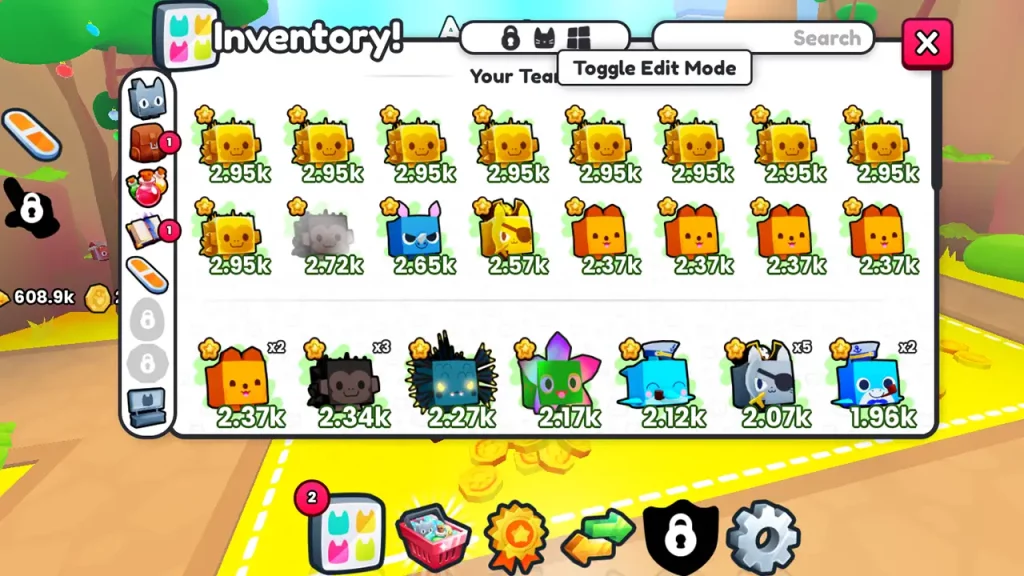
Equip Your Top Pets in Pet Simulator 99
Screenshot by Gamer Tweak

If you have mistakenly changed the settings and are unable to equip your best pets in Pet Sim 99, then here are the steps you need to follow:

  • Go to the main screen of the game.
  • On the bottom, you will see a Pets button; use that to open inventory.
  • Select the Pets from the left bar.
  • Besides the search, you will see three options; the middle one should be blue. When you have enabled the edit mode, it becomes blue, so tap on it, and once it becomes black, it will automatically place your best pets in the team.
  • This applies to golden pets too; every time you obtain a gold one that is more powerful than the current pets, it will take the place of the weakest.

How to Create Your Pet Team in PS99
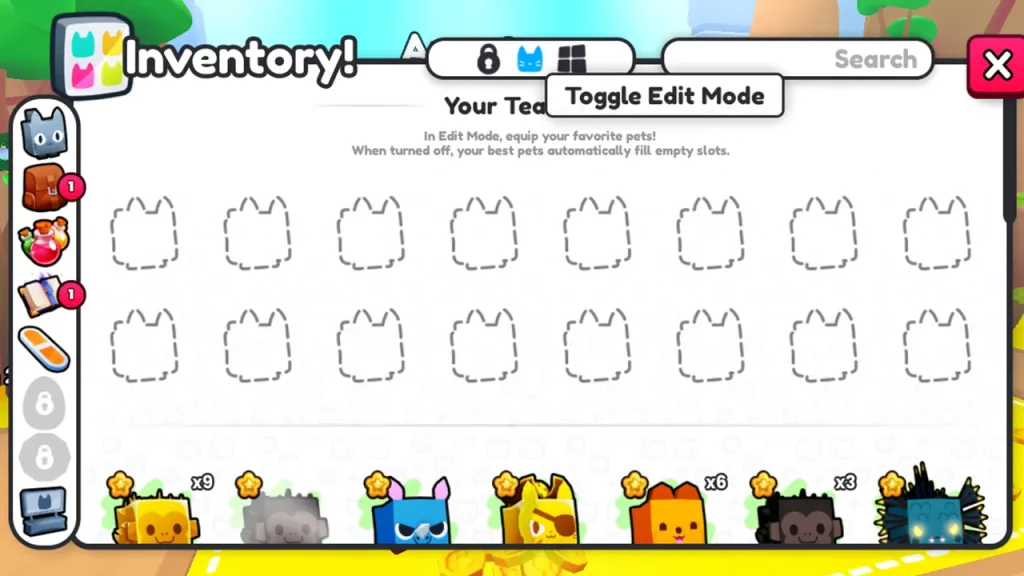
Equip Your Best Pets In Pet Simulator 99
Screenshot by Gamer Tweak

As we have explained before, you just need to go into the Pets section of the inventory and select Toggle Edit Mode, the cat icon. When it turns blue, you will get empty slots, where you can drag and place your favorite ones. Normal pets, whether rainbow or gold, only differ in appearance and power, so if you place them without considering their damage rate, it will only slow you down.

That’s all you have to do to equip your best pets in Pet Simulator 99. If this was helpful, topics like how to get Gold Bars fast and where all the Relics are will also be interesting for you.


  • Roll to Defend Codes (July 2026)

    Roll to Defend Codes (July 2026)

    Published Date :

    Roll to Defend codes can reward you with free Units, cash, and luck boosts to summon better Units to fight against zombies. Since upgrading your Backpack and unlocking new zones can take time, codes provide much-needed boosts, which is why we have a list of all the currently available rewards. Redeem them before they expire!… Read More

  • Anime Overseer Codes (July 2026)

    Anime Overseer Codes (July 2026)

    Published Date :

    Anime Overseer codes can give you free Gems, Gold, and Trait Rerolls to help you from the start. Since you’ll be summoning units, evolving them, and taking on challenging enemy waves, every free reward can make progression much easier. So, to help your journey, here’s the complete list of all the currently available codes. Last… Read More

  • Stay For Fortune Codes (July 2026)

    Stay For Fortune Codes (July 2026)

    Published Date :

    Stay For Fortune codes can give you free Cromerium, helping you unlock upgrades and progress without having to wait as long. Since the game revolves around staying in the server to earn rewards over time, every bit of free currency can help you get ahead faster. So, here’s the complete list of all the currently… Read More

  • +1 Speed Evolve Codes (July 2026)

    +1 Speed Evolve Codes (July 2026)

    Published Date :

    Speed-based games on Roblox will always stay popular, and this particular experience is quite addictive! Here, you play as an animal and your goal is to evolve into stronger animals, unlock new worlds, and be the fastest player on the server! +1 Speed Evolve codes offer free Speed and Win Boosts that can make your… Read More







