
Home > Lethal Company > How To Disable Turrets In Lethal Company

How To Disable Turrets In Lethal Company

Published Date :

Creatures lurking in the dark aren’t the only fatal things in Lethal Company since there are traps like Landmines, Turrets, and more all around. Players can avoid getting shredded into bullet holes if they understand how to Disable Turrets in Lethal Company. Just like a Bestiary to guide you against the creatures, this guide will show you how to escape the Sentry hidden in the dark.

Running past these Sentries is almost a terrible idea and you will need luck to favor you heavily. However, if you are a solo player, the only choices you have are to either run past the Turrets or leave the room entirely. The game is best played co-op and there are team roles that need fulfilling. If you are with your team, it won’t take long for you to disarm Turrets in Lethal Company.

How to Disarm Turrets in Lethal Company
How To Disable Turrets In Lethal Company
Image Source: Zeekerss

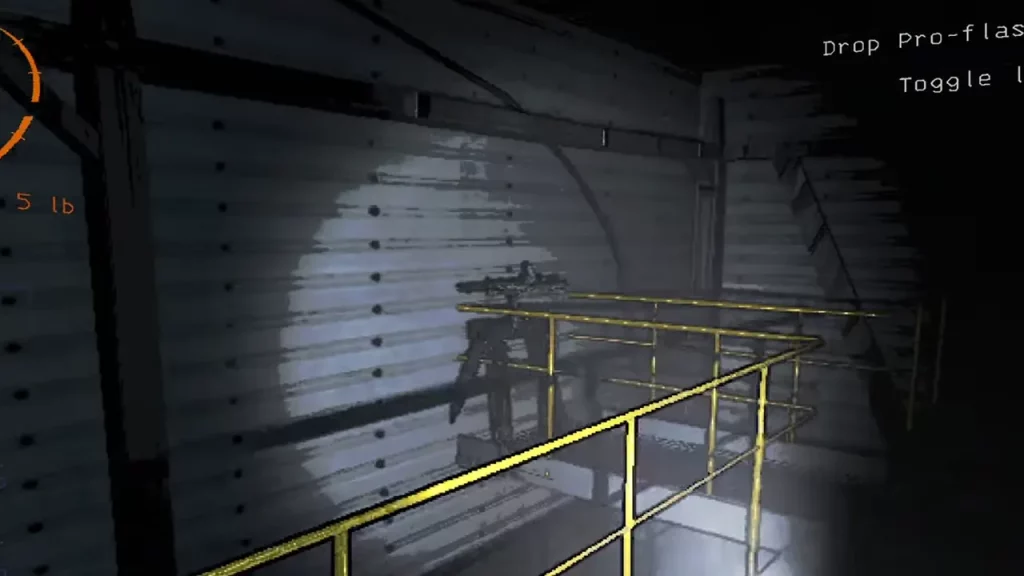
The only way players can disable Turrets in Lethal Company is by entering the necessary codes in the Terminal. However, you need a player on the Monitor for that. Players can also try to hit the Turret with a Shovel and try to escape from the room. I am yet to try this method but most players claim that this works as well. Here’s how players can enter the code from the Terminal and disarm the Turret that the player is facing.

  • Of course, the player who faces the Turret has to immediately hide before the weapon starts firing.
  • Start with adjusting the camera to the room that the player is in.
  • Next, you need to face the Turret and try to read the code mentioned on the deadly weapon. It will be a little blurry and hard to read but you will figure it out soon enough.
  • Once you have the correct code, head to the Terminal and you can use the code and disarm the Turret for a few seconds so the other player can escape.

That’s all you need from this guide. If you are playing Lethal Company, do check out our other guides right here at Gamer Tweak.


  • Roll to Defend Codes (July 2026)

    Roll to Defend Codes (July 2026)

    Published Date :

    Roll to Defend codes can reward you with free Units, cash, and luck boosts to summon better Units to fight against zombies. Since upgrading your Backpack and unlocking new zones can take time, codes provide much-needed boosts, which is why we have a list of all the currently available rewards. Redeem them before they expire!… Read More

  • Anime Overseer Codes (July 2026)

    Anime Overseer Codes (July 2026)

    Published Date :

    Anime Overseer codes can give you free Gems, Gold, and Trait Rerolls to help you from the start. Since you’ll be summoning units, evolving them, and taking on challenging enemy waves, every free reward can make progression much easier. So, to help your journey, here’s the complete list of all the currently available codes. Last… Read More

  • Stay For Fortune Codes (July 2026)

    Stay For Fortune Codes (July 2026)

    Published Date :

    Stay For Fortune codes can give you free Cromerium, helping you unlock upgrades and progress without having to wait as long. Since the game revolves around staying in the server to earn rewards over time, every bit of free currency can help you get ahead faster. So, here’s the complete list of all the currently… Read More

  • +1 Speed Evolve Codes (July 2026)

    +1 Speed Evolve Codes (July 2026)

    Published Date :

    Speed-based games on Roblox will always stay popular, and this particular experience is quite addictive! Here, you play as an animal and your goal is to evolve into stronger animals, unlock new worlds, and be the fastest player on the server! +1 Speed Evolve codes offer free Speed and Win Boosts that can make your… Read More







