


Close Menu
    Facebook X (Twitter) Instagram
    Gamer TweakGamer Tweak
    • GT Originals
    • Guides
      • AC Mirage
      • Starfield
      • Wordle
      • Mobile
      • GTA 6
      • AC Valhalla
      • Genshin Impact
      • Honkai Star Rail
      • Minecraft
      • Discord
      • Street Fighter 6
      • Project Slayers
      • The Sims 4
      • Lies of P
      • Zelda TOTK
    • Roblox
      • Roblox Codes
      • Blox Fruits
      • Type Soul
      • Grow a Garden
      • 99 Nights in the Forest
    • Review
    • Roblox Codes
    • BG3
    • CS2
    Gamer TweakGamer Tweak
    Home > Gaming Guides > Deathloop Freezing On PS5 And PC
    Video Game Guides

    Deathloop Freezing On PS5 And PC: Is There A Fix?

    Nikita HarinameBy Nikita HarinameSeptember 16, 20212 Mins Read

    PS5 and PC players of Deathloop are facing freezing issues especially at the section of the apartment. According to multiple posts by players, the game froze for about 20 seconds after the gunfight was started. During this, the music still played in the background. If this is similar to the issues you are encountering, here’s what you need to know.

    Deathloop Freezing on PS5 and PC Fix?
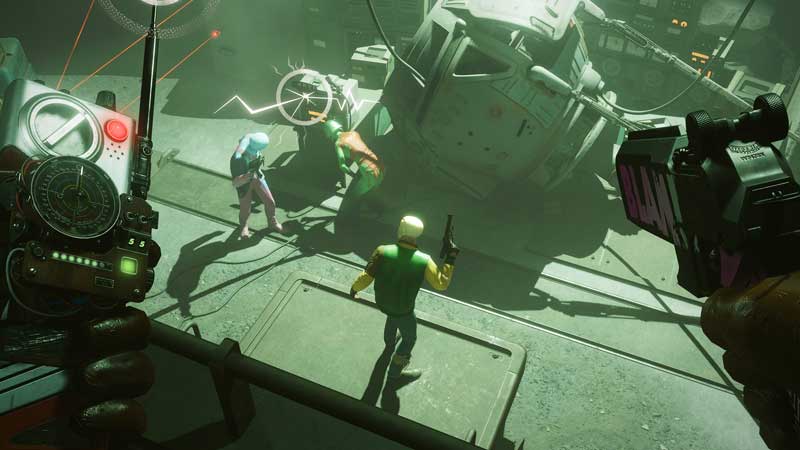
    Deathloop Freezing on PS5 and PC fix

    It’s not just PS5 players but PC players are also getting this problem. People are getting up to 3 or 4 freezes while playing the apartment section and a couple of them during the library and tunnel section as well. But for others, the freezes didn’t appear again as they continued playing. As per multiple comments on Reddit, it seems that the issue seems to be baked into the game and is most likely not related to your configuration. PC players are facing stuttering and FPS dips when leaving the apartment but it does go back to normal after some time.

    So, as of now, there is no official fix for Deathloop freezing issues on PS5 and PC. But since it goes back to normal after freezing, all we can suggest right now is to wait for some time. Until then, the developers will surely fix it in an upcoming patch. If the game freezes pretty badly and becomes unplayable, you can close the game and try again. You can also turn off your PS5/PC, restart and attempt to play again. Hopefully, these are just launch-related issues and they get ironed out soon.

    That’s everything about Deathloop freezing issues that players are facing on PS5 and PC. If the game is crashing at startup on PC, we’ve got some potential fixes that you can try out. Plus, check out our guide on all the best weapons and weapon trinkets list and how does multiplayer work in Deathloop.

    Deathloop Guides PC PS5 Tips and Tricks
    Share. Facebook Twitter Pinterest LinkedIn Tumblr Email Reddit
    Nikita Hariname

    From making games to writing about them, she's been in the world of entertainment since a decade now. She writes features, the latest trending news and guides on games like Diablo 4, Overwatch 2, Roblox, codes and more fun stuff! Connect with her at - contactus@gamertweak.com

    Related Posts

    Unwritten Helldivers 2 Rules – Don’t Make These Mistakes!

    November 20, 2025

    Where Winds Meet Codes (December 2025)

    November 19, 2025

    User Experience in Quick Online Games – How to Retain Players

    November 11, 2025

    How to Fix if Helldivers 2 Update is Taking Forever

    November 5, 2025
    Latest Codes

    Last Letter Codes (December 2025)

    December 3, 2025

    The Forge Codes Roblox (December 2025)

    December 1, 2025

    Inazuma Strikers Codes (December 2025)

    November 26, 2025

    Deadly Delivery Codes (December 2025)

    November 26, 2025

    Roblox Hypershot Codes (December 2025)

    November 26, 2025

    SLAP Codes Roblox (December 2025)

    November 25, 2025
    Trending
    • Last Letter Codes (December 2025)
    • Where to Find Tomo’s Cat in The Forge
    • Discover the Best Casino Games at Greatwin Casino for UK Players
    • Ultimate Guide to Player Safety at MegaWin Casino for UK Players: Expert Tips and Advice
    © 2025 Gamertweak.
    • Advertise With Us
    • About Us
    • Team
    • Contact Us
    • Privacy Policy
    • Terms
    • Open Critic

    Type above and press Enter to search. Press Esc to cancel.