
Many players especially those that are new are looking for a controls guide for NBA 2K23. This game is fun to play and it gets better the more you know what you are doing. And while there are some controls that are more complex than the others, you can learn them in no time. So in this guide let us quickly check all the offense, defense, and passing controls for NBA 2K23 for PlayStation & Xbox.
All NBA 2K23 Controls for PlayStation & Xbox
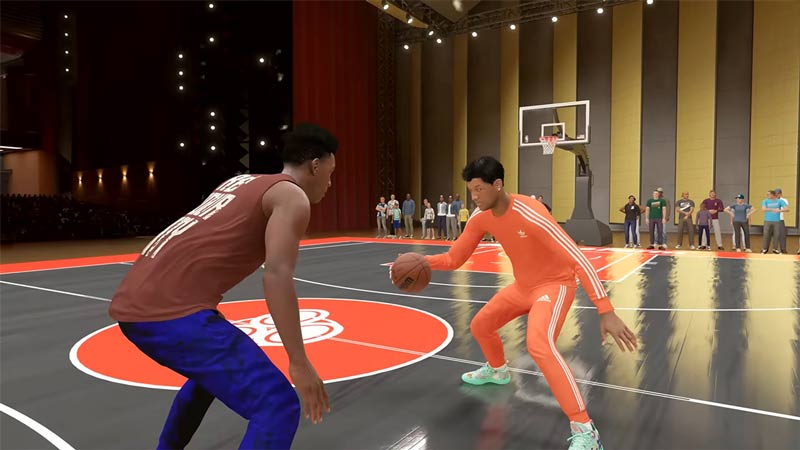
To keep things simple let us divide these controls into offense, defense and passing.
All Offense Controls
These are all the On-Ball Offense Controls:
| On-Ball Offense Controls | ||
| Control | Xbox | PlayStation |
| Move Player | Left Joystick | Left Joystick |
| Pro Stick | Right Joystick | Right Joystick |
| Pass | A | X |
| Bounce Pass | B | Circle |
| Shoot | X or RS | Square or R3 |
| Lead to Basket / Lob Pass | Y | Triangle |
| Post Up | LT | L2 |
| Sprint | RT | R2 |
| Call Play | LB | L1 |
| Icon Pass | RB | R1 |
| On Fly Coaching | D-Pad | D-Pad |
Here are all the Off-Ball Offense Controls:
| Off-Ball Offense Controls | ||
| Control | Xbox | PlayStation |
| Move Player | Left Joystick | Left Joystick |
| Pro Stick | Right Joystick | Right Joystick |
| Call for Pass | A | X |
| Quick Screen | B | Circle |
| Make Teammate Shoot | X | Square |
| Alley-oop Call | Y | Triangle |
| Post Up | LT | L2 |
| Sprint | RT | R2 |
| Call for Screen | LB | L1 |
| On Fly Coaching | D-Pad | D-Pad |
All Defense Controls
Here are all the On-Ball Defense Controls:
| On-Ball Defense Controls | ||
| Control | Xbox | PlayStation |
| Move Player | Left Joystick | Left Joystick |
| Hands Up | Right Joystick | Right Joystick |
| Swap Player | A | X |
| Take Charge | B | Circle |
| Steal Ball | X | Square |
| Rebound / Block | Y | Triangle |
| Intense Defense | LT | L2 |
| Sprint | RT | R2 |
| Double Team | LB | L1 |
| Icon Swap | RB | R1 |
| On Fly Coaching | D-Pad | D-Pad |
| Intentional Foul | View button | Touch pad |
These are all the Off-Ball Defense Controls:
| Off-Ball Defense Controls | ||
| Control | Xbox | PlayStation |
| Move Player | Left Joystick | Left Joystick |
| Ball Steal | Right Joystick | Right Joystick |
| Swap Player | A | X |
| Take Charge | B | Circle |
| Steal Ball | X | Square |
| Rebound / Block | Y | Triangle |
| Intense Defense | LT | L2 |
| Sprint | RT | R2 |
| Double Team | LB | L1 |
| Icon Swap | RB | R1 |
| On Fly Coaching | D-Pad | D-Pad |
| Intentional Foul | View button | Touch pad |
Passing Controls for NBA 2K23
You should learn these controls to get better at passing:
| Passing Controls | ||
| Control | Xbox | PlayStation |
| Regular Pass | A | X |
| Bounce Pass | B | Circle |
| Lob Pass | Y | Triangle |
| Fake Pass | Y + B | Triangle + Circle |
| Jump Pass | X + A | Square + X |
| Skip Pass | Press & Hold A | Press & Hold X |
| Alley-oop | Y + Y | Triangle + Triangle |
| Flashy Pass | B + B | Circle + Circle |
| Self Alley-oop | Y + Y and move to hoop | Triangle + Triangle and move to hoop |
| Rolling Inbound | Y during baseline inbounds | Triangle during baseline inbounds |
| Icon Pass | RB & Icon button of the Receiver | R1 & Icon button of the Receiver |
| Bounce Pass Alley-oop | A + B + move to the receiver | X + Circle + move to the receiver |
| Touch Pass | A before the first receiver gets the ball | X before the first receiver gets the ball |
| Full Receiver Control | Press & Hold B while moving as Receiver. Release B to pass the ball | Press & Hold Circle while moving as Receiver. Release Circle to pass the ball |
| Basket Pass while leading | Press & Hold Y while moving as Receiver to the basket. Release Y to pass the ball | Press & Hold Triangle while moving as Receiver to the basket. Release Triangle to pass the ball |
| Pro Stick Pass | Hold RB and move the right joystick in the passing direction | Hold R1 and move the right joystick in the passing direction |
| Give & Go | Hold A and wait for the receiver to get the ball. Now again hold A and move to the original passer. Release the A button to give it back. | Hold X and wait for the receiver to get the ball. Now again hold X and move to the original passer. Release the X button to give it back. |
That covers this guide on all the offense, defense, and passing controls in NBA 2K23 for PlayStation & Xbox. You should also check our guides on how to fix the error code 4b538e50 and how to scan & upload a face on MyPlayer in NBA 2K23.










