
Home > BattleBit > How To Improve Accuracy With Zeroing In BattleBit Remastered

How To Zero Scope & Improve Accuracy In BattleBit Remastered

Published Date :

One of the most important aspects of the game is to look out for the bullet drop and improve your aim. That’s why it is important for players to know how to zero scope and improve their accuracy in BattleBit Remastered. Although you will have to practice a lot before you can get the concept and calculations correct. However, once you do so, long shots won’t really be an issue for you. The Shooting Range will prove quite useful if you are looking to improve your aim. While you are at it, you can start zeroing your scope with a few tips and tricks.

Zero Scope to Improve Accuracy in BattleBit Remastered
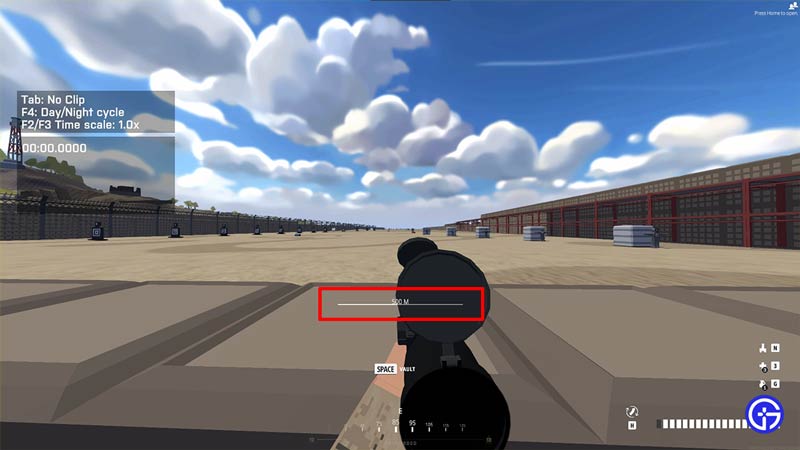
BattleBit Remastered Zero Scope Explained

Zeroing means adjusting your sights so that the point of aim and point of impact are closer to each other or exact equals. In order to avoid the bullet drop and improve accuracy, zeroing is a key ingredient. So how do you zero scope in BattleBit Remastered? Players can press the Left Alt key and then scroll their mouse wheel up or down to increase or decrease.

However, another important thing is understanding the distance between you and where you are aiming. And this is not something that players can find out in a game. Practice makes perfect and if you are spending enough time in the Shooting Range, it won’t take long before you can understand it in a normal match.
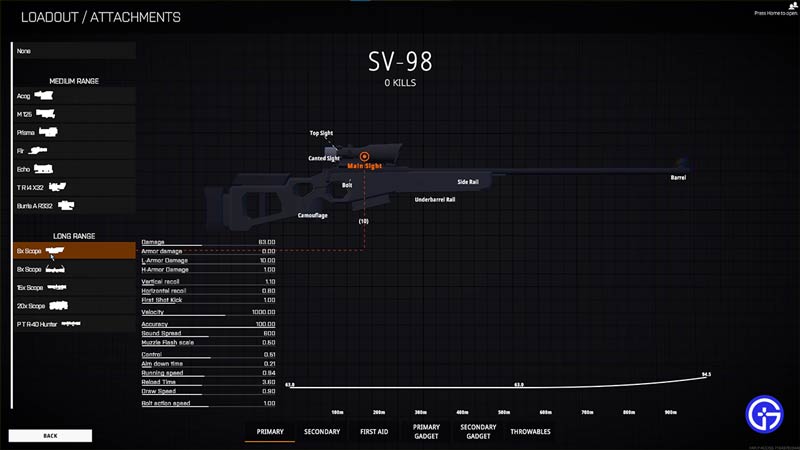
Zeroing to Improve Accuracy in BattleBit Remastered

Additionally, each weapon and each sight provide a different range while zeroing. If you are someone who likes to toggle between weapons, you will have to know the adjustments for each weapon and sight. However, if you have a preference for weapons, you can use them to practice before using the Zero Scope ability to improve your accuracy in BattleBit Remastered.

That’s all we have on zeroing and improving your aim in the game. If you like playing BattleBit Remastered, you can check out the Prestige System, Best Weapons, and other guides right here at Gamer Tweak.


  • GTA 6 Stephen Root Role Finally Confirmed

    GTA 6 Stephen Root Role Finally Confirmed

    Published Date :

    GTA 6 finally has its first publicly confirmed actor. Stephen Root has confirmed that he is part of Rockstar’s upcoming game, putting an end to months of speculation surrounding one of the characters seen in its trailers. He confirmed his involvement during an interview with the Associated Press at the BAFTA TV Tea Party in… Read More

  • Larp Your Character Codes (September 2026)

    Larp Your Character Codes (September 2026)

    Published Date :

    Larp Your Character is a simulator game where you play character-based minigames to earn money, buy upgrades, and unlock new characters through crates. You can also rebirth for permanent boosts, trade duplicate characters for titles, and compete with other players on leaderboards. If you also want some free boosts while you’re at it, you need… Read More

  • Drive-Thru Empire Codes (September 2026)

    Drive-Thru Empire Codes (September 2026)

    Published Date :

    In Drive-Thru Empire, you build and expand a fast-food drive-thru business. You can roll to collect rare cars, and server high-tier cars to earn more money as your empire grows. Codes can give you bonus Cash and temporary Luck boosts to help with your progress and so, don’t miss out on this list of all… Read More

  • GTA 6 Respawn Mechanics: How Death & Arrests Work Differently

    GTA 6 Respawn Mechanics: How Death & Arrests Work Differently

    Published Date :

    GTA 6 is reportedly changing what happens when Jason or Lucia dies or gets busted. You may not have to deal with respawning at a hospital every single time. Now, Rockstar could be setting up a faster system that drops you right back near where you fell. Here is how death, arrests, and your equipment… Read More







