In multiplayer titles like Gray Zone Warfare, communicating through Voice Chat is very important. Or else, your entire squad may lose to the given circumstances. From our perspective, communication is needed to form strategies and improvise under extreme conditions. And with the unforgiving scenarios in PvEvP rounds, you will eventually agree to it. Below, you will find out how to use VOIP or Voice Chat in Gray Zone Warfare. This will surely help you in times of crisis.
How to Use VOIP or Voice Chat in Gray Zone Warfare
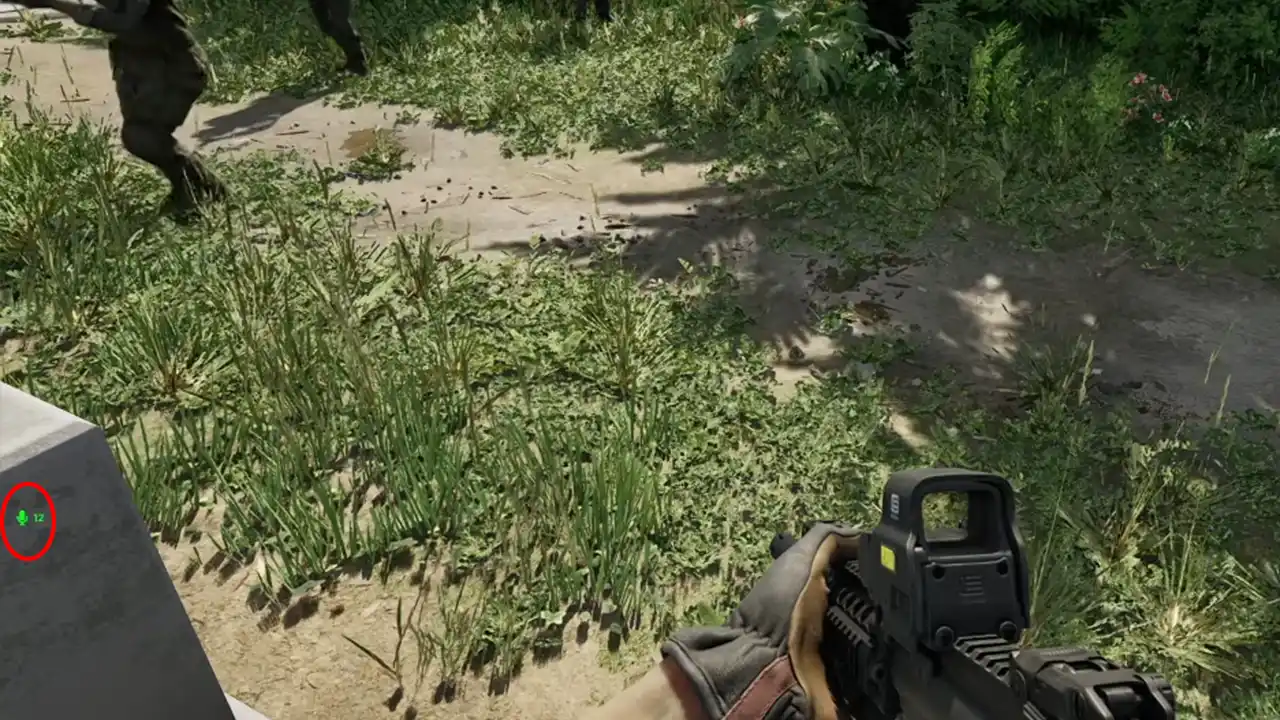
At the time of writing, the game only supports a push-to-talk feature. That means you will only be able to talk when you hold down the designated voice chat button. In Gray Zone Warfare, the “Z” key is the default button for activating the mic. As long as you hold this key, your teammates will be able to hear you. Whenever you will talk, a green mic icon will appear on the left side of the screen.
Unfortunately, the game does not allow you to change the keybinds. So you can not assign the VOIP button to any other key. Hopefully, there will be a feature that allows you to do so in the future.
Some players have been complaining that their VOIP is not working in Gray Zone Warfare. I reckon that’s happening because your VOIP is disabled from in-game settings. To fix it, you can use the steps mentioned below.
How to Enable or Disable VOIP in Gray Zone Warfare
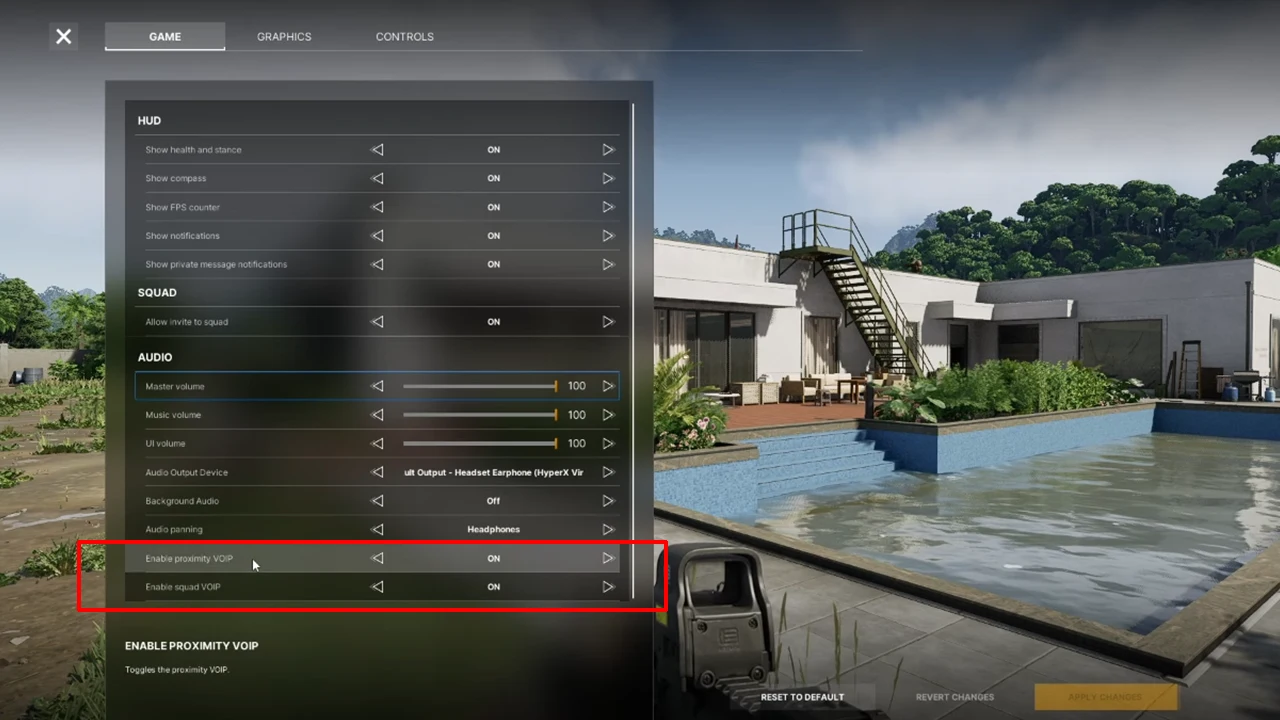
- Press the “Tab” key to open the Inventory.
- Navigate and click on the “Settings” button on the top right.
- In the Game section, scroll down and enable any of the following VOIP settings:
- Proximity VOIP: Allows you to talk to enemies, whenever you are in the appropriate range.
- Squad VOIP: Allows you to talk to your squad members only.
You can choose to enable any of the VOIP Settings in Gray Zone Warfare depending on your choice. But we would recommend you try the Proximity VOIP as it enables enemy interactions, which often turns out to be fun.
Now that you know how to use Voice Chat in Gray Zone Warfare, I think you should try to be helpful to your teammates. I think the best way to do this is by Reviving them whenever they are knocked down. We have a separate guide that explains how to do it, so be sure to check it out.