
Home > Stardew Valley > Stardew Valley UI Info Suite 2 Guide

Stardew Valley UI Info Suite 2 Guide

Published Date :

If you are someone that plays Stardew Valley with mods then you should definitely use UI Info Suite 2. As per their description, it is a mod that is “designed to help you be aware of what’s going on without feeling like you’re cheating”. It basically improves your game’s UI so that you can make use of features like seeing current day’s luck, which of your animals need petting, days until your crops are harvest-ready, and more such useful information. Here is how you can install it.

How to Get UI Info Suite 2 in Stardew Valley
You can download UI Info Suite 2 for SDV from their official GitHub.

  1. Go to the Releases page of UI Info Suite 2.
  2. Here, you can get all the different releases of the mod.
  3. Click on the latest version available. At the time of writing this guide, the game’s version is 1.6 meanwhile the mod’s version is 2.3.0.
  4. Scroll down and under the Assets section download the UIInfoSuite2.zip file.
    • Official websites are often safe but if you still want to be extra careful you can scan the downloaded zip file using Windows Defender or any other Antivirus of your preference.
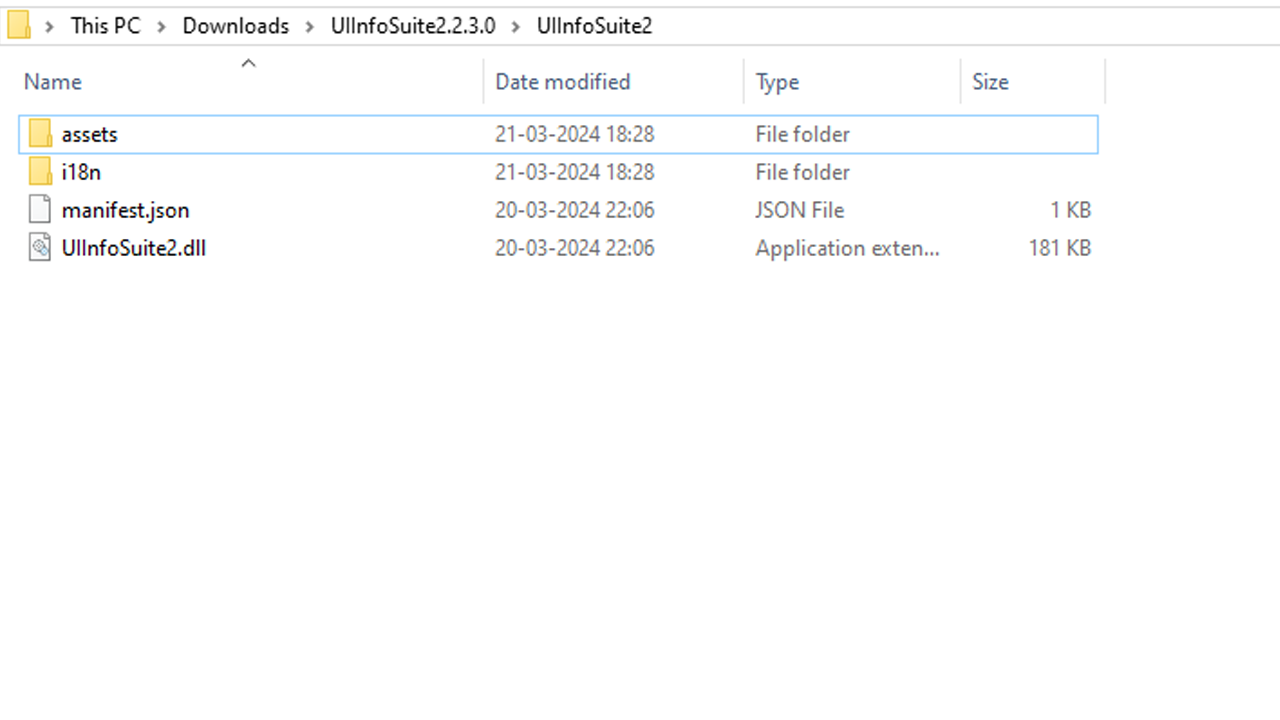
  5. Extract the zip file then copy its contents and paste it inside the Mods folder of SDV.

That is all there is that you have to do to use it. In case you are someone who uses Vortex Mod Manager, then you are in luck because you can add this mod to it. Thanks to Reddit user u/WardenWarlocke for sharing this method, you can check their comment here:

  1. Open Vortex Mod Manager.
  2. Now, you can choose Install from File and select the mod. Or drag and drop the UI Info Suite 2 mod in the Drop Files section of Vortex.
  3. Now, you should be able to manage it via Vortex instead of having to manually have to use your mods.

That is all for how you can use UI Info Suite 2 in Stardew Valley. Speaking of mods, don’t forget to check our list of the mods compatible with the game’s version 1.6.


  • Clean the Squishies Codes (July 2026)

    Clean the Squishies Codes (July 2026)

    Published Date :

    There’s something surprisingly satisfying about picking up the cute Squishies and putting them back on their designated shelves. If you’re interested in getting some unique rewards including free Squishies, this guide is for you. Here’s the complete list of all the working rewards. Last checked for new codes on July 13, 2026 All Clean the… Read More

  • Scratchy Loot Codes (July 2026)

    Scratchy Loot Codes (July 2026)

    Published Date :

    If you want a little luck boost while playing Scratch Loot, codes come to the rescue! In this experience, you scratch cards, reveal symbols, earn coins, and keep upgrading to get better rewards. To make this journey easier, the developers regularly release codes, and if you don’t want to miss out, redeem the freebies mentioned… Read More

  • My Squishy Box Store Codes (July 2026)

    My Squishy Box Store Codes (July 2026)

    Published Date :

    Every new customer brings another opportunity to grow your business and expand your collection of adorable squishies. To help you even more, the devs release My Squishy Box Store codes that provide free cash and in-game items. These freebies that can help you upgrade your shop faster and earn more while handling a steady flow… Read More

  • GTA 6 Players in Australia May Need Age Verification Due to New Online Safety Rules

    GTA 6 Players in Australia May Need Age Verification Due to New Online Safety Rules

    Published Date :

    Australian players could have an extra requirement to meet before accessing Grand Theft Auto VI’s online features. Under the country’s updated online safety regulations, games classified as R18+ may need to verify that players are adults instead of relying on a simple age confirmation (as per news.com.au). If GTA 6 falls under those requirements, Rockstar… Read More







