
Ready or Not is a tactical FPS that focuses more on the realistic aspect of the missions it puts you in. As such, whenever you are looking to rescue a hostage or grab some evidence, you cannot just rush from room to room. There is a possibility it maybe rigged with C4 which if explodes, would kill the civilian on the other side. Now, you might be wondering, but there isn’t any way to check what’s back there. Well, that is what the Optiwand is in this game to help you with.
How to Use the Optiwand in Ready or Not
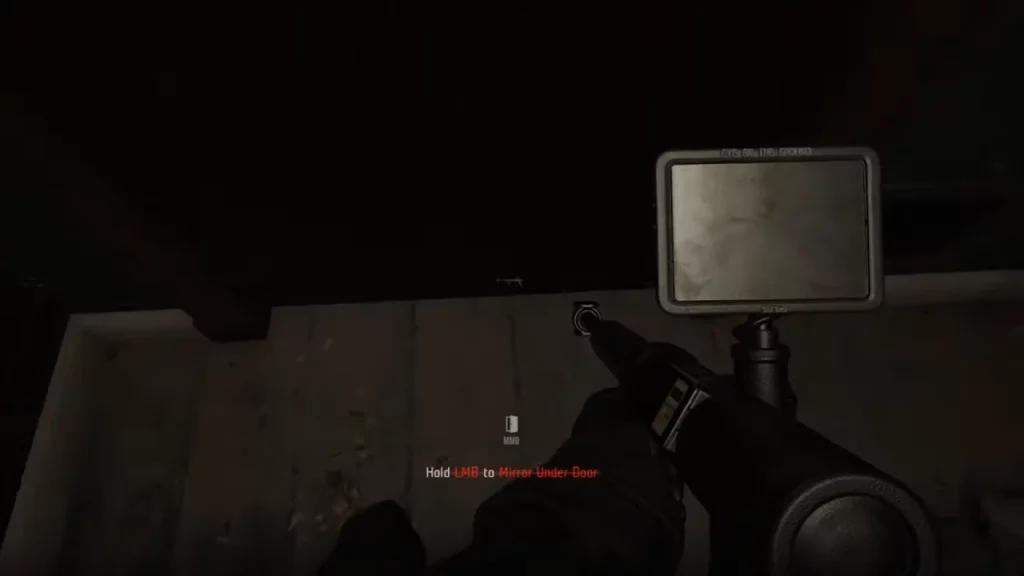
- Press “5” on your keyboard to switch to the Optiwand. It goes without saying but you need to have it equipped before you enter the mission in order to use it.
- Walk up to a door and look down at the foot of the door.
- Finally, press the left mouse button (LMB) or the fire button.
The gun will now use a small camera to check what is on the other side of the room. You can see that on the screen of your Optiwand. Once you find out what to expect, you can accordingly plan your next course of action. This means you could rush in if it is clear, use a breaching shotgun if there is a trap, and more.
In case you don’t want to be the one checking the room you can delegate this task to your fellow officers. While looking down at the door, instead of firing, press the middle mouse button and choose scan.
Optiwand Not Working Fix?
If you are unable to use the Optiwand, then there is a chance you could be using it on the wrong door. Thanks to Reddit user u/Sproeier for sharing this fix. In the tutorial area there seems to be two doors, so if you are unable to use it, chances are you are using it in the wrong one. You can check their comment here. Aside from that you can try the basic fixes of restarting the mission, the game, or verifying its files.
That’s all you need to know about how you can use the Optiwand. Effectively using this gun can even help you get S Rank on your mission. For more help on other topics in this game, I suggest you check out our Ready or Not section.










