The TikTok app is one of the most popular social media platform, with over 500 Million daily active users. The app offers countless features, however, all users have been trying to convince the developers to add one particular feature that would make their lives a lot easier. After waiting for a long time, users can finally activate and use Auto Scroll.
The process is quite simple and understandable and we have explained how you can make use of this feature so that you can scroll through your For You Page without having to manually swipe up and down, all the time.
How to Use Auto Scroll Feature on TikTok
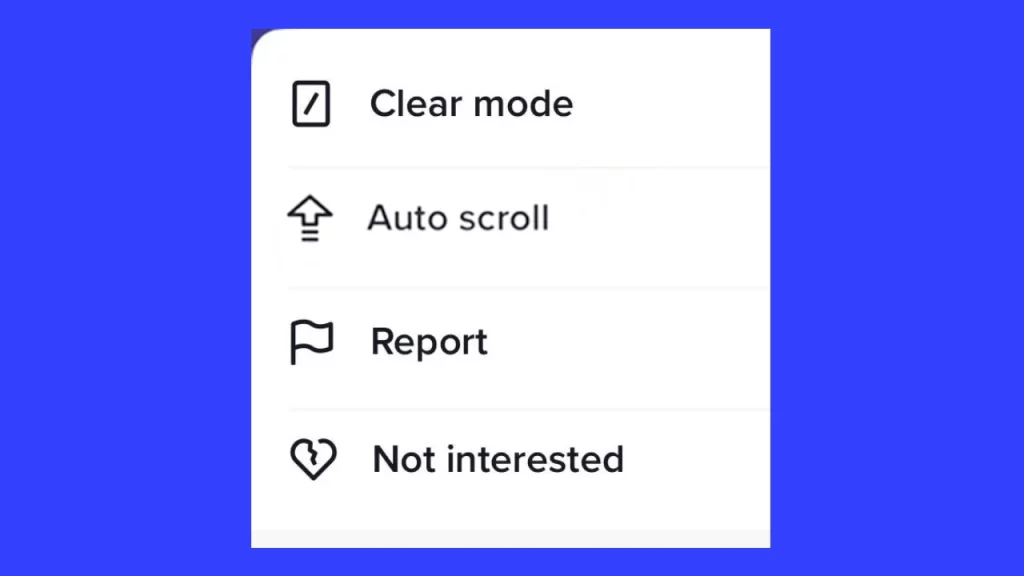
To enable this feature, hold down any video on your FYP like you normally would do to repost a video. Now from the options that appear on your screen, tap on the ‘Auto Scroll’ option. However, keep in mind that some of the users are not able to access this feature yet. Therefore, if this option doesn’t show up, it will most likely be added soon.
In case you want to disable the hands-free scrolling and want to switch back, repeat the same process and you will have to select the ‘Manual Scroll’ option instead.
However, if you are not able to use this, we have another easy trick you can use, instead of manually scrolling through each video.
How to Auto Scroll using Voice Control on TikTok
You can also enable your Voice Control and set it up to help you go hands-free when it comes to scrolling on this social media app. Here is how you can carry out this method –
iPhone users
Go to your Settings and select Accessibility. Click on the Voice Control option and select the ‘Set up Voice Control’ option. Tap on ‘Custom Command’ and click on ‘Create New Command‘.
In the Phrase section, you can enter any command you wish, it can be either Scroll Down, Next, Down, Skip, etc. Now, tap on ‘Action’ and click on ‘Run Custom Gesture’. You will have to swipe up and then select the ‘Save’ option. Now search for the ‘Application’ option and select ‘TikTok’ to use this voice command.
Android users
Even though Android devices, do not have a designated setting that allows them to access this method, users can download the Voice Access app, which is available on Play Store. Now all you have to do is, go to your Settings select Accessibility, and enable all permissions to use the Voice Access app.
Once this is done, click on the ‘Finish’ option to start up this app. After it is set up, you will see the blue Voice Access button floating on your home screen. Now, open the TikTok app and to watch the next video say “Scroll down”. Similarly, to watch the previous video say “Scroll up”.
These are all methods you can use to use Auto Scroll on TikTok. In case you have been facing issues while logging into your TikTok account, make sure to read about how you can fix the verification puzzle not working error, here on Gamer Tweak.