Snapchat’s My AI has been doing quite the rounds now that the virtual chatbot is available even for non-paid users. The OpenAI-powered bot was only accessible for premium Snapchat+ users after it was first made available back in February. And while it surely provides relevant and useful responses when required, not everyone likes the chatbot on top of their chat feed. The AI bot has proved to be quite a nuisance for most of the users online. Not to mention, many users might even think of it as privacy concerns.
With that being said, while you can unpin Snapchat AI, it requires you to have a paid Snapchat+ subscription. And without it, users won’t be able to unpin or even remove the chatbot from your account. Although this makes things relatively irritating, there are some workarounds that you can try out, if you wondering about Privacy Concerns. Here is everything you need to know about it.
How to Unpin Snapchat My AI
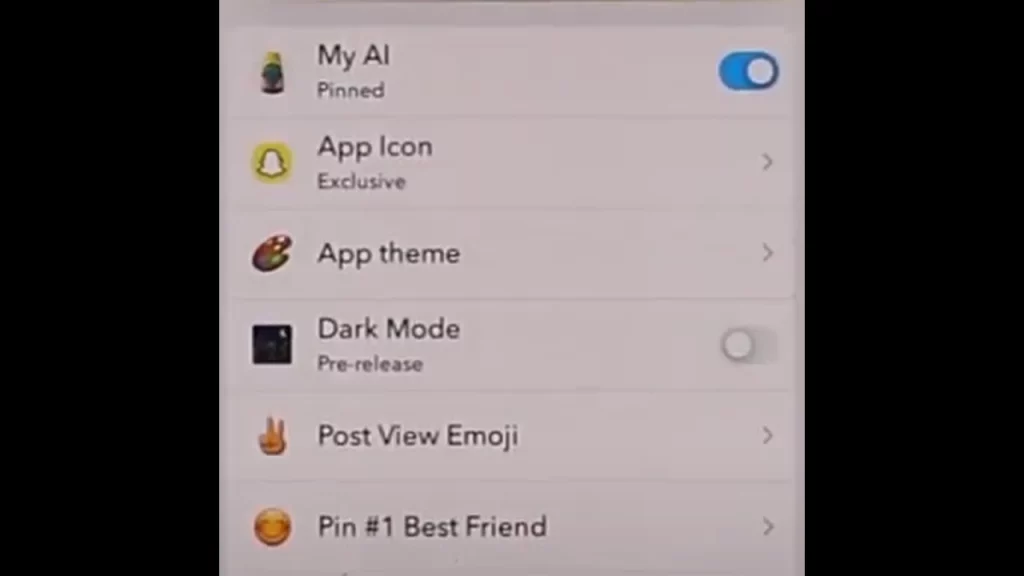
As mentioned before, in order to unpin Snapchat AI, users will need to have Snapchat+ Subscriptions. The subscription comes with access to new and additional features which unlocks Snapchat to its full potential. If you are one of the Snapchat+ Subscribers it will be easy to unpin My AI. Here are the steps you can follow to get rid of it from the chat page:
- Launch Snapchat on your device.
- Head towards your profile by selecting the Bitmoji on the top left.
- Here, you will come across the Snapchat+ Banner on your screen.
- Simply, tap on the banner to find a list of premium options.
- You will need to toggle off the My AI option.
- Once toggled off, the My AI option will go from Pinned to Unpinned.
Once you have followed all the above steps, you will unpin Snapchat’s My AI from your chat feed. However, it is still only available for premium users on Snapchat. And if you are looking to address some of the privacy concerns regarding the AI, you can delete the My AI data now and then just to be sure.
This is a workaround that can address any issues related to privacy concerns. The option is available for all Snapchat users and does not require any premium subscription. Here are the steps you can follow to do:
- Launch Snapchat on your device.
- Head towards your profile by selecting the Bitmoji on the top left.
- Tap on the cog wheel icon to enter the Snapchat Settings.
- Here, scroll down to the Account Actions section.
- Select the Clear My AI Data option and tap on confirm.
Once done, all of your chats with the OpenAI-powered chatbot will be deleted.
That’s everything covered in this guide. If you find this guide helpful, go through our dedicated Tech section, right here on Gamer Tweak.