
In Diablo 4, you can trade to get rid of the items which are of no use to you and get some Gold in return. However, you can’t just dive into the game and start trading, there are some things you’ll have to do first. Such as finding the person who is willing to trade with you, then heading to the trading hub, and much more. There are also some restrictions you’ll have to keep in mind. So in order to speed things up below is the step-by-step trading guide along with the list of tradeable and untradeable items in Diablo 4.
Meanwhile, if you’d like to farm millions of gold fast, you can use Discord for trading in D4.
How to Trade Items & Gold in Diablo 4?

To start trading in Diablo 4, you’ll first have to find a trade partner and then add them to your party. Once both parties are in the same World, head to the decided trading place and let the trade begin. Scroll down for a detailed explanation of the trading system.
- First, find a player who is willing to trade. To do that you can always head to the Battle.net dedicated trade channel or other D4 forums.
- Once you’ve found a trade partner, invite them to your party, so you can enter the same World. And don’t forget to decide on a place to meet up in the game.
- Next, head to the decided place and approach the trade partner. According to some speculations, Kyovashad will serve the purpose of being a trading hub in the future.
- After meeting your trade partner, launch your Action Wheel by pressing E on PC and Up D-pad on the Consoles.
- Once done, select the Invite to Trade option and it’ll send a 20 seconds trading invitation to the player.
- And if they accept the request you’ll see a handshake icon on both the character’s head.

Source Image: AnnacakeLIVE - And then a trading menu will appear, where you can select the items you want to trade from your inventory in Diablo 4.
- After you’ve placed the items you want to trade select the Lock in Offer button and wait for the trade partner to do the same.
- Once the offers are locked in simply click Accept Trade and the trading will be completed.
- Players can easily find and access the newly traded items in their inventory.
Now that you know the trading system in D4, don’t forget to take a look at the list of restrictions and tradable items below.
All Diablo 4 Tradebable & Untradeable Items list (Restrictions)
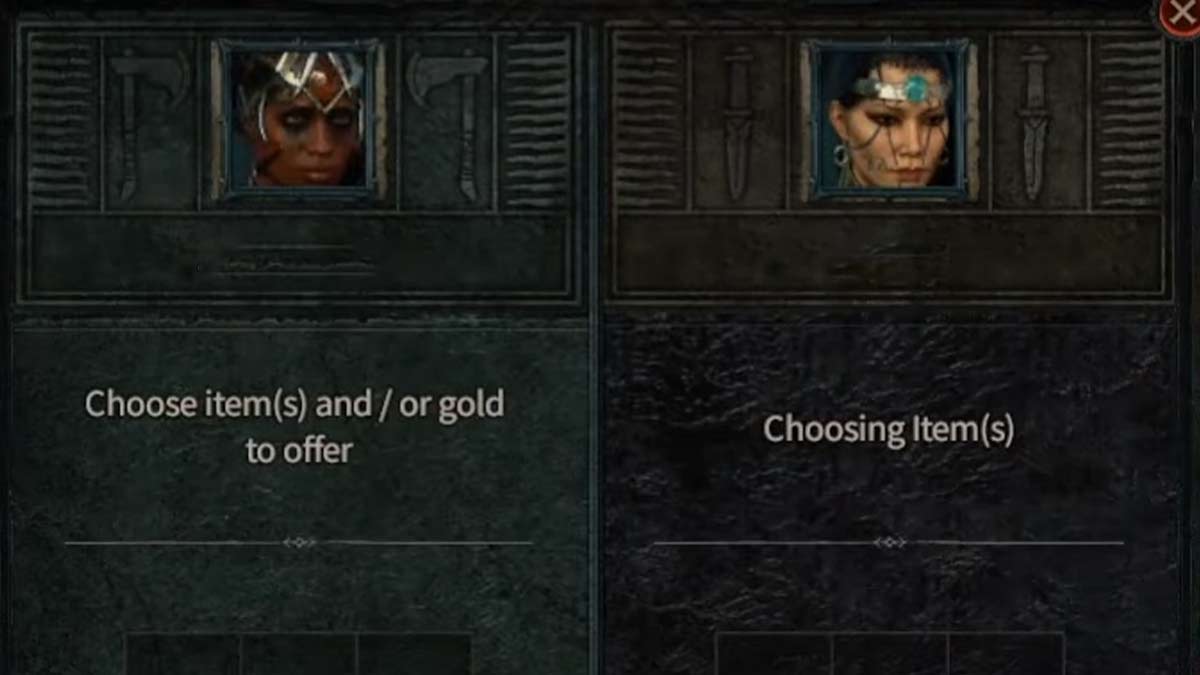
Before you check out the list of tradeable items and untradeable items there are some restrictions you need to keep in mind.
- Players won’t be allowed to trade other currencies except for Gold.
- You can’t offer the items you have equipped or are in your Stash.
- Changing items after the trade has been locked in, will result to unlock the trade again.
These are some safety measures to keep trading safe and scam free. With that being said let’s take a look at the items that can be traded.
Tradebale Items in Diablo 4
- Magic Materials
- Rare Items
- Gold
- Gems
- Common Items
- Elixirs
Non-tradeable Items in Diablo 4
- All other currencies are untradeable except Gold
- Unique Items
- Legendary Materials
- Enchanted Items
- Scroll of Escape
- Quest Materials
You can identify other non-tradeable items by the Account Bound mark in the item’s tooltip.
That covers all about how you can trade and what are the trading restrictions in Diablo 4. If you’re looking forward to trading more, then check out whether will there be an Auction house in the game. Also, take a look at the ways to Level up fast in D4 easily.











