Rocket League has various means of customizing your Vehicle. To customize them you need to obtain items. And sometimes, players need some rare items, that they cannot get directly from the game. In such cases, you can Trade items from another player. This is because of the game’s Trade-in Feature and this guide will teach you how to trade in Rocket League.
How to Trade in Rocket League?
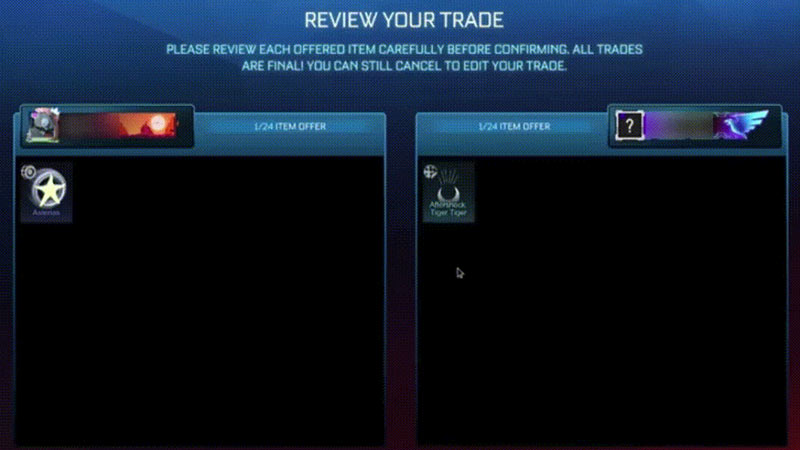
- To trade items, select the main menu and go to Garage.
- In Garage, navigate to Manage Inventory and select it.
- Select items you want to Trade.
- Once you choose what you want to trade, click on accept to complete the Trade.
- Note that you can only Trade after you purchased a minimum of 500 Credits from the in-game store.
- Also, trading player-to-player only happens if both the players are online and they should confirm to start the trading.
What can you Trade in Rocket League?
You can trade the following items:
- Any free drops from the game
- Blueprints that are revealed
- Any free item received after the free-to-play version of the game, sharing the same rarity
Although you cannot share any purchased or premium items received such as Bonus Gifts or items purchased from the item shop.
How does Trade-in Feature work?
To Trade-in one item of higher rarity, you will need to trade 5 less rare items and this is how Trade-in is broken down:
- 5Common = 1 Uncommon
- 5Uncommon = 1 Rare
- 5 Rare = 1 Very Rare
- 5 Vary Rare = 1 Import
- 5 Imports = 1 Exotic
So, if you expect to get an Import rarity item you will have to trade 5 Very Rare items or you can choose to trade items of the same rarity. Hence, Trading Exotic items can be expensive as you will need to trade your 5 Import items. Therefore, we recommend buying Exotic items from the item shop or obtaining them from Rocket Pass.
That’s everything covered about how to Trade in Rocket League. Also, check out our guide on how to get Fennec in Rocket League.