Throw a Coin’s gameplay loop is very addictive – you start by throwing a coin into the fountain, and it gives you a random item of a certain value. The fountain can drop anything from a Guitar, a TV, a Trophy, a Magnet, a Wheel, to the rare Treasure Chests. Your goal is to upgrade your throwing coin, get better items to sell, and unlock upgrades such as Luck and Value Multiplier. This is easily possible if you get a bunch of cash at once, which is where Throw a Coin codes come in handy. You can collect free Yen and Reroll tokens to support your journey toward unlocking the rarest items available.
Last checked for new codes on July 27, 2026.
New Throw a Coin Codes (July 2026)
- WORLD3 – Redeem this code to get 5x luck for 10 mins.
- Luckyducky – Redeem this code to get a Divine Rubber Duck item.
Expired Codes
- There are no expired codes for this game.
How to Redeem Throw a Coin Codes
Here’s what you need to do to claim your rewards.
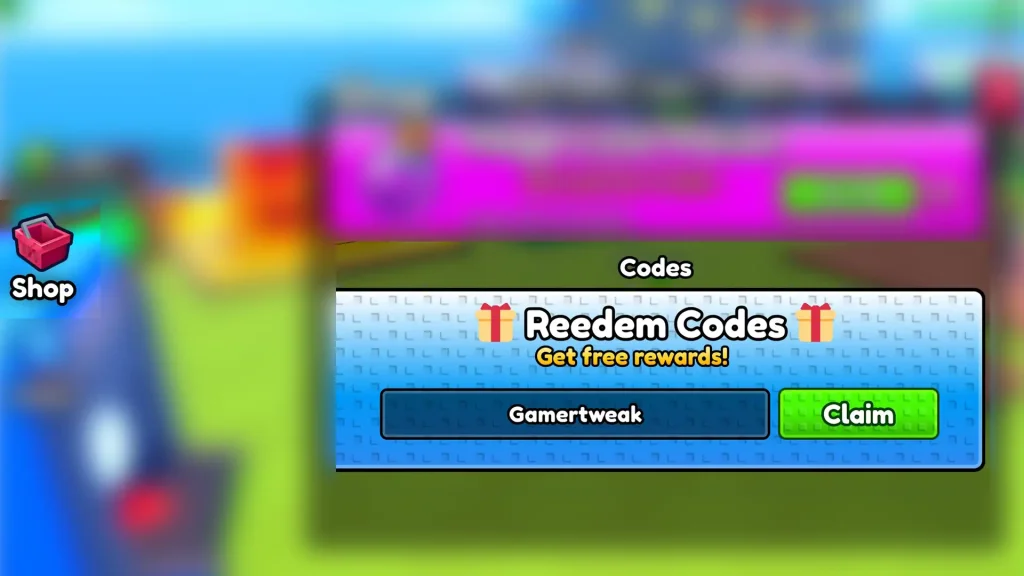
- Launch Throw a Coin on Roblox.
- Click on the Shop icon on the left side of the screen.
- Scroll to the bottom and type your code in the text field.
- Click on Claim and the goodies are all yours.
How to Get More New Codes
To avoid missing any freebies, you can follow the official Discord server or simply check back here, as we keep our code list updated whenever new rewards are released.
What to Do if a Code Isn’t Working?
If your code isn’t working, confirm that you’ve entered every character exactly as shown above. Roblox codes are often case-sensitive, so using copy and paste is recommended. If the code still won’t redeem, it may have expired or you’ve already claimed it previously. You can also try restarting the game or joining another server, as some new codes may take a short time to become active after an update.
FAQs
You can redeem every active code once unless the developers specify otherwise.
It’s uncommon. Most developers release brand-new codes instead of reactivating expired ones.