Fortnite is a battle royale game developed by Epic Games. And is currently on Chapter 4 Season OG in the game. This game is very fun to play, especially with friends. One of the best features of this game is you can play with friends without them needing to have a second console. But while this feature is very useful you can’t make most of it when you can’t make it work.
For the past few hours, players have been confused, as it seemed like Fortnite removed Split Screen or maybe disabled the function. But that’s not the case, they haven’t permanently taken it off. They did it due to some recurring errors. Read along, as here we have explained the issue, why it is temporarily disabled, and what to do when it is resumed and the split screen is still not working.
Why is Split Screen Not Working in Fortnite? Has it Been Removed
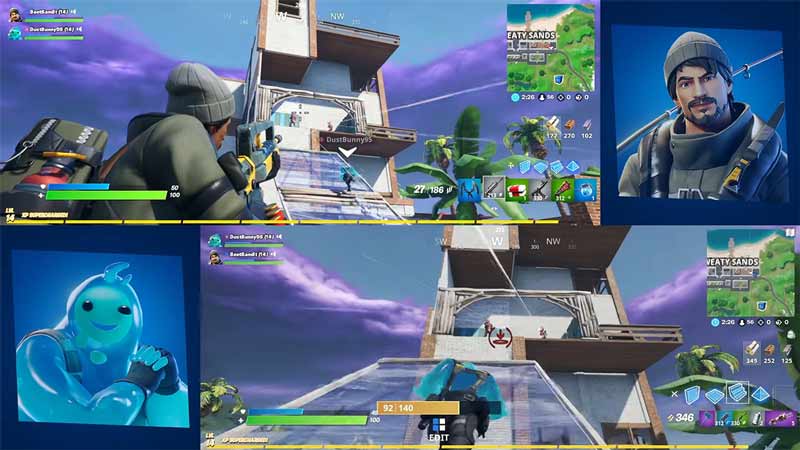
The latest update of the Fortnite v27.10 update has disabled the Split Screen functionality due to some recurring issues. Fortnite has officially recognized the problem and made a Twitter post regarding it. According to the post, there seems to be an issue with the “Ready Up” and “Keep Playing Together” buttons of the game.
They are currently investigating the problem. And will roll the fix with some future updates. You can keep track of the issue from the Fortnite Status X or save this guide. We’ll update the guide, whenever the fix is rolled.
Fortnite Split Screen Not Working Fix
If you are reading this guide after the function was enabled and fixed. But you are still facing the split-screen not working issue. Try these solutions:
- Restart your game: This method is suggested by Fortnite themselves. Simply close the game completely. Once you do restart the game and the split-screen should start working again. Although many users have reported that this fix doesn’t work immediately or always, so you may need to restart your game multiple times.
- Restart your console: This fix works well with the above solution. Restart your Xbox or PlayStation then try playing the game.
- Test your connection: A slow internet connection can at times give issues. You can easily check your internet connection by doing a speed test or playing some other online game.
- Refresh your connection: Sometimes your connection isn’t stable and that can cause such issues. There are two ways to fix this problem. If you are on a wired connection then plug out the ethernet cable and plug it in again. And if you play wirelessly then reboot your router.
Lastly, if none of these fixes work then you should wait for some time as Fortnite is working to resolve this issue. Once they fix it you should start in this function again.
That covers everything you need to know about how to fix split screen not working in Fortnite. If you like playing this game then be sure to check out our other guide on how to fix an unexpected error occured for Xbox and Squid Game creative map codes in Fortnite.