
Home > The Finals > Shroud The Finals Settings – Crosshair, Sens, And Graphics

Shroud The Finals Settings – Crosshair, Sens, And Graphics

Published Date :

When it comes to FPS games, watching the pros can help you get better at your game. As such it is no surprise that there are several fans of Shroud for The Finals. However, many fans don’t just want to watch him play, they also want the settings he uses. Be it the mouse sensitivity, crosshair, or graphics. There is a chance using them could actually work for your benefit.

Shroud The Finals Settings – Complete List
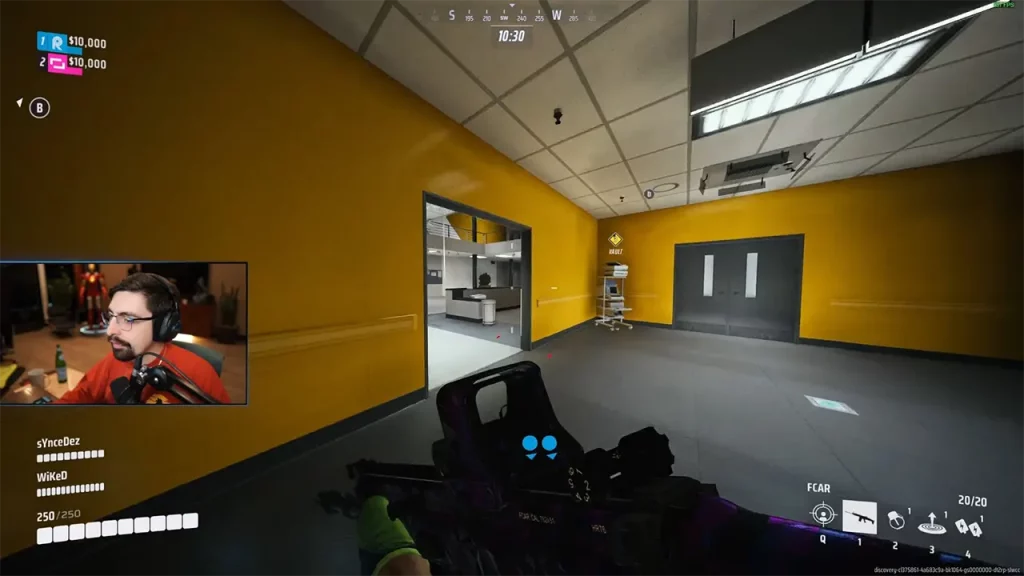
Image Credits: shroud on Twitch

The following settings and information are based on the replies by the Twitch Fossabot in Shroud’s chat. You can check if the streamer has changed his peripherals or settings in his chat.

Shroud Mouse & Sensitivity

Shroud’s mouse sensitivity is 45. For the peripherals, he uses the following mouse and mousepad:

  • Mouse: Logitech G303 Shroud Edition Wireless
  • Gaming Mousepad: Logitech G840 XL Shroud Edition

Shroud Crosshair Settings

  • Crosshair Width: 1
  • Outline Width: 1
  • Red: 255
  • Green: 255
  • Blue: 255
  • Red Outline: 0
  • Blue Outline: 0
  • Green Outline: 0

Shroud Graphics Settings for The Finals

Thanks to blurTTV on Twitch for clipping the VOD. These are the graphics settings that Shroud uses:

  • Display & Resolution
    • Window Mode: Windowed Fullscreen
    • Resolution: 2560×1440
    • Nvidia DLSS Frame Generation: Disabled
    • VSync: Disabled
    • NVIDIA Reflex Low Latency: On
    • Resolution Scaling Method: TAAU
    • Resolution Scale: 100
  • Graphics
    • Field of View: 100
    • Motion Blur: Disabled
    • Lens Distortion: Disabled
  • Ray Tracing
    • NVIDIA RTX Global Illumination: Static
  • Quality
    • Overall quality level: Custom
    • View Distance: Low
    • Anti Aliasing: Low
    • Shadows: Low
    • Post-processing: Low
    • Texture: Low
    • Effects: Low
    • Foliage: Low
    • Global Illumination Resolution: Low

That’s all for Shroud’s settings for The Finals. Since you are looking to improve your gameplay you should also check our guide on how to get better at it. Don’t forget to also visit our The Finals section, here you can find other topics like how to get Multibucks, VRs, all career rewards list, and more.


  • Warden Codes (August 2026)

    Warden Codes (August 2026)

    Published Date :

    Warden takes you on a fantasy PvE adventure where you’ll play as powerful creatures, solve puzzles, complete objectives, and uncover the mystery behind a spreading corruption. While you’re at it, you can redeem the latest Warden codes to unlock Shooms, the in-game currency. Before any further ado, here’s the latest list of active rewards. Last… Read More

  • Stay Hard Run Codes (August 2026)

    Stay Hard Run Codes (August 2026)

    Published Date :

    Inspired by David Goggins’ famous “Stay Hard” mindset, Stay Hard Run challenges you to push through demanding obstacle courses without giving up. Every successful run earns you more progress, helping you unlock upgrades and if you’re looking for an extra boost along the way, redeeming the latest Stay Hard Run codes is something you should… Read More

  • PartyBox Codes (August 2026)

    PartyBox Codes (August 2026)

    Published Date :

    Answering trivia questions or sketching hilarious drawings is super fun with a group of friends in PartyBox. Since you’ll be competing across a variety of game modes, any free rewards you can claim are always worth picking up, and luckily, the devs release goodies that reward Confetti and more, perfect for your next game night.… Read More

  • Roblox Lowball Codes (August 2026)

    Roblox Lowball Codes (August 2026)

    Published Date :

    Buying items below their market value and flipping them for a profit is the fastest way to get rich in Lowball. Every successful negotiation grows your cash, letting you take on bigger trades and expand your inventory even further. If you want an extra boost without waiting for your next big deal, redeeming the latest… Read More







