
Home > Enshrouded > How To Setup A Dedicated Server In Enshrouded

How To Setup A Dedicated Server In Enshrouded

Published Date :

While Enshrouded offers a world of survival, numerous activities like raiding, crafting, and combat will be experienced best with friends. If you are interested in simple multiplayer, you can host a public game and invite your friends to it. However, the host needs to be available to play those locally saved public games. Fortunately, the game offers its own dedicated servers that will provide a seamless experience.

Players can rent an Enshrouded dedicated server and then invite their friends to it. Once they join the server, they can play the game 24/7 without the host having to stay online. Rather than traversing through Embervale alone, you can join your friends and dedicated servers are the best way to go forward.

How to Rent and Host an Enshrouded Dedicated Server
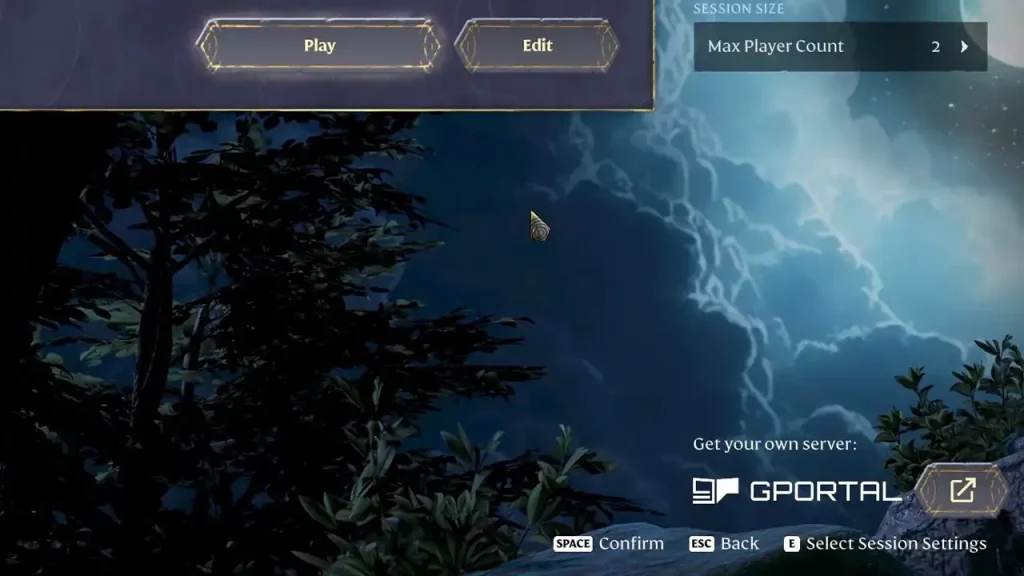
Players Need GPortal to Rent and Host Enshrouded Dedicated Server
Enshrouded Dedicated Servers can be rented via GPortal (Image Source: Keen Games)
  • Hit Play and then select the Host option.
  • In the window that opens, you will see the normal hosting options. Look for the get your own server option by Gportal at the bottom right and click that.
  • You can select the number of Slot (players) along with the duration of the server. The default server length will be for 30 days.
  • You will also have the option to choose the server location and that should be it. Players can now host the dedicated server in Enshrouded.

How to Join Enshrouded Dedicated Server
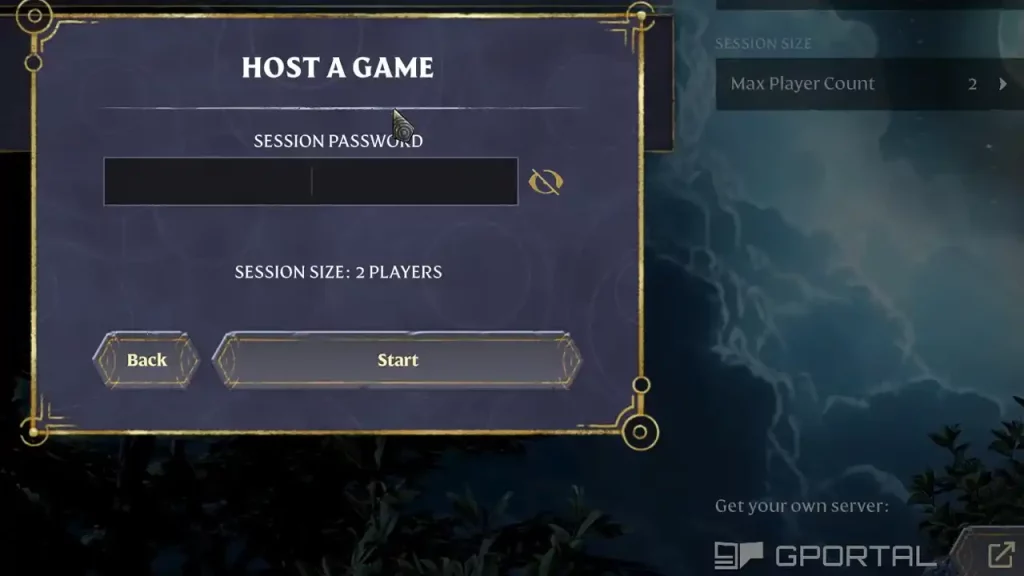
Enter the Password to join Enshrouded Dedicated Server of your Friend
Join the Enshrouded Dedicated Server of your friend. (Image via Keen Games)

Joining an Enshrouded dedicated server works the same way as joining the multiplayer game. You can simply hit Play on the main menu and use the Join option on the next screen. Make sure you have the Show Dedicated Server option ticked on the right. After that, select the Only Show friend session option so you have the server right at the top.

Alternatively, you can search it by the server’s name and if it’s protected by a password, you should get it from the host. Now, simply put in the right password and you can join the dedicated server.

That’s all we need from this guide. If you found this guide useful, do check out more Enshrouded guides in our dedicated section here at Gamer Tweak.


  • Anime RNG Defense Codes (August 2026)

    Anime RNG Defense Codes (August 2026)

    Published Date :

    Anime RNG Defense combines random rolls with tower defense, so building a strong lineup comes down to getting powerful units and making the most of every roll. As you start getting tougher enemies, you’ll need plenty of Crystals and rolls to improve your collection and find stronger characters. Some rewards also require you to reach… Read More

  • Make Soccer Players Codes (August 2026)

    Make Soccer Players Codes (August 2026)

    Published Date :

    Building your own squad is the main goal in Make Soccer Players, but putting together a strong lineup takes more than simply collecting players. You’ll need cash, better league players, and useful upgrades. Luckily, the developers have released several codes that can help you get started with some valuable rewards and here’s the complete list… Read More

  • Dig and Clean Codes (August 2026)

    Dig and Clean Codes (August 2026)

    Published Date :

    Digging through layers of sand is the first part of making money in Dig and Clean – after that, you need to complete the satisfying process of cleaning up the item and putting it up for display. It’s a fun and addictive loop, but you’ll need a lot of luck and stronger boosts to uncover… Read More

  • Warden Codes (August 2026)

    Warden Codes (August 2026)

    Published Date :

    Warden takes you on a fantasy PvE adventure where you’ll play as powerful creatures, solve puzzles, complete objectives, and uncover the mystery behind a spreading corruption. While you’re at it, you can redeem the latest Warden codes to unlock Shooms, the in-game currency. Before any further ado, here’s the latest list of active rewards. Last… Read More







